
You have seen the ad that works. Maybe it is a rival's carousel that will not stop showing up in your feed, or a static image with a layout so clean you screenshot it for later. The instinct that follows is almost universal: I want that structure, but with my product in it.
Most advertisers stop at the screenshot. Coinis's Ad Studio ships a tool built to go further: generate_competitor_recreate takes a reference ad, extracts its structural style recipe, and rebuilds that recipe around your own brand, your own product, and your own logo. Nothing from the original ad's text, logo, or product ever appears in the output. What survives the trip is the thing that actually made the ad work: the layout, the composition, the way it frames its subject.
What "structural recreation" actually means
There is an important legal line running through this whole idea, and it is worth stating plainly before anything else: an ad's layout, composition, and general concept are not protected the way its specific wording, logo, or product photography are. The U.S. Copyright Office is direct about this. Copyright protects the expression of an idea, not the idea, method, or system itself, and a circular from the Office lists layouts and formats among the things that fall outside protection on their own. A split-screen before/after frame, a bold price-anchor callout in the corner, a face-to-camera testimonial crop: these are structural conventions, not anyone's exclusive property.
That is the gap Ad Studio's competitor-recreation tool works inside. You give it a reference image. It reads the structure: where the product sits in the frame, how the color blocking is arranged, what the composition is doing to draw the eye. It then rebuilds that structure using your brand's colors and voice, your product photo, and your logo. The tool's own description is specific about the guardrail: it never copies the competitor's actual text, logo, or product. What comes out the other side is a new ad that shares a structural family with the one you started from and nothing else.
A worked example: rebuilding a pour-over pitch
To keep the demonstration honest and avoid giving any real company's ad free exposure in the process, the example below uses an invented reference ad rather than a live brand's actual creative: a generic, unbranded static ad for a countertop coffee product, built specifically for this walkthrough. The Coinis-side brand rebuilding it is also fictional, "Aura Clean," a stand-in ceramic-goods brand for the purposes of this demo.
Reference structure (invented, generic, non-branded): a tight product-forward composition, the item angled at roughly 30 degrees toward camera, a warm gradient background, and a bold price callout locked to the lower-right third of the frame.
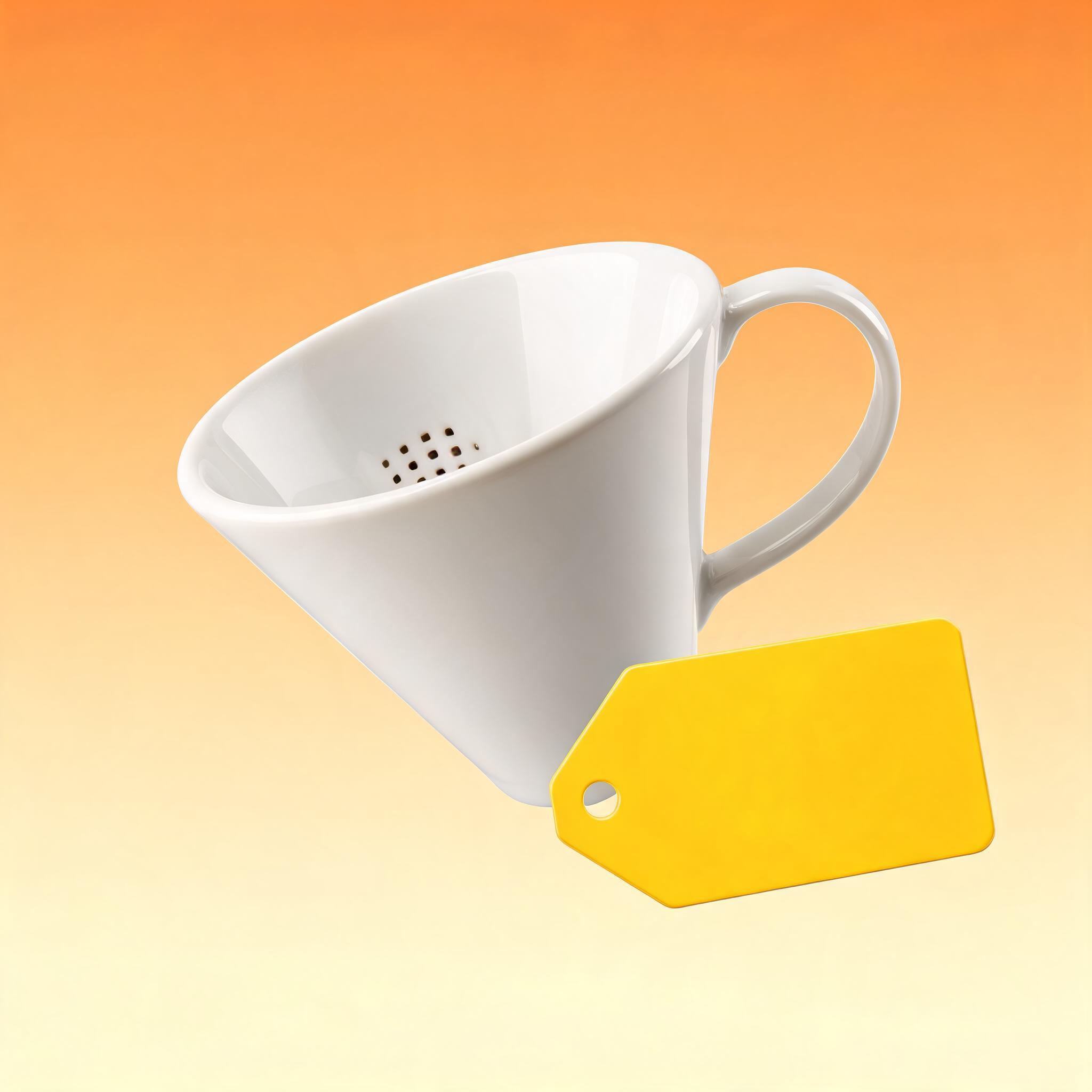
Recreation prompt used with generate_competitor_recreate:
Reference: the generic pour-over reference structure above.
Brand: Aura Clean, ceramic homeware, warm neutral palette.
Product: Aura Clean's own ceramic pour-over dripper.
Reference fidelity: tight (mirror the reference's structural layout, not just its mood).
Use brand colors: true.
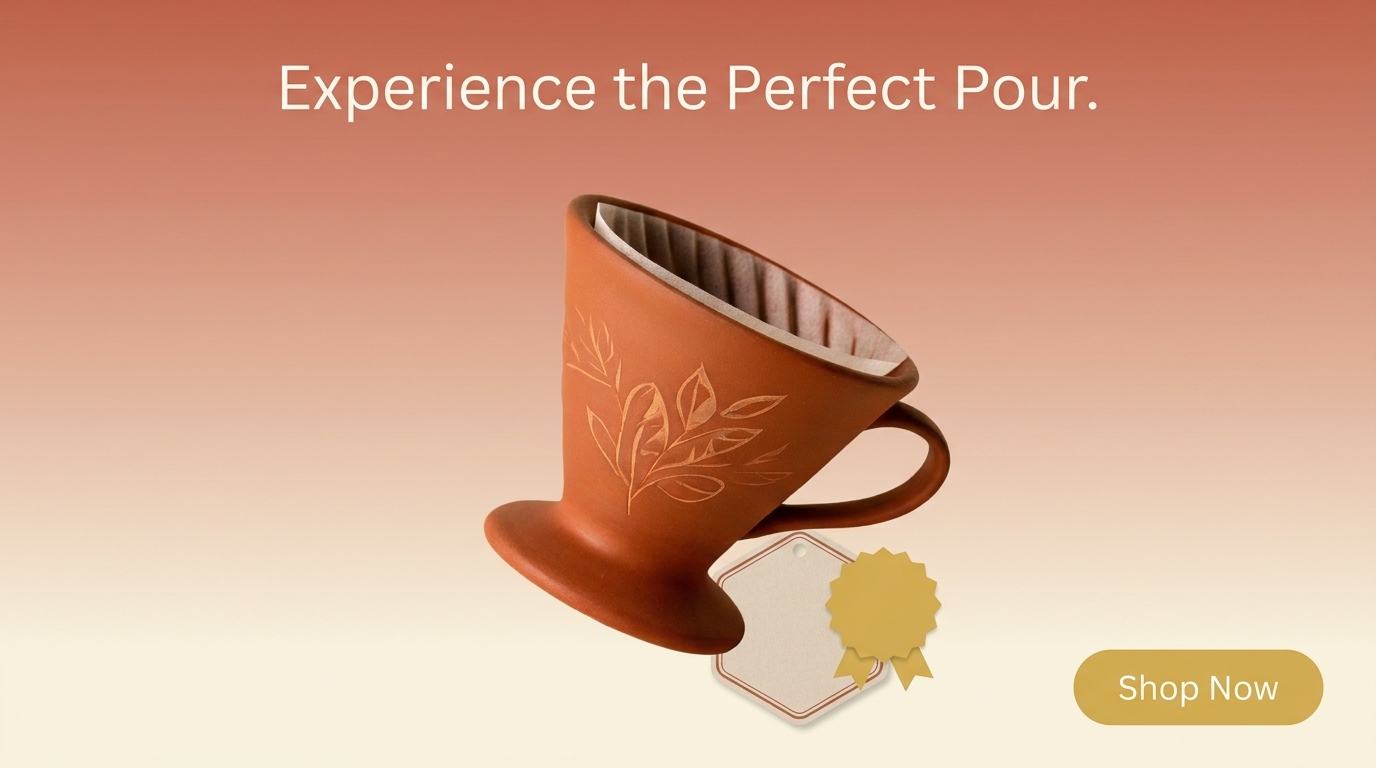
The output keeps the reference's bones: same product angle, same lower-right price-callout placement, same warm gradient treatment, adapted to Aura Clean's own palette. Nothing from the original reference's actual product, text, or branding rides along.
How to run this on your own account
Step 1: Pick your reference. This can be any public ad image, including one you have saved to your own Coinis swipe file from browsing the Meta Ad Library through Ad Studio's competitor-ads tool. A public, https-reachable image URL is what the tool needs.
Step 2: Attach your product. Point the tool at your product's photo. Skipping this step still works, but the tool falls back to a vision-described guess at your product instead of your real one, which is a noticeably weaker result. If you already have product photos ready, this is the same starting point behind turning a single product photo into a Facebook video ad.
Step 3: Choose reference fidelity. "Loose" borrows the reference's mood and general composition and gives the render more freedom. "Tight" mirrors the reference's structural layout closely: same framing, same element placement, closest to a true structural clone. Start tight when the reference's layout is the entire reason you saved it.
Step 4: Decide on brand colors. Leave brand-color threading on for a normal, on-brand recreation. Turn it off only if you are running a pure style experiment and want to see the structure without your palette influencing the read.
Step 5: Pick your output formats and quantity. Square, feed, portrait, story, reel, and landscape are all available, up to eight images per format in one pass. Generate every placement you actually run ads in in a single request instead of resizing one format after the fact.
Step 6: Preview the cost, then approve. Ad Studio quotes the exact token cost before anything renders, based on your chosen formats and quantity. Confirm the number matches what you expect, then approve the generation.
Why this beats the screenshot-and-brief workflow
The old version of "recreate a competitor's ad" was a creative brief: someone describes the layout in words to a designer or a generation prompt, and hopes the description captures what made the original work. Layout is spatial. Words are sequential. Something is always lost in that translation, usually the exact thing that made the composition effective in the first place.
Feeding the reference image directly into a structural-extraction tool skips the lossy middle step. The tool is not reading a description of the layout, it is reading the layout. That is also, not coincidentally, the same reason a swipe file is worth keeping in the first place: creative teams that build and reference a library of proven ad structures are working from evidence instead of instinct, and Meta's own reporting on its Andromeda ranking system backs the underlying logic up directly. Meta has reported an 8% improvement in ads quality tied to Andromeda's ability to process a wider range of diverse creative, and separately, ad campaigns using GenAI image features inside Advantage+ creative saw an 11% higher click-through rate and 7.6% higher conversion rate against campaigns that did not use those features. More creative variety, tested faster, against structures with a track record: that is the entire case for a tool like this, made by the platform doing the ranking, not by Coinis.
Where recreation fits next to Ad Studio's other presets
Structural recreation is not a replacement for Ad Studio's other formats, it is a faster on-ramp into testing them. If a saved reference ad is a talking-head UGC read, feed it through the recreation tool for the composition and framing, then push the winning structure into a full UGC-style Facebook ad build for the voice and delivery. If the reference is a cinematic product shot, Ad Studio's cinematic presets are the next stop after the structure is locked. And because creative fatigue sets in fast on any single winning structure, whatever you rebuild here belongs in a rotation, not a permanent single ad, the same discipline covered in combatting creative fatigue on Instagram ads.
This is also the clearest version yet of what separates Ad Studio from raw marketplace generation. Anyone can prompt a model for "a product ad." Ad Studio's job is turning a structure you already know converts, wherever you found it, into a launch-ready ad built around your own product in minutes, not a design brief and a week's turnaround.
FAQ
Is it legal to recreate a competitor's ad structure? Layouts, formats, and general compositional ideas are not protected by copyright on their own, only the specific expression (the exact wording, the exact logo, the exact product photography) is. Ad Studio's tool is built around that line: it explicitly never copies a competitor's text, logo, or product. Always use your own product, your own brand assets, and your own claims in the recreation.
Do I need a reference image saved through Coinis, or can I use any ad I find? Any public, https-reachable ad image URL works as a reference. You do not need to have saved it to a swipe file first, though building one over time makes it faster to find a reference again later.
What happens if I skip attaching my own product photo? The tool still generates something, using a vision-described guess at your product instead of a real photo. The result is noticeably lower quality than attaching a real product image, so treat the product photo as effectively required, not optional.
Should I always use tight reference fidelity? Not always. Tight is right when the layout itself is the reason you saved the reference. Loose is a better fit when you want the reference's general mood and energy without locking the exact element placement, useful for a lighter style-inspired take rather than a structural clone.
Try it on your next swipe-file find
The next time an ad's structure stops your scroll, the move is not a screenshot you will forget in a folder. Pull the URL, attach your product, and let Ad Studio rebuild that proven structure around your own brand in one pass, ready across every format you actually run.
Sources
- U.S. Copyright Office. "Circular 33: Works Not Protected by Copyright." https://www.copyright.gov/circs/circ33.pdf
- U.S. Copyright Office. "What Does Copyright Protect? (FAQ)." https://www.copyright.gov/help/faq/faq-protect.html
- Meta for Business. "The Creative Advantage: Unlocking the Power of Diversification with Meta Andromeda." April 22, 2025. https://www.facebook.com/business/news/the-creative-advantage-unlocking-the-power-of-diversification-with-meta-andromeda

Isidora Matovic
Author
Social media enthusiast and a full time researcher. She takes digital presence very seriously and that is why you are always in touch in what is going on with us! Follow us for more posts like this.