
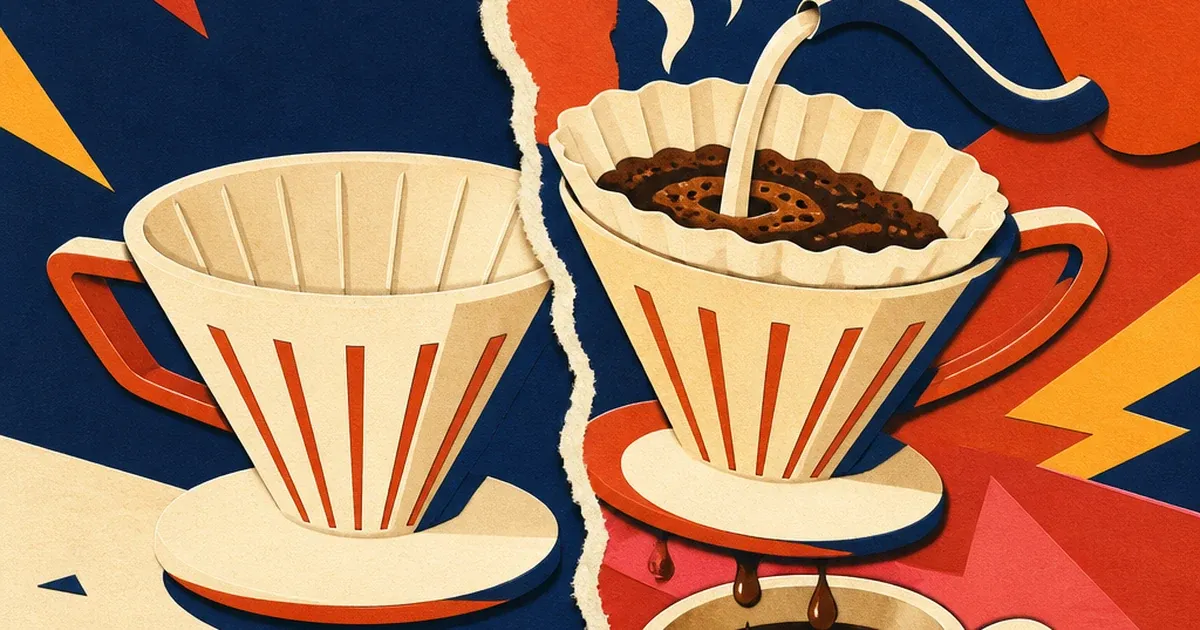
A tired kitchen counter. Then a clean one. A dull countertop appliance shot next to the same appliance mid-pour, steam rising. Nothing sells a product faster than watching it work.
The before-after ad is one of the oldest formats in direct response, and it is still one of the best-performing shapes in a cold-traffic feed. Ad Studio now generates this format from a single product photo, no reshoot, no split-screen editing software, through a dedicated before-after preset.
Why the format still works
Before-after ads succeed because they let the viewer skip the trust-building step most ads have to do from scratch. Instead of telling someone a product works, the ad shows the gap between two states and lets the viewer fill in the "how" themselves.
That gap-filling matters more than marketers often assume, and the research on it has a real nuance worth knowing before you brief one. A 2020 study in the Journal of Marketing Research (Cian, Longoni & Krishna) ran seven separate studies comparing plain before-after ads against "progression" ads that add visible intermediate steps between the two end states. The finding was not simply "before-after wins": progression ads, the ones showing the process rather than just the two bookends, generally produced stronger spontaneous mental simulation of the change, which made them feel more credible and more persuasive. But the same research found a reversal. When the audience already believes a fast, simple result is achievable, adding process steps can backfire, since the extra steps make an easy win look harder than it is. The practical takeaway for anyone briefing this format: a quick, dramatic-looking transformation (a stain lifting, a room brightening) is exactly where a clean two-shot before-after works best. A longer or more involved change benefits from at least one visible middle beat.
Performance data backs the format's pull even without the process nuance. Adlibrary's 2026 Meta ad benchmark analysis for cosmetics, built from published industry benchmarks (WordStream, Statista) plus the platform's own 90-day cosmetics ad-index engagement signals, found that transformation and before-and-after creative showed 35 to 55 percent higher observed cold-traffic engagement than studio-shot product photography, across every sub-vertical the report tracked except luxury fragrance. Fragrance is the exception because it has nothing visible to transform. Almost everything else advertisers sell does.
What changed: no more split-screen editing
The classic version of this ad needed two real shoots, one before and one after, matched lighting, matched framing, and manual split-screen or wipe-transition editing to stitch them together. Any mismatch between the two shots, a shadow that moved, a slightly different angle, breaks the illusion the whole format depends on.
Ad Studio's before-after preset removes that matching problem entirely. Feed it one product photo and a short brief describing the transformation, and it generates both states from the same source so the framing, lighting, and product identity hold steady across the cut. This is the same production-bottleneck removal behind Ad Studio's UGC-style Facebook ad preset: the underlying idea is always the same, generate the shots that used to require a second production day.
How to generate a before-after ad on Coinis
Step 1: Load the product into your catalog. Ad Studio's before-after preset pulls from your Coinis product catalog rather than accepting a raw image URL, so the product needs a clean photo in your catalog first.
Step 2: Write a transformation brief, not a script. Describe the starting state, the ending state, and what changes between them in plain language. Keep the transformation visible and specific. "Cloudy glass, then streak-free glass" gives the preset something concrete to render. "Makes things better" does not.
Example brief for a ceramic pour-over coffee dripper:
Before state: dry ceramic dripper sitting empty on a plain counter, no steam, no coffee.
After state: same dripper mid-pour, coffee streaming through the filter, steam curling upward, a filled cup beneath it.
Product-truth lock: Wordmark: "Handmade Ceramic Pour-Over"
Duration: 15s
The product-truth lock matters here the same way it does across every Ad Studio preset: it is a short quoted line of exactly what is printed or claimed on the product itself, so the generated transformation never implies a claim the product cannot back up. A before-after ad in particular can drift into overclaiming if the brief is vague, since the format's entire job is to imply "look what changed." Keep the change real and keep it visible.
Step 3: Set the duration. The before-after preset runs a fixed 15-second cut. That is enough room for a quick before shot, a clear transition beat, and a payoff, without extra runway for filler.
Step 4: Generate, then judge before you trust it. Sample a few frames spread across the clip and check three things: does the before state read clearly as "before," does the transition land without a jarring or warped middle frame, and does the after state deliver on exactly what the brief promised. A before-after render that fails any of these should be re-briefed with more specific detail, not shipped as-is.
A note on this article's own example: the ceramic pour-over dripper brief above is the exact transformation brief queued for generation on our creative platform. Generation is blocked right now by an infrastructure-level authentication issue on our side, not a limit of the before-after preset itself, so we are holding the rendered clip for a follow-up update rather than publish a placeholder or fake attribution. Check back on this page for the actual output.
Step 5: Push the winner into a testing rotation. A before-after clip that passes the judge step becomes a reusable template for every product in your catalog with a visible before-and-after story, not a one-off generation. This is the actual difference between Ad Studio and raw marketplace generation: the brief format stays the same, only the product changes, the same workflow behind turning a single product photo into a Facebook video ad.
Where before-after fits next to your other formats
Before-after is not a replacement for every other Ad Studio preset, it is one more angle in the rotation. Pair it against Ad Studio's cinematic presets for a calmer, studio-quality counterpoint, or against a chat-driven live-shopping-style ad for a different kind of urgency. Rotating formats rather than repeating one is also the direct fix for creative fatigue on Instagram ads: a before-after ad that crushes it for two weeks will still fatigue eventually, and having a bench of other presets ready means you are not stuck reshooting when it does.
If you have already been building manual before-after ads by hand, the existing Coinis guide on building a before-after TikTok ad template walks through the platform-specific setup for that format. This article is the generation layer underneath it: instead of manually cutting two shots together, the preset generates both states from one photo and one brief.
FAQ
Does a before-after ad need a real before-and-after result? Yes. The product-truth lock exists specifically to keep the generated transformation tied to something real about the product. Never brief a change your product cannot actually produce.
Should the transformation include a middle step, or just two end states? Depends on how fast and how obvious the result is. The Cian, Longoni & Krishna research found that a visible middle step boosts credibility for slower or more complex changes, but can backfire when the audience already expects an easy, fast win. A quick, dramatic change (steam rising, a stain lifting) works fine as a clean two-state cut. A longer transformation benefits from at least one visible middle beat in the brief.
Which products work best for this format? Anything with a visible functional or visual change: cleaning products, food and drink prep, cosmetics with a visible before/after, home tools. Adlibrary's benchmark data found the format underperforms specifically where there is nothing visible to transform, like fragrance.
How is this different from Ad Studio's cinematic product-shot preset? Product-shot is a single polished hero shot of the product in use. Before-after is built around the contrast between two states. Use product-shot when the product itself is the story, and before-after when the change it produces is the story.
Try it on your own catalog
Before-after is one more preset in Ad Studio's UGC lineup, live on Coinis today. Pull a product from your catalog with a genuine visible change to show, write a two-state transformation brief, and generate a before-after variant to drop into your testing rotation. The split-screen editing session that used to cost you a second shoot day now costs two sentences.

Isidora Matovic
Author
Social media enthusiast and a full time researcher. She takes digital presence very seriously and that is why you are always in touch in what is going on with us! Follow us for more posts like this.