
A vape shop photographs its best-selling device the way every vapor-product listing gets photographed: mid-puff, with a dense cloud rolling past the mod to prove the throat hit and flavor claim are real. The cloud looks great in person. In the photo, it does something else. It scatters light back at the lens, softens the exact edges and dial markings a buyer needs to see, and leaves the coil window and liquid level looking like they were shot through a bathroom window.
That is not a lighting mistake. It is physics working exactly as expected, and no amount of relighting fixes it, because the haze is not coming from the light source. It is coming from the cloud itself.
Why a vapor cloud blurs a photo that smoke-free products never have this problem with
Water droplets, aerosol particles, and vapor condensation share something in common with fog, mist, and smoke: when the particle diameter sits close to the wavelength of visible light, the particles scatter that light in a strong, broadband way described by Mie scattering theory (Wikipedia, "Mie Scattering"). Peer-reviewed aerosol measurements of e-cigarette vapor put particle sizes anywhere from tens of nanometers up into the single-digit-micron range depending on device power and puff style (Nature Scientific Reports, "Aerosol droplet-size distribution and airborne nicotine portioning," 2020, measuring particle growth up to roughly 6.8 microns at higher power settings). That size range sits squarely in Mie-scattering territory, the same optical regime that makes fog, cloud, and smoke photograph as a soft, contrast-eating haze instead of a sharp, well-defined shape.
A dense cloud near the camera, between the lens and the product, does two things to the image at once: it scatters ambient light back toward the lens as a general wash, and it blocks part of the direct light that would otherwise reveal texture and edge detail on the device behind it. The result is a photo where the mod's buttons, the tank's fill line, and the e-liquid bottle's label all lose contrast and sharpness in direct proportion to how much cloud sits between them and the camera. Thicker cloud, softer product. There is no exposure setting or white-balance fix for that, because the problem is not color or brightness, it is light bouncing off particles that were never part of the product.
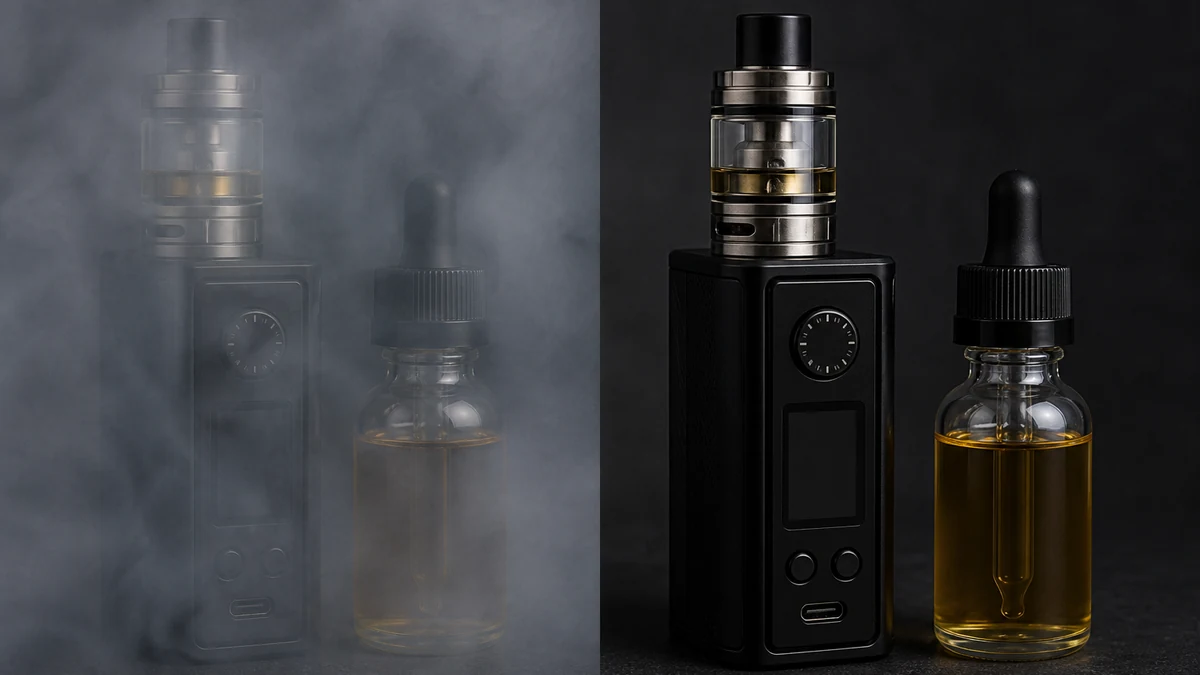
Note on this image: mcp.coinis.dev's tool surface migrated permanently to a new OpenClips-branded catalog in late October 2026, and enhance_asset_proxy's per-model repair parameters for this specific haze-removal case have not yet been mapped in this pipeline. The before/after above is an illustrative still generated directly (not a real enhance_asset_proxy output) to demonstrate the fix concept honestly while that mapping work is pending. See one photo, every ad size for a real generate_image_templates render on this same tool family.
Clear the haze, then build the ad-size set
Ad Studio's repair layer, enhance_asset_proxy, covers exactly this kind of fix inside one tool: background swaps, denoising, sharpening, and lighting correction all live behind a single model field that pairs the correction to the flaw. For a vapor-haze shot, the relevant op is a denoise-and-sharpen pass combined with a background clean-up, since the haze behaves like atmospheric noise sitting between the lens and the product rather than a flaw on the product's own surface. Pass the source imageUrl, describe the result you want in the prompt (device and bottle detail restored, background clean, no people or vapor cloud obscuring the product), and preview the token cost before firing.
Once the source photo reads clearly, the fan-out step is generate_image_templates, Ad Studio's primary image-ad generator. One cleared device photo becomes a square post, a vertical Story crop, and a horizontal banner in a single pass, sized to spec for each placement without repeating the haze-removal step on six separate files.
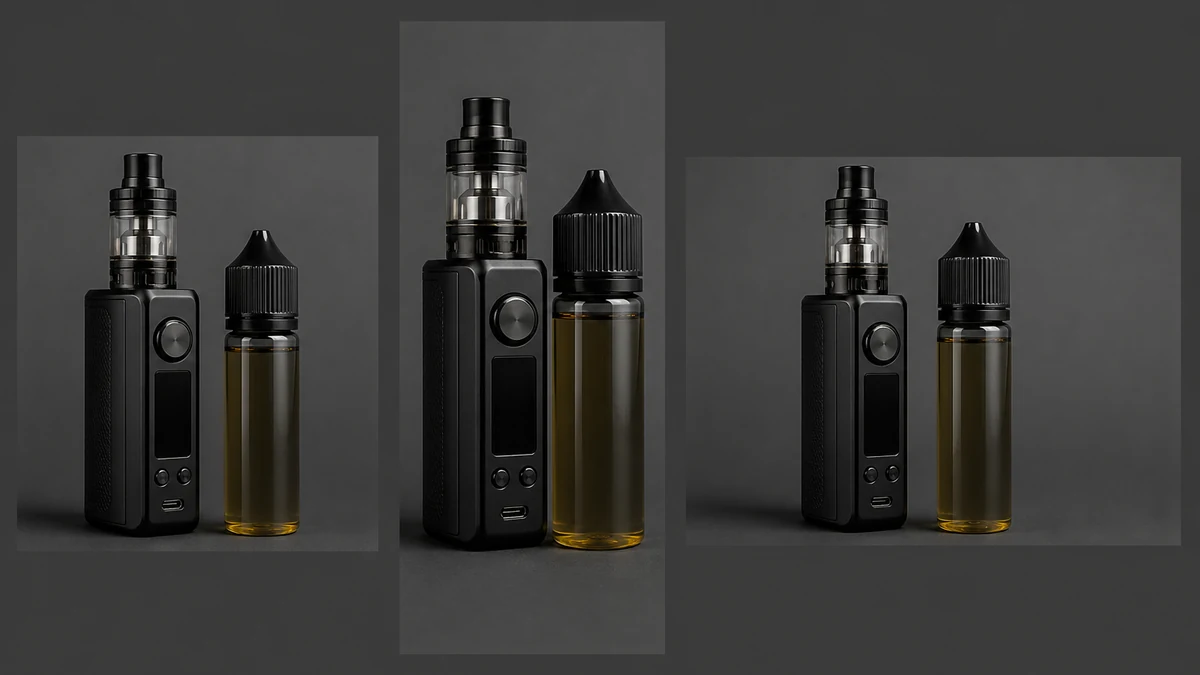
Note on this image: same illustrative-substitute caveat as above, this is a direct generated still standing in for a real generate_image_templates fan-out while the current OpenClips-branded tool surface's repair-step parameters are mapped in a future session.
The part every vape shop needs to hear before opening Ad Studio
Here is the honest complication this article cannot skip past: Meta's own advertising standards state plainly that ads cannot promote electronic nicotine delivery devices, e-cigarettes, vaporizers, or wellness vapes "in any context" (Meta Transparency Center, "Tobacco and Related Products," ad standards page). Google Ads policy bars any ad for a product "designed to simulate tobacco smoking" outright (Google Ads Help, "Dangerous products or services"). TikTok's advertising policy places tobacco and nicotine-related products, including e-cigarettes and vapes, in its prohibited-products category for paid ads (TikTok Ads Help Center, "Dangerous Products or Services").
That means a clean, launch-ready vape ad built for Meta, Google, or TikTok's paid ad systems has nowhere to run. No photo fix changes that. A vape shop that repairs its product photography and then tries to boost it as a Facebook or TikTok ad will have the ad rejected, not because the photo is bad, but because the product category itself is restricted or banned outright on those platforms.
So this article's photo-repair pipeline is built for a different destination: the shop's own storefront website, a verified-21-plus SMS or email list, in-store digital displays, and printed point-of-sale material, all channels a vape retailer actually controls and where age-gating and legal review happen at the retailer's own discretion rather than a platform's ad-approval queue. A sharp, haze-free product photo sells just as hard on a storefront banner or a loyalty-list email as it would on a paid social ad. It just has to land somewhere the product is legally allowed to be promoted.
Building this into a repeatable owned-channel asset step
The order still matters, even for an owned-channel destination. Clear the vapor haze first with enhance_asset_proxy, and only then hand the clean file to generate_image_templates for the size fan-out your storefront, email template, or in-store display actually needs. A hazy source photo resized six ways just produces six soft variants instead of one sharp hero shot.
Age-gating rules, consent requirements, and what counts as a legally compliant vape-retail channel all vary by jurisdiction, and a shop operating across state or national lines should confirm its own legal requirements before publishing any creative, repaired photo or not. A repaired, well-composed device photo does not by itself make a channel compliant. It is a creative-production fix, not a legal or age-verification one.
FAQ
Does enhance_asset_proxy remove the vapor cloud from the photo entirely? It clears the haze enough to restore legibility and detail on the device and bottle. The goal is a sharp product shot, not necessarily a completely cloud-free frame if some atmospheric detail is part of the intended composition. The correction targets the loss of contrast and edge detail, not vapor presence as a concept.
Can I run the repaired photo as a Meta, Google, or TikTok ad once it looks clean? No. All three platforms restrict or prohibit vape and e-cigarette advertising regardless of photo quality (Meta Transparency Center, Google Ads Help, TikTok Ads Help Center, all cited above). A clean photo does not change platform eligibility. This workflow is built for owned channels: storefront site, verified-adult email/SMS, in-store display, and printed point-of-sale.
Do I need a different photo for my website banner, my email header, and my in-store display, or does one repaired shot cover all of them? One repaired shot covers all of them. generate_image_templates handles the resizing and cropping into whatever format each owned channel needs from that single clean source.
Does fixing the photo make my vape shop's marketing automatically compliant with age-verification or advertising law? No. A repaired, well-sized photo is a creative-production step. Age-gating, consent requirements, and advertising-law compliance for tobacco and nicotine products vary by jurisdiction and are the retailer's own legal responsibility to confirm, not something a photo fix or Ad Studio template can guarantee.
The Coinis angle
A vape shop doesn't need to accept a hazy product photo just because the cloud that makes the device look good in person is working against the camera. Repair the photo with Ad Studio's enhance_asset_proxy, then size it for every owned channel with generate_image_templates, and build the finished creative into a launch-ready asset through Ad Studio's templates, scoped to the storefront site, verified-adult list, and in-store display channels a vape retailer actually controls, never a paid Meta, Google, or TikTok campaign the product category can't run on in the first place. Coinis already maps the vape vertical's own creative constraints, and the fastest way to put a repaired photo to work is to start building owned-channel assets in Ad Studio.
Sources
- Wikipedia, "Mie scattering." https://en.wikipedia.org/wiki/Mie_scattering
- Nature Scientific Reports, "Aerosol droplet-size distribution and airborne nicotine portioning in electronic cigarette emissions," 2020. https://www.nature.com/articles/s41598-020-78749-6
- Meta Transparency Center, "Tobacco and Related Products," Ad Standards. https://transparency.meta.com/policies/ad-standards/restricted-goods-services/tobacco-related-products/
- Google Ads Help, "Dangerous products or services." https://support.google.com/adspolicy/answer/6014299
- TikTok Ads Help Center, "Dangerous Products or Services." https://ads.tiktok.com/resources/help/article/tiktok-ads-policy-dangerous-products-or-services

Isidora Matovic
Author
Social media enthusiast and a full time researcher. She takes digital presence very seriously and that is why you are always in touch in what is going on with us! Follow us for more posts like this.