

Export the final cut. Watch it back on your own phone, full screen, no distractions. The product shot lands, the price tag reads clean, the logo sits bottom center exactly where the brand guide says it should. Ship it.
Then it goes live inside TikTok or Instagram Reels, and the app's own profile icon sits directly on top of the logo. The caption text runs straight through the price tag. The follow button and the like counter cover the bottom third of the frame where the call to action used to be.
Nothing about the video changed. The platform did this on purpose.
The Ad Was Never the Whole Screen
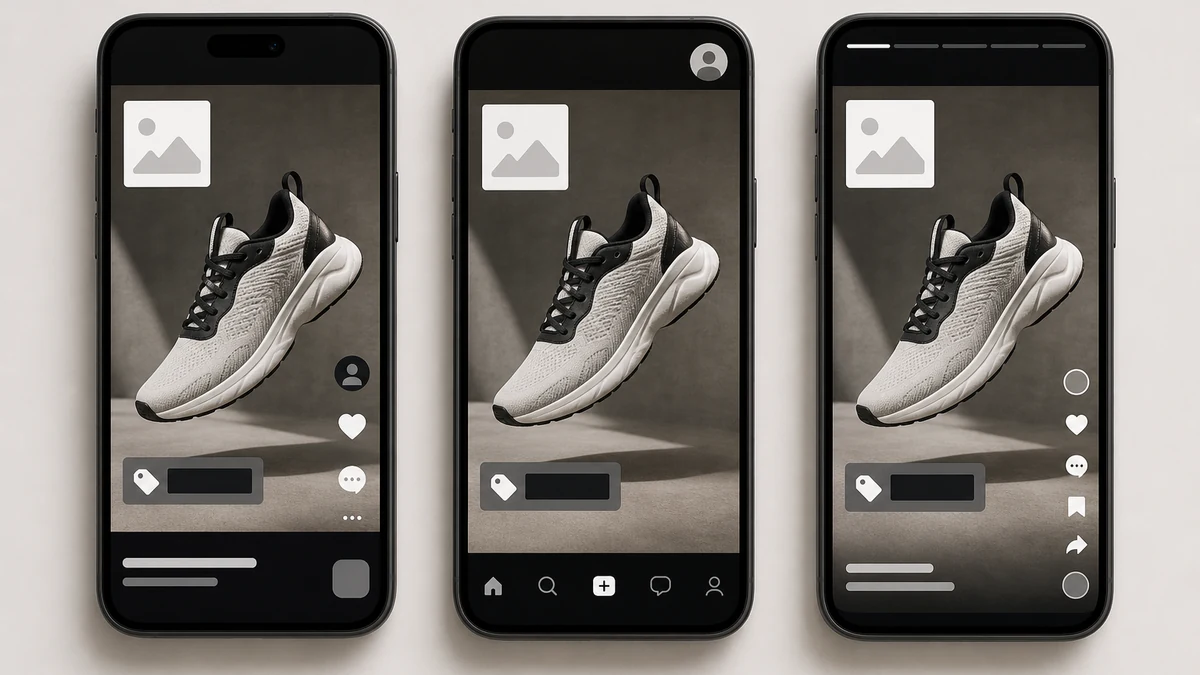
Every short-form vertical placement, TikTok's in-feed ad, Instagram and Facebook Reels, Stories on both platforms, renders your creative underneath a fixed layer of its own interface. A profile picture and username in one corner. A caption line under that. A follow button, a like count, a share icon, a music credit, stacked down one side. None of that interface moves for your ad. Your 1080x1920 frame has to share the screen with it whether the creative was designed around that fact or not.
Meta's own Business Help Center is explicit about where that interface sits: for any 9:16 ad in Stories, Reels, Feed, or Facebook in-stream reels, keep the top, bottom, and side edges free of key creative elements, text, and logos, because the platform's own UI occupies exactly that space (Meta Business Help Center, "About text overlays and the safe zone for ads in Stories and Reels," 2026). Meta's Reels ad spec gets specific about how much: roughly 14% of the frame from the top, 35% from the bottom, and 6% from each side should carry nothing essential, and if a Reels ad includes a disclaimer, the bottom 40% needs to stay clear (Meta Business Help Center, 2026, and Facebook Business Ads Guide, "Ads on Facebook Reels," 2026). TikTok runs the same mechanic under a different name. Its own ad-creation documentation describes a safe zone whose exact size shifts based on the video's orientation, the caption length, and whether an interactive add-on is attached, and ships downloadable overlay templates so advertisers can check their own creative against it before upload (TikTok Ads Manager Help Center, "TikTok Auction In-Feed Ads," 2026).
That's the part a normal edit workflow misses, and it holds even when the rest of a TikTok vertical ad was built correctly. A video that looks finished in a full-screen preview, no app chrome in sight, can still fail the moment it's placed inside the one environment it was actually built for.
Why This Keeps Happening Even to Careful Creative
The usual path to a vertical ad starts with a square or landscape master, then a crop or resize pass to force it into 9:16. That crop has no idea where TikTok's caption line or Meta's follow button is going to land. It optimizes for filling the frame, not for leaving the platform's own real estate alone. A centered logo on a 1:1 master can end up exactly where the profile icon sits once that same frame gets stretched and cropped into 9:16.
Even a video shot vertically from the start isn't automatically safe. A hook text overlay placed dead center looks great in a bare preview and still lands inside the caption zone the second the ad actually serves. The failure isn't bad design. It's designing for a blank canvas that was never actually blank.
Meta gives advertisers a way to check this directly inside Ads Manager, a toggle called the Safe Zone Guardrail that overlays the exact UI footprint on top of the creative before it ships (Meta Business Help Center, 2026). Most teams never open it until a reviewer flags a cropped logo after the campaign is already live.
Compose Around the Interface Instead of Cropping Into It
The fix isn't a smarter crop. It's generating the 9:16 version as its own composition, with the product, the price, the CTA, and the logo placed inside the zone the platform's own interface actually leaves alone, from the start.
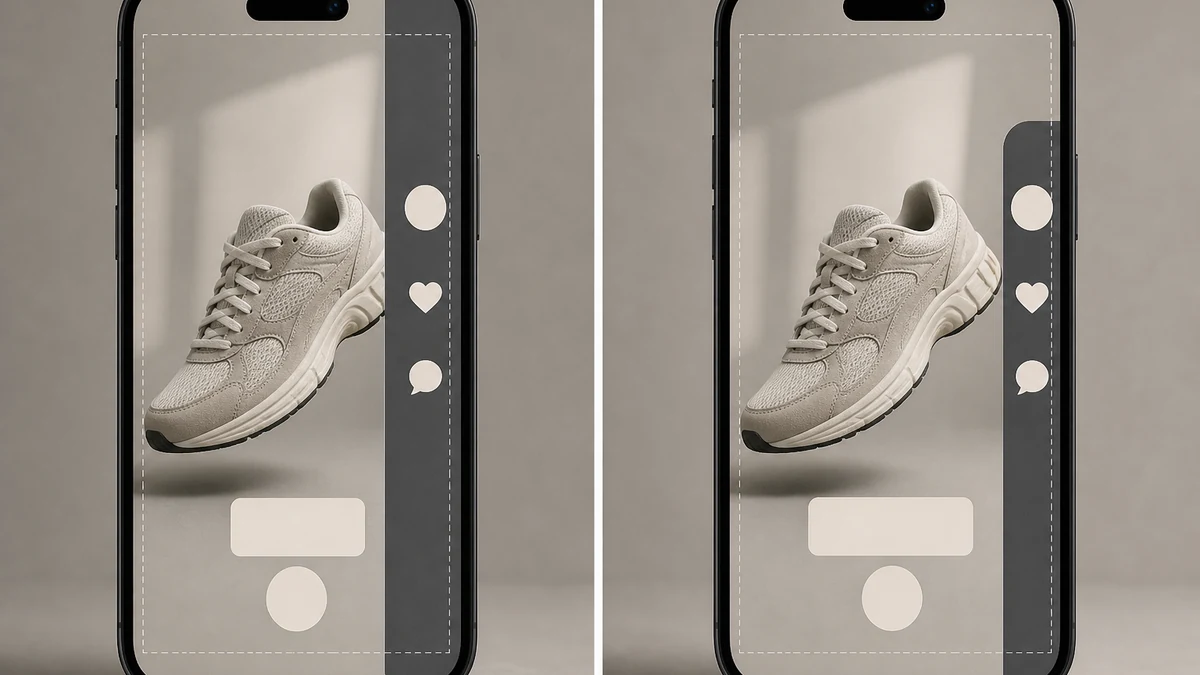
mcp.coinis.dev's generation access was down at the time of writing, so the image above is an illustrative stand-in generated directly, not a live generate_image_templates render. The real tool output on this exact composition workflow is shown in One Photo, Every Ad Size.
Ad Studio's generate_image_templates tool builds a new composition for a target aspect ratio from one product photo, rather than stretching or cropping an existing master into that ratio. That matters here specifically: a genuinely new 9:16 composition can be directed to keep the product, headline, and CTA inside the platform's own safe center, instead of inheriting whatever framing a 1:1 or 16:9 original happened to have.
Workflow for a vertical placement that survives contact with the real interface:
- Start from one clean product photo, the same source used for any other ratio.
- Generate the 9:16 composition directly rather than resizing a square or landscape master into it. Keep the product and any text or logo inside the center roughly 65-70% of the frame vertically and comfortably inside the sides, matching Meta's documented 14% top / 35% bottom / 6% side clearance and TikTok's own safe-zone guidance.
- Check the result against the platform's own preview tool before it ships: Meta's Safe Zone Guardrail toggle in Ads Manager, or TikTok's downloadable safe-zone overlay templates laid over the exported frame.
- Repeat for each placement separately rather than assuming one 9:16 export clears every platform. TikTok's safe zone shifts with caption length and add-ons. Meta's shifts between Stories, Reels, and in-stream placements. The same source photo, run through a fresh composition pass per placement, costs far less than a reshoot and produces creative that actually accounts for each app's own chrome.
An already-live creative that needs to move between formats can take the same logic through revise_creative_resize, which reframes an existing image into a new target ratio rather than stretching it, giving a second pass at clearing the interface before export.
What to Check Before Your Next Vertical Launch
Pull up the last three vertical video ads your account shipped and open them inside the actual app, not a bare video player. Look specifically at whether anything essential sits in the top 14%, the bottom 35%, or the outer 6% on either side. If a logo, price, or CTA is sitting there, that creative has been serving with its own key message quietly covered since launch, and no amount of extra spend fixes a message nobody can actually read.
FAQ
Is the safe zone the same on every short-form platform? No. Meta documents a 14% top / 35% bottom / 6% side clearance for 9:16 placements across Stories, Reels, and in-stream Reels. TikTok's own safe zone size shifts based on orientation, caption length, and whether an interactive add-on like a download card is attached, and it ships separate overlay template files for standard versus anchor formats.
Does a square or landscape ad need this at all? Less so. Meta's safe-zone guidance for non-9:16 Instagram Feed placements only asks advertisers to keep the bottom and side edges clear, since there's no full-screen UI chrome wrapping a feed post the way there is around a vertical, full-bleed Reels or Instagram Story ad.
Can I just check this in my phone's camera roll before uploading? No. The interface only appears once the platform actually serves the ad inside its own app. A bare video file previewed outside the platform shows none of the UI that will sit on top of it live, which is exactly why this gets missed until a reviewer catches it after launch.
Does leaving the safe zone clear hurt the creative artistically? Not if the composition is built around it from the start rather than retrofitted. A generated composition can place the product and message inside the safe center deliberately, the same way a photographer frames a subject with headroom, instead of looking like a shrunken afterthought.
Is this the same issue as a platform rejecting an image for a watermark or promotional overlay? No. A policy rejection (seen on Google Merchant Center and Meta's own catalog review for watermarks or promotional text) is about what's in the image. This is about where it sits on the screen once the platform's own interface, which never changes regardless of the image content, gets layered on top of it.
Design for the Screen Your Ad Will Actually Share
A vertical video ad never gets the whole frame. The platform keeps a fixed slice of it for its own interface on every single placement, every single time. Generate each vertical composition with that slice already accounted for, in Coinis Ad Studio, and the next launch won't need a reviewer to notice the logo is missing.
Sources
- Meta Business Help Center, "About text overlays and the safe zone for ads in Stories and Reels," 2026: https://www.facebook.com/business/help/980593475366490
- Facebook Business Ads Guide, "Ads on Facebook Reels (Image)," 2026: https://www.facebook.com/business/ads-guide/update/image/facebook-facebook-reels-overlay
- Meta Business Help Center, "Design requirements for Instagram Stories ads," 2026: https://www.facebook.com/business/help/2222978001316177
- TikTok Ads Manager Help Center, "TikTok Auction In-Feed Ads," 2026: https://ads.tiktok.com/resources/help/article/tiktok-auction-in-feed-ads

Isidora Matovic
Author
Social media enthusiast and a full time researcher. She takes digital presence very seriously and that is why you are always in touch in what is going on with us! Follow us for more posts like this.