

Polished metal and cut gemstones do not behave like the rest of a product catalog. A skincare bottle has one reflective cap. A sneaker has a bit of glare on the upper. A ring or a pendant is almost entirely reflective surface, and if the light hitting it is even slightly wrong, the shot does not come back with a soft highlight. It comes back with a pure-white blown-out hotspot where the facets or the polish should be, sometimes hiding the exact detail, a diamond's brilliance, a chain's link pattern, that was supposed to sell the piece.
That flawed shot rarely gets reshot before it goes into an ad account. It gets cropped, resized, and reused across every platform the campaign needs, carrying the same blown-out reflection into a Facebook square, an Instagram Story, and a Google Display banner alike.
A jewelry photo is doing more selling than most product categories
Shoppers cannot touch a ring or feel a chain's weight online. The photo is the only thing standing between them and the purchase, and jewelry buyers scrutinize it harder than most categories because the flaws that matter, stone clarity, metal finish, scale against a hand or neck, are exactly the details a blown-out highlight destroys.
The stakes of getting the photo wrong show up in the return data. The National Retail Federation's 2025 Retail Returns Landscape (with Happy Returns) found that 19.3% of online sales are returned overall, and a persistent driver across categories is the item looking different than expected once it arrives (NRF, "2025 Retail Returns Landscape," October 2025). Jewelry sits at the lower end of the category return-rate range precisely because it is a considered, detail-driven purchase, which cuts the other way too: a shopper who zooms into a listing photo and cannot actually see the stone or the finish because of a glare spot is far more likely to abandon the purchase before it ever becomes a return.
Why the usual glare advice does not fully apply to jewelry
Standard product-photography advice says diffuse the light and the glare problem goes away. That works for a matte surface. It works less cleanly for polished metal and faceted gemstones, because a mirror-like surface reflects the entire scene in front of it, not just a single light source, and a faceted cut scatters that reflection across dozens of tiny angles at once. Photography guides on shooting shiny and metallic products describe this directly: a polished metal surface acts like a mirror and returns the full family of angles back to the lens, so a small hard light source blows out into a pinpoint hotspot, while jewelry specifically benefits from techniques standard diffusion alone cannot fully solve, cross-polarization between a polarized light and a polarized lens filter (Replica Surfaces, "How to photograph shiny or metallic products without glare?").
That is a real studio setup, a polarizing filter, careful angle control, sometimes a light tent. A jewelry brand shooting a growing SKU catalog on a normal schedule does not always have that setup dialed in for every single piece, every single time. What ends up in the ad account is whatever the shoot produced, hotspot included.
Fix the highlight before you multiply the photo
Ad Studio's repair layer, enhance_asset_proxy, exists for exactly this step. One tool covers upscaling, sharpening, denoising, lighting and white-balance correction, background swaps, and object removal, all through a single model field that pairs the specific fix to the specific flaw. A blown-out specular hotspot on a ring or a pendant is a localized defect, not a whole-photo problem, so the fix that holds up on this kind of flaw is a masked inpaint: scope a mask tightly around the blown-out region, describe the surrounding metal or gemstone detail that should be there instead, and let the correction rebuild just that patch without touching the rest of the piece.
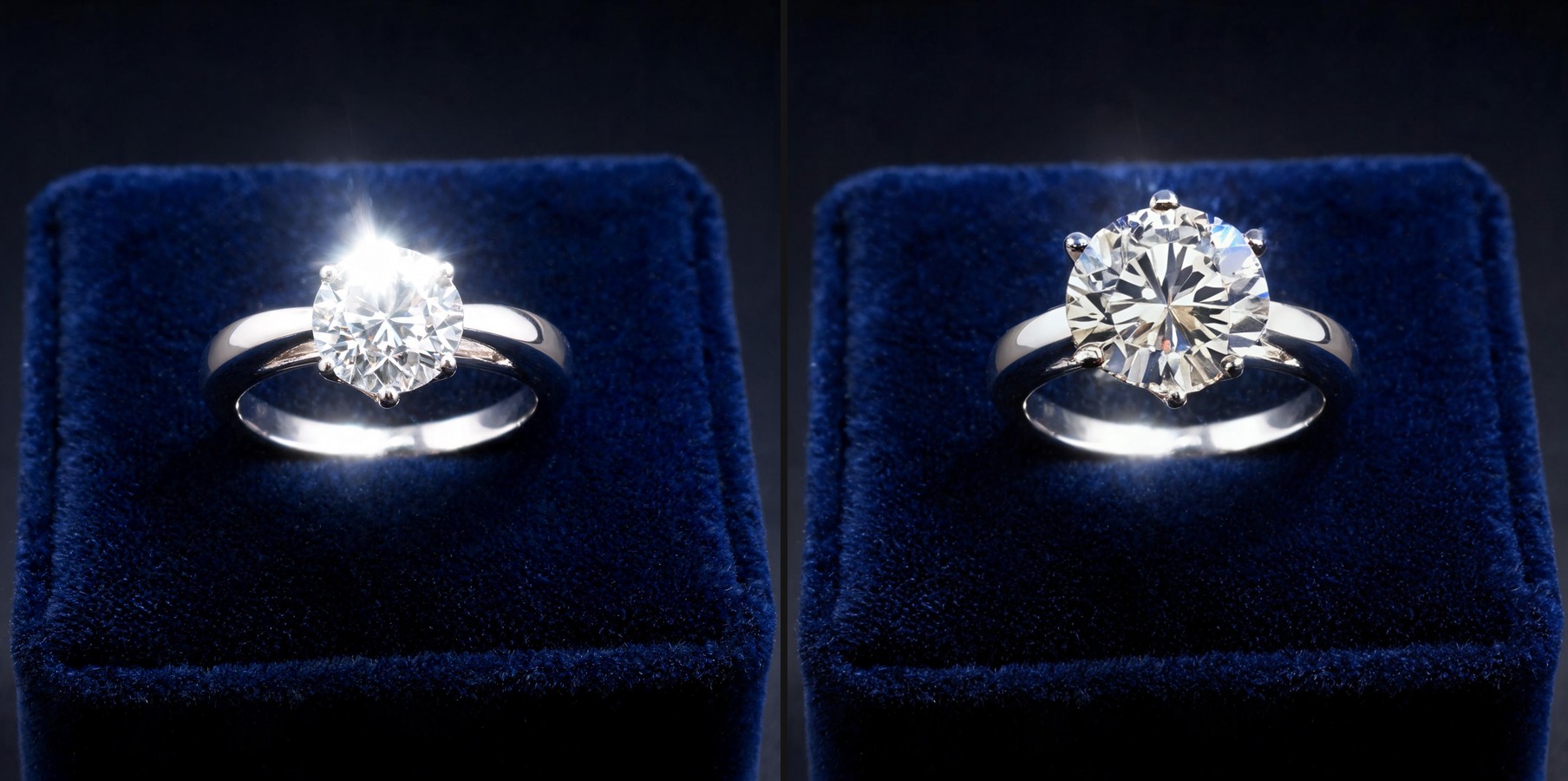
Once the source photo reads clean at full zoom, the fan-out step is generate_image_templates, Ad Studio's primary image-ad generator. One corrected jewelry shot becomes a square Facebook post, a 9:16 Story, and a horizontal Display banner in one pass, each cropped and composed for its own placement, without a second studio session and without re-fixing the same hotspot on five separate files.
Building this into a jewelry brand's actual catalog workflow
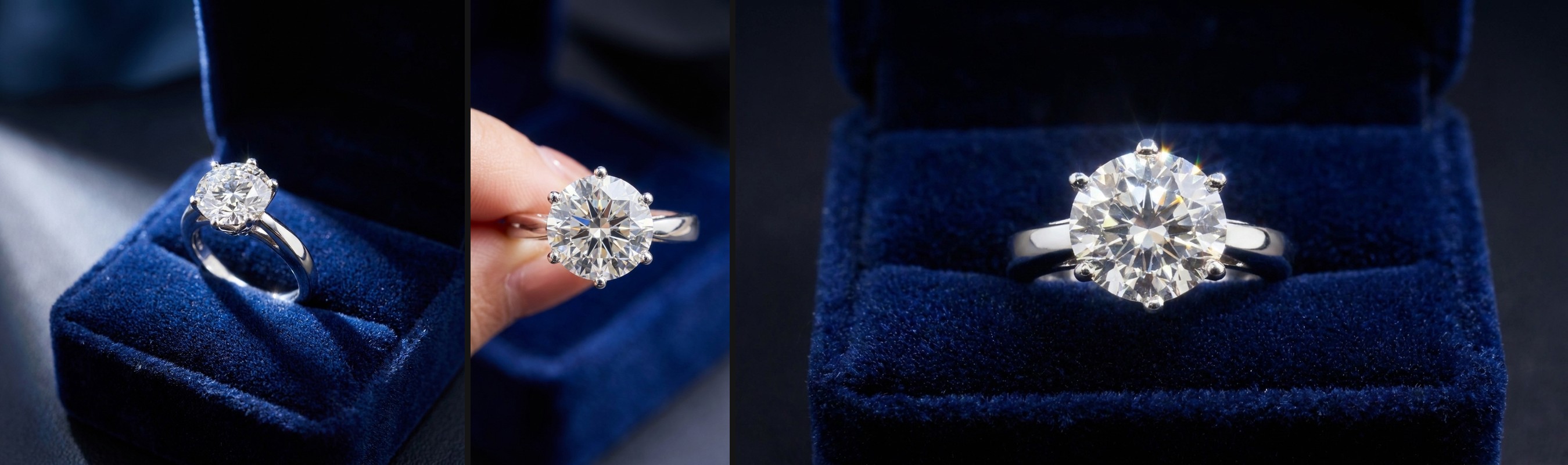
A jewelry catalog does not stop growing. New drops, new stones, new metal finishes arrive on a schedule, and each one needs its own clean hero shot before it can go into any ad format. The order matters every time: repair the specific flaw first with enhance_asset_proxy, masked and scoped to the actual hotspot, and only then hand the clean file to generate_image_templates for the size fan-out. Doing it the other way just resizes or restyles a photo that still has the hotspot baked in, producing five flawed variants where one clean file would have done the job.
This is the same fatigue problem covered in mobile game ad creative fatigue: a brand with exactly one usable hero shot per SKU runs that shot until performance drops, because there is no second angle to rotate in without a reshoot. The same repair-then-generate chain already proved out on a car dealership's own reflective-surface problem and a beverage brand's glass-and-condensation problem applies here, just aimed at jewelry's specific flaw, a specular hotspot on polished metal or a faceted cut, instead of a windshield glare streak or a fogged bottle label.
FAQ
Does enhance_asset_proxy change the piece itself, the metal color, the stone cut? No. The masked inpaint rebuilds only the blown-out region using the surrounding detail as reference. Metal tone, stone cut, and setting stay exactly as photographed. What changes is the hotspot that was hiding them.
Can a blown-out highlight be fixed without losing the piece's actual sparkle? Yes. The goal is legibility, restoring the facets and polish detail that a pure-white hotspot erased, not flattening the piece into a matte, lifeless surface. A corrected shot still reads as reflective jewelry, just with the reflection under control instead of blown past the point of showing any detail.
Do I need a separate photo for every ad platform, or does one corrected shot cover all sizes? One corrected shot covers all sizes. generate_image_templates handles the cropping and composition into each platform's own spec from that single clean source, which is the entire point of fixing the hotspot once instead of on five separate exports.
What if the flaw is dull, grainy detail rather than a blown-out highlight? The same enhance_asset_proxy surface handles sharpening and denoising as separate ops, so a soft or grainy jewelry shot goes through the same repair-then-generate chain with a different model selection matched to that specific flaw.
The Coinis angle
A jewelry brand does not need a new studio session every time a hero shot comes back with a blown-out highlight. Repair the one photo already on file with Ad Studio's enhance_asset_proxy, then turn it into a full ad-ready set with generate_image_templates, and land the result as a launch-ready ad through Ad Studio's templates instead of exporting flawed images and building the ad by hand.
Sources
- National Retail Federation (with Happy Returns), "2025 Retail Returns Landscape," October 15, 2025. https://nrf.com/research/2025-retail-returns-landscape
- Replica Surfaces, "How to photograph shiny or metallic products without glare?" https://www.replicasurfaces.com/blogs/q-as/how-to-photograph-shiny-or-metallic-products-without-glare

Isidora Matovic
Author
Social media enthusiast and a full time researcher. She takes digital presence very seriously and that is why you are always in touch in what is going on with us! Follow us for more posts like this.