
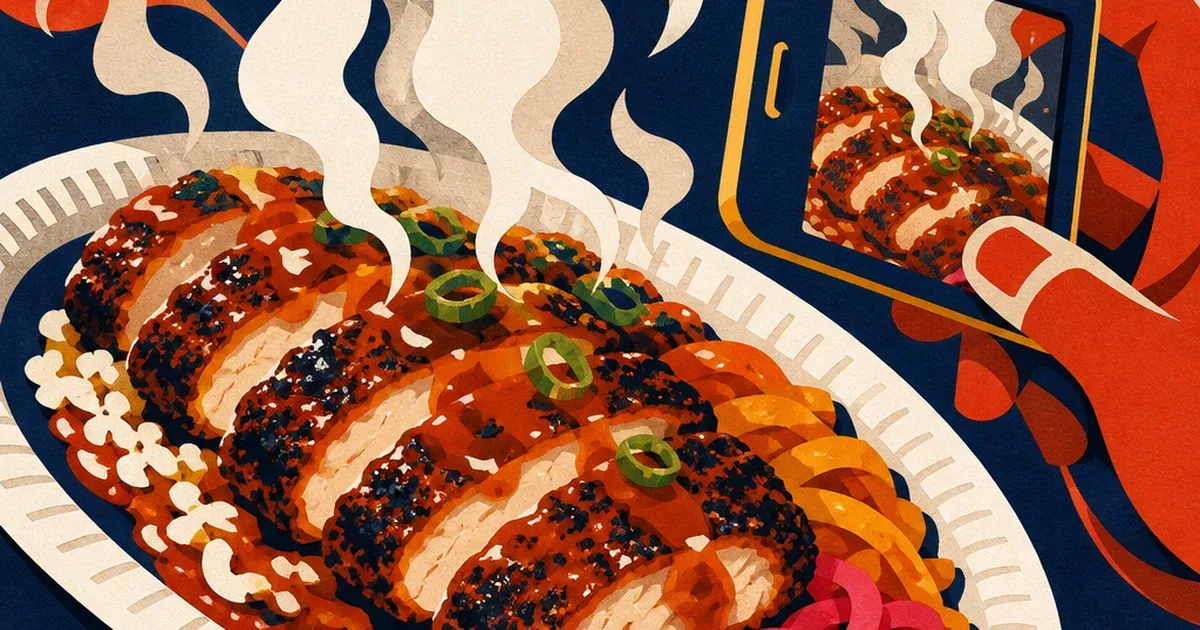
A plate comes off the line still steaming, and someone grabs a phone to shoot it before it goes cold. That is the moment most restaurant ad creative actually starts, not a studio shoot with a food stylist and a reflector. The steam that makes the dish look fresh off the grill also softens the exact detail an ad needs sharp: the sear on the protein, the glaze on the sauce, the plating that is supposed to sell the dish in half a second of scroll.
That photo, haze and all, is usually what goes straight into the ad account. Whatever softens or fogs the shot gets repeated across every platform and size the campaign needs: a Facebook square, an Instagram Story, a Google Display banner, all built from the same soft source instead of a corrected one.
The photo has less than two seconds to make the sale
Restaurant marketing runs on visual decisions made in a hurry. Diners scroll a delivery app or a social feed and decide what to order almost entirely from the photo, before they ever read a description. Researchers at Ohio State tested this directly: participants shown a poke bowl photo with higher color saturation rated it fresher and tastier and said they were more likely to buy it than the same dish shown with lower saturation, and the effect was strongest when people expected to eat alone rather than with others (Liu et al., Journal of Business Research, 2022, covered in "How color in photos can make food look tastier," Ohio State News, 2022). A hazy, color-shifted photo is working against the exact cue that drives the order.
Steam specifically has its own documented pull. A 2024 study in Food Quality and Preference found that animated steam added to a food photo increased how hot, fresh, and desirable the dish looked to viewers, but only up to a point: the steam effect helped a lower-appeal photo the most, and it did nothing for temperature perception or desirability once the underlying photo was already appealing (Zhang, Desebrock, Okajima, and Spence, "'Hot stuff': Making food more desirable with animated temperature cues," Food Quality and Preference, Volume 120, 2024). The signal that makes a dish look freshly cooked and the haze that hides its actual detail come from the same physical source, and a photo needs both effects working in its favor, not one canceling the other out.
The industry backdrop makes the stakes bigger every year. The National Restaurant Association's 2026 State of the Restaurant Industry outlook projects industry sales reaching $1.55 trillion nationwide, with operators actively investing in technology to strengthen digital ordering and guest connections (National Restaurant Association, "2026 State of the Restaurant Industry"). More of that spend is moving through a screen first. The photo on that screen is doing the work a server used to do walking a tray past a table.
Why a plated dish breaks the rules that work for a packaged product
Most photo-repair advice assumes a static subject. A skincare bottle sits still under studio light. A sneaker does not fog over between the time it is photographed and the time the ad ships. A plated entree is the opposite kind of subject: it is actively cooling, actively steaming, actively losing its just-plated look the longer the shot takes. A kitchen line rarely has the controlled lighting or the time to fight that, since the same staff member shooting the photo also has other tickets coming up.
That means the flaw shows up on a predictable cadence, once per new menu item or seasonal special, shot fast between orders, with whatever kitchen-line light is available at that hour. Fixing the haze and any accompanying color cast once, after the fact, is far faster than staging a full food-styling shoot every time a dish needs a fresh photo.
Fix the photo before you multiply it
Ad Studio's repair layer, enhance_asset_proxy, exists for exactly this step. One tool covers the full set of repair operations, upscaling, sharpening, denoising, lighting and white-balance correction, background swaps, object removal, chosen through a single model field that pairs the specific fix to the specific flaw. For a plate softened by steam haze or shifted warm under kitchen-line lighting, the relevant op is a lighting and clarity correction: pass the source imageUrl, describe the correction in the prompt, and preview the token cost before firing. The tool rejects fields the chosen op does not document, so the request only ever carries what that specific fix needs.
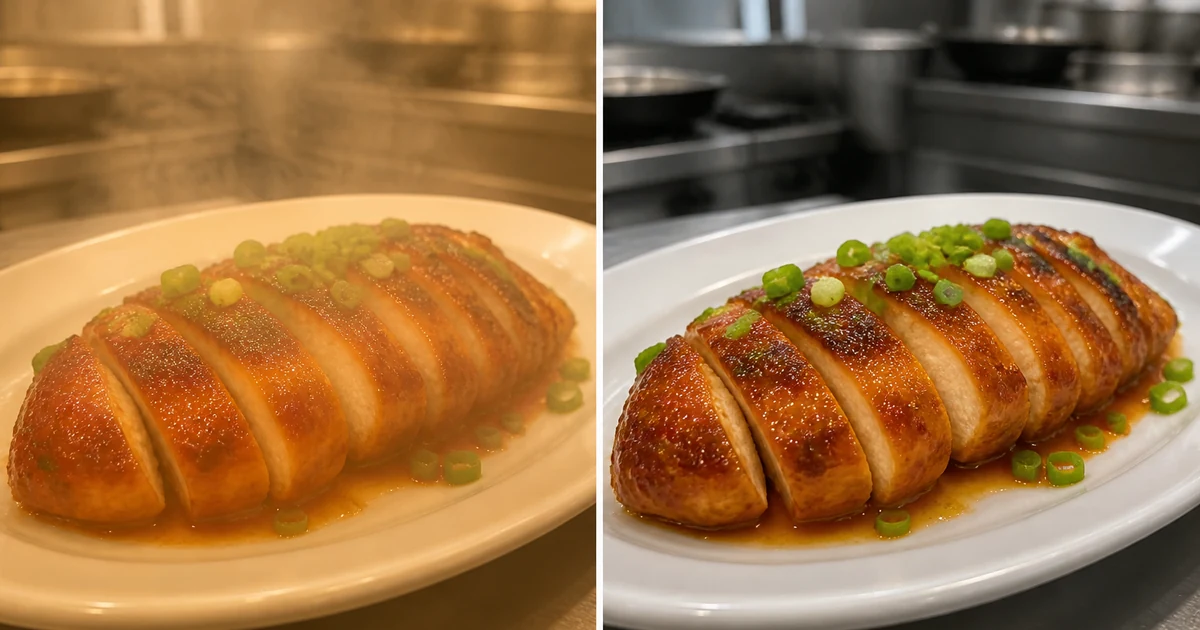
Illustrative before/after. mcp.coinis.dev (the Ad Studio connection) was down for this session's generation window (refresh token invalid, confirmed outage), so this composite was generated directly via OpenAI's image model rather than a real enhance_asset_proxy call. It shows the same repair this article describes: haze and warm color cast cleared, plate and garnish unchanged. A future session should replace this with the actual enhance_asset_proxy output once the connection is back.
Once the source photo is clean, the fan-out step is generate_image_templates, Ad Studio's primary image-ad generator. One corrected plate shot becomes a square Facebook post, a 9:16 Story, and a horizontal Display banner in one pass, all sized to the exact spec each placement expects, without a second plate, and without re-fixing the same haze on three different files.
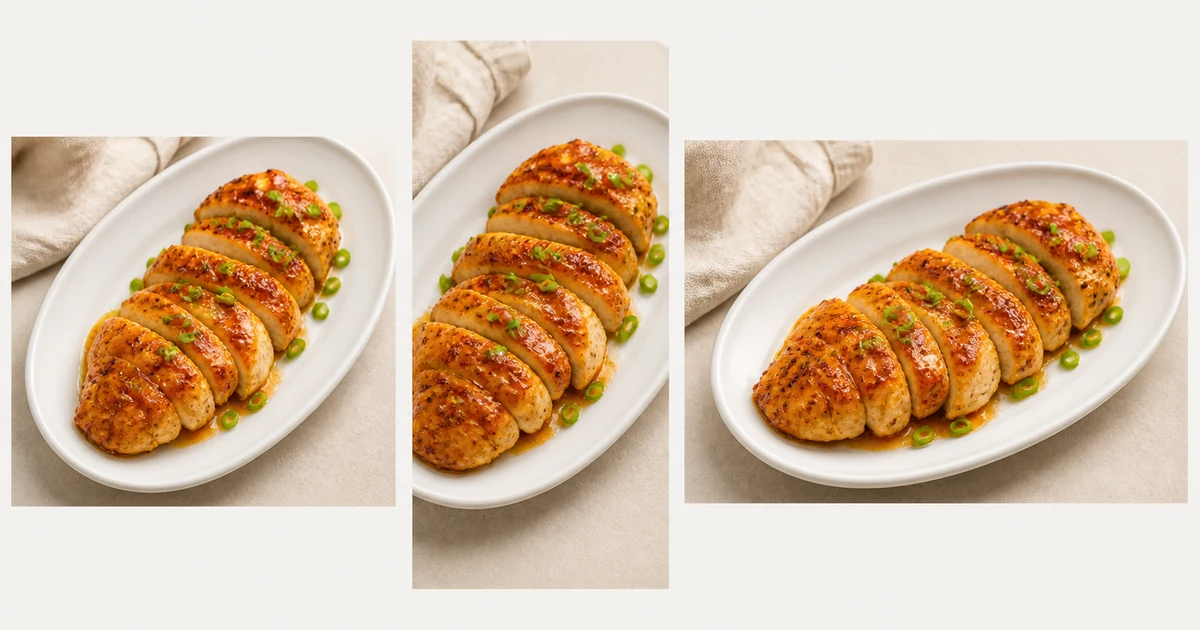
Illustrative fan-out, same MCP-outage substitution as above (OpenAI image model, not a real generate_image_templates call). It shows the same corrected dish reformatted for a square feed post, a vertical Story, and a wide banner. A future session should replace this with the actual generate_image_templates output once the connection is back.
Building this into a menu that changes every season
A menu rarely stays still. Specials rotate, seasonal items come and go, and each one needs its own photo on its own timeline, usually shot the same rushed way as the last one. The order matters every time a new dish gets photographed: repair the photo first with enhance_asset_proxy (haze, color cast, exposure), and only then hand the clean file to generate_image_templates for the size fan-out. Doing it in the other order just resizes or restyles a photo that still has the haze baked in, producing three flawed variants instead of one clean set.
This is the same creative-fatigue problem already documented in mobile game ad creative fatigue: a restaurant that only has one usable shot per dish tends to run that single shot until performance drops, because there is no second angle or format ready to rotate in. A corrected photo that survives a full ad-size fan-out gives a restaurant the same variety lever without a second plating session. And a source photo with a defect this specific is not unique to restaurants: the same repair-then-generate order already fixed a beverage brand's condensation and glare problem and a dealership's windshield reflection problem, the physical flaw changes by vertical, the pipeline order does not.
FAQ
Does enhance_asset_proxy change the dish itself, the portion size, the plating? No. It repairs the existing photo (haze, color cast, exposure) without altering the product. The plate, the portion, and the garnish stay exactly as photographed. What changes is what is fogging or discoloring the shot around them.
Can I fix the haze without losing the sense that the dish just came off the line? Yes. The fix targets clarity and color accuracy, not the presence of steam itself. A corrected photo can still read as freshly plated. What gets corrected is haze dense enough to hide the sear or the sauce detail, or a color cast warm enough to make the dish look a different shade than it actually is.
Do I need a separate photo for delivery apps, social, and paid ads, or does one corrected shot cover all of it? One corrected shot covers all of it. generate_image_templates handles the resizing and cropping into each platform's spec from that single clean source, which is the entire point of fixing the photo once instead of on every channel separately.
What if the photo is also dark or grainy from low kitchen lighting, not just hazy? The same enhance_asset_proxy tool handles denoising and lighting or exposure correction as separate ops on the same surface, so a dim or grainy kitchen-line photo goes through the same repair-then-generate chain, just with a different model selection matched to that specific flaw.
The Coinis angle
A restaurant does not need a food stylist on call every time a dish needs a fresh photo. Repair the shot already on a phone from the kitchen line with Ad Studio's enhance_asset_proxy, then turn it into a full ad-ready set with generate_image_templates, and land the whole thing as a launch-ready ad through Ad Studio's templates instead of exporting raw images and building the ad by hand. For the platform setup around that campaign, see the existing Facebook ad copy guide for restaurants, and Coinis's restaurant industry page for the wider picture of what the platform builds for this vertical.
Sources
- National Restaurant Association, "2026 State of the Restaurant Industry," February 2026. https://restaurant.org/research-and-media/research/research-reports/state-of-the-industry/
- Tianyi Zhang, Clea Desebrock, Katsunori Okajima, Charles Spence, "'Hot stuff': Making food more desirable with animated temperature cues," Food Quality and Preference, Volume 120, 2024. https://www.sciencedirect.com/science/article/pii/S0950329324001356
- "How color in photos can make food look tastier," Ohio State News, August 2022 (study: Stephanie Liu et al., Journal of Business Research, 2022). https://news.osu.edu/how-color-in-photos-can-make-food-look-tastier/

Isidora Matovic
Author
Social media enthusiast and a full time researcher. She takes digital presence very seriously and that is why you are always in touch in what is going on with us! Follow us for more posts like this.