

A seller ships a new product photo. It looks clean everywhere else, the brand site, the Instagram grid, a Facebook catalog. Then it goes up as the main image on an Amazon listing and the product quietly disappears from search results. No email explaining why, just a listing that used to show up and now doesn't. The cause is almost always the same thing: the background behind the product isn't pure white, and Amazon suppresses the whole listing from search until a compliant image replaces it.
That suppression is fixable on the existing photo, without a reshoot, and the same corrected file still works for every other channel the product is advertised on.
What Amazon actually requires, and why the rule is harder than Google's or Meta's
Amazon's own Product Image Guide states the main image requirement in exact, non-negotiable terms: "Have a pure white background (RGB color values: 255, 255, 255) to create a consistent shopping experience for customers across search and product detail pages" (Amazon Seller Central, "Product image guide," sellercentral.amazon.com/help/hub/reference/external/G1881). Only a limited set of product types get an exception for a lifestyle main image, and even those can't carry text or extra logos.
That single sentence puts Amazon in a different category from Google Merchant Center or Meta's catalog rules, where a colored or lifestyle background is a soft best-practice call rather than an automatic rejection. Amazon's own Image Suppression reference lists "Non-white background" as its own named failure reason, alongside watermarks, cropped products, and missing images, each one triggering the same consequence: Amazon "may temporarily remove the product listing from search until a compliant main image is provided" (Amazon Seller Central, "Image suppression," sellercentral.amazon.com/help/hub/reference/external/GT8RSE9S9NK4LP6Z). There's no gray area to argue with a reviewer. RGB 255, 255, 255 either matches or it doesn't.
Why a suppressed listing costs more than a missed sale
A suppressed main image doesn't just look worse in the results, it removes the listing from search entirely. Every dollar already spent driving traffic to that ASIN, whether from Sponsored Products, an external ad, or organic ranking built up over months, lands on a product page that customers can no longer find through search while the suppression is active. The fix is uploading a compliant replacement, and Amazon's own documentation says a newly uploaded image can take up to 24 hours to appear once it's approved, time the listing spends invisible even after the seller has already caught the problem.
The stakes for getting this right have gone up, not down. Marketplace Pulse's own seller-count research shows Amazon's third-party seller base has shrunk from 2.4 million in 2021 to 1.65 million active sellers by the end of 2025, while GMV kept climbing and the number of sellers doing $1 million or more in annual revenue passed 100,000, up from roughly 60,000 in 2021 (Marketplace Pulse, "Amazon New Seller Numbers Hit Decade Low in 2025," January 15, 2026, updated April 24, 2026). Fewer sellers are splitting a bigger pie, and each one is under more pressure to keep every listing they have actually visible. A background problem that pulls a listing from search for even a few days is a worse hit in that environment than it would have been when competition was thinner.
Fixing the background without a reshoot
Ad Studio's repair layer, enhance_asset_proxy, handles this directly. One tool covers background replacement, upscaling, sharpening, lighting correction, and object removal, with a single model field pairing the specific correction to the specific flaw. For a suppressed main image, the op is recraft-replace-background: point it at the existing product photo and specify a pure white backdrop, and the model swaps out whatever is behind the product, a colored studio backdrop, a lifestyle scene, a patterned prop table, while leaving the product itself untouched.
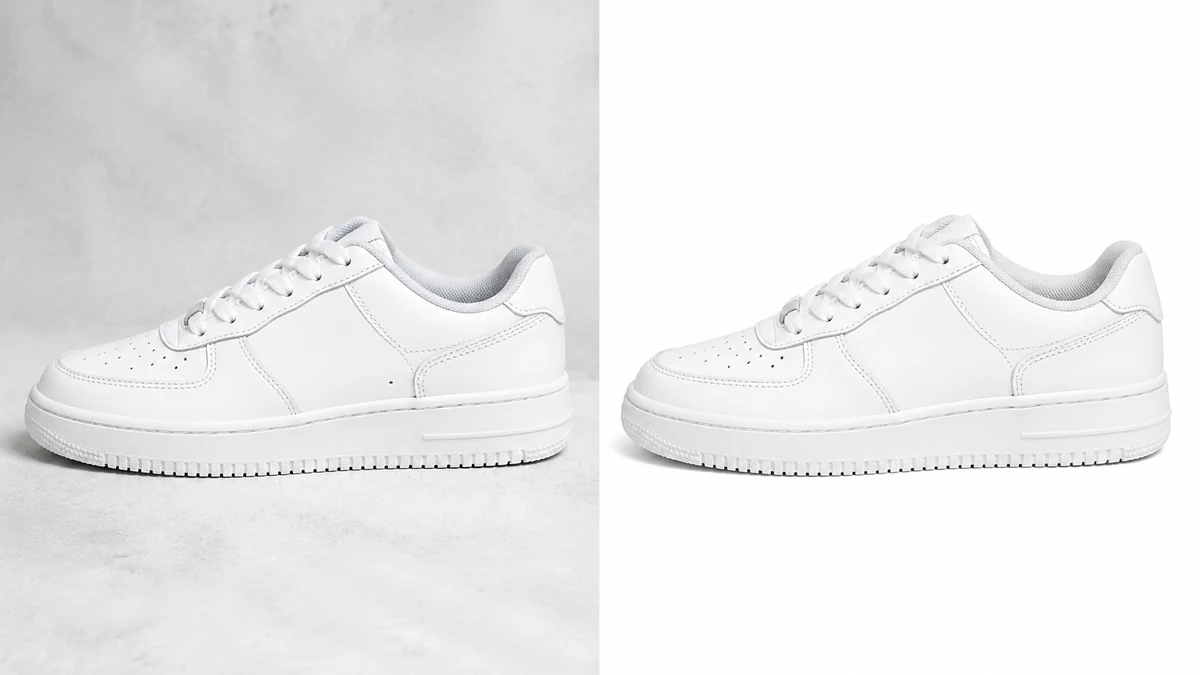
These before/after images are illustrative stand-ins generated while mcp.coinis.dev's backend session is down (a multi-day "Coinis session is no longer valid" outage). See the ai photo enhancer for ads article for a real enhance_asset_proxy render.
This is the same repair-then-generate sequencing already demonstrated on a car dealership's windshield glare, a beverage bottle's glare and condensation, and an apparel catalog's Merchant Center rejection, aimed here at Amazon's specific, harder-edged version of the same background problem. Where Google and Meta treat a colored background as a soft warning, Amazon treats it as an automatic suppression, so getting the white point exactly right on the first pass matters more here than on any other platform this repair has been applied to.
One corrected photo, every other ad channel it needs to run on
Amazon's own main image has to be pure white, but almost no seller stops advertising at Amazon's edge. The same product usually needs a Facebook catalog image, a Google Shopping feed entry, an Instagram Story ad, each with different aspect ratios and, often, a different background treatment than the stark white Amazon demands. generate_image_templates, Ad Studio's primary image-ad generator, takes the one corrected photo and produces the full set of formats a seller's off-Amazon campaigns need: a square feed post, a 9:16 Story, a horizontal Display banner, all from a single source file.
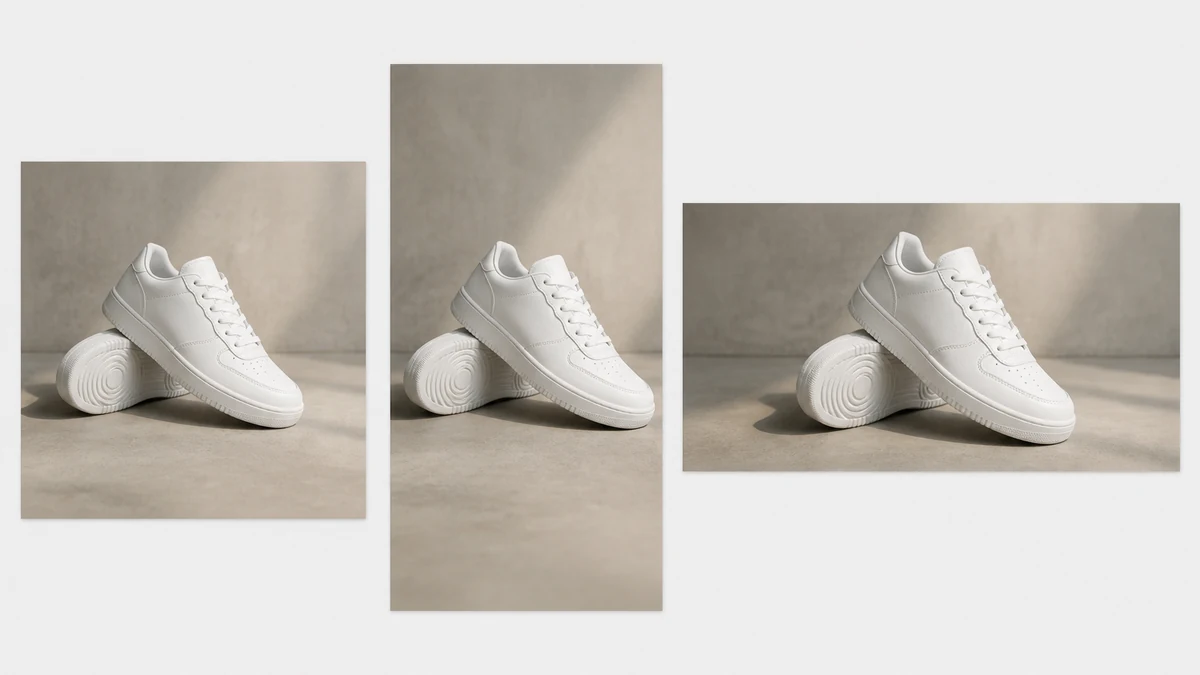
This multi-format fan-out image is an illustrative stand-in generated during the same mcp.coinis.dev outage. See one product photo, every ad size for a real generate_image_templates render.
A seller running the same SKU across Amazon, Facebook, and Google doesn't need three separate photo sessions or three separately re-edited files. Fix the background once against Amazon's exact requirement, then branch out from that single corrected source for every other channel's format.
Building this into a catalog's actual listing workflow
A seller adding new SKUs on a rolling basis needs the same two-step check on every new main image before it goes live: run enhance_asset_proxy with recraft-replace-background to confirm the backdrop is a true RGB 255, 255, 255 white, then use generate_image_templates to generate the off-Amazon ad set from that same corrected file. Doing it in reverse order, building out ad creative from a photo that's still going to get suppressed on Amazon, means redoing the work once the suppression notice lands.
This is the same one-source, many-formats logic already covered in one product photo, every ad size and the same repair-first sequencing proven in bad product photos costing sales, applied here to the one platform where a background miss doesn't just look weaker, it removes the listing from search outright. See the AI ad generator for Amazon sellers overview for how this fits alongside the rest of a seller's ad creative pipeline.
FAQ
Does recraft-replace-background change the product itself? No. The op replaces what's behind the product, not the product. Color, texture, size, and shape in the frame stay exactly as photographed.
Is pure white required for every image on an Amazon listing, or just the main one? Just the main image (the one marked MAIN). Additional images can show lifestyle context, in-use shots, or infographics. The pure-white rule only applies to the single image that shows in search results and appears first on the product page.
How long does a listing stay suppressed after uploading a fixed image? Amazon's own documentation says an uploaded image can take up to 24 hours to appear once it passes review. The listing stays out of search for that window even after a compliant replacement is submitted.
Will the same white-background photo work for a Facebook or Google catalog too? Yes, a pure white background passes both platforms' image checks, since white is an accepted (if not strictly required) option for both. Whether it's the best creative choice for a Facebook or Google ad is a separate question, which is what the format fan-out step is for.
The Coinis angle
A suppressed Amazon listing doesn't need a reshoot, it needs the existing photo's background swapped to true white. Fix it once with Ad Studio's enhance_asset_proxy, then turn that same corrected file into every other format the product's off-Amazon ads actually need with generate_image_templates, and get back to a launch-ready ad set through Ad Studio's templates instead of losing search visibility to a suppression queue.
Sources
- Amazon Seller Central, "Product image guide." https://sellercentral.amazon.com/help/hub/reference/external/G1881
- Amazon Seller Central, "Image suppression." https://sellercentral.amazon.com/help/hub/reference/external/GT8RSE9S9NK4LP6Z
- Marketplace Pulse, "Amazon New Seller Numbers Hit Decade Low in 2025," January 15, 2026 (updated April 24, 2026). https://www.marketplacepulse.com/articles/amazon-seller-registrations-hit-decade-low-in-2025

Isidora Matovic
Author
Social media enthusiast and a full time researcher. She takes digital presence very seriously and that is why you are always in touch in what is going on with us! Follow us for more posts like this.