

A drone operator lines up the shot a homeowner actually wants to see: the whole roof, clean lines, fresh shingles from directly overhead. The sun is low, the light is good for everything else in the frame, and it is pointed almost straight into the lens. What comes back is a roof photo with a bright, hazy streak cutting across exactly the section that was supposed to sell the job, sometimes a ring of small ghost shapes trailing off toward one corner, contrast washed out everywhere the light touches. The rest of the roof looks fine. The part a prospect actually stops to look at does not.
Nobody plans this shot badly on purpose. A flare like this is what happens whenever a lens points anywhere near a bright light source, and a roof inspection flight almost always happens in daylight, often at the exact low-sun angles that make shingle texture and roofline detail read clearly in the first place.
Why the best light for showing a roof is also the worst light for a lens
A lens flare is not a camera malfunction. It comes from light scattering inside the lens itself, through internal reflections and forward scatter off the lens elements, whenever a very bright source like the sun sits in or near the frame (Wikipedia, "Lens flare," accessed 2026). The effect shows up as a washed-out haze that reduces contrast and color saturation across the image, sometimes paired with visible ring or streak artifacts shaped by the lens's own aperture blades. It gets worse the more elements a lens has, which describes exactly the kind of compact zoom lens built into most consumer and prosumer drones.
A roof inspection or marketing flight cannot simply avoid the sun. Low, angled light is what makes a shingle pattern, a ridge line, or a repaired section actually visible from altitude instead of reading as a flat gray plane. That same low angle is the one most likely to put the sun close enough to the lens's field of view to trigger a flare. The flight plan that produces the most sellable roof photo and the flight plan that avoids lens flare pull in opposite directions.
Aerial photography is not a niche add-on for this trade anymore
Drones stopped being a novelty in roofing years ago. In the Roofing Contractor 2026 State of the Industry survey, 54% of contractors reported currently using drones in their business, just behind the 58% using customer relationship management software, putting aerial imagery among the most widely adopted technology categories in the entire trade (Roofing Contractor, "2026 State of the Roofing Industry Report," January 5, 2026). That means the flare problem is not an edge case affecting a handful of hobbyist operators. It touches a majority of an industry that IBISWorld values at $92.5 billion in 2026 revenue across roughly 109,000 US businesses, a market growing at a 5.0% five-year CAGR (IBISWorld, "Roofing Contractors in the US Industry Analysis," accessed 2026).
A roof that took a drone flight to document is usually a roof worth showing off, a full tear-off, a metal upgrade, a storm-damage repair. Losing that photo to a flare means losing the exact image a company would otherwise reuse across a season of ads, not a random snapshot nobody cared about.
The manual workaround costs the one thing a roofing crew does not have
Photography guidance on this exact problem is consistent: shift the flight path so the sun sits outside the frame, add a lens hood or shade to block direct light from hitting the glass, or accept the flare and wait for a different angle or a different hour (Wikipedia, "Lens flare," accessed 2026). Every one of those fixes works. None of them fits a crew that just finished a job and needs one clean overhead shot before the truck rolls to the next site. Re-flying a roof for better light means burning a battery, burning daylight, or scheduling a second visit for a job that is already closed and paid.
That is the same tradeoff a lot of trades run into with their best available photo: the shot that exists is the one taken under the actual working conditions, not the one a lighting textbook would recommend, and reshoots are rarely worth the time for a job that has already wrapped.
Fix the flare on the photo already on the drone's memory card
Ad Studio's repair layer, enhance_asset_proxy, handles this as a masked correction rather than a new flight. One tool covers upscaling, sharpening, denoising, lighting fixes, background swaps, and inpainting, all selected through a single model field matched to the actual flaw. A lens flare sits in a defined region of the frame, a haze and a streak or ring pattern, not a defect spread evenly across the whole photo, so the right approach is recraft-inpaint with a mask drawn around the washed-out streak and any visible ghost artifacts, paired with a prompt describing only the target state: the same roofline and shingle detail, correctly exposed, natural contrast, with no reference to the specific glare or its color, since naming a flaw's hue or exact visual character in an inpainting prompt is a confirmed trigger for the model rendering an unrelated scene instead of correcting the one it was given.
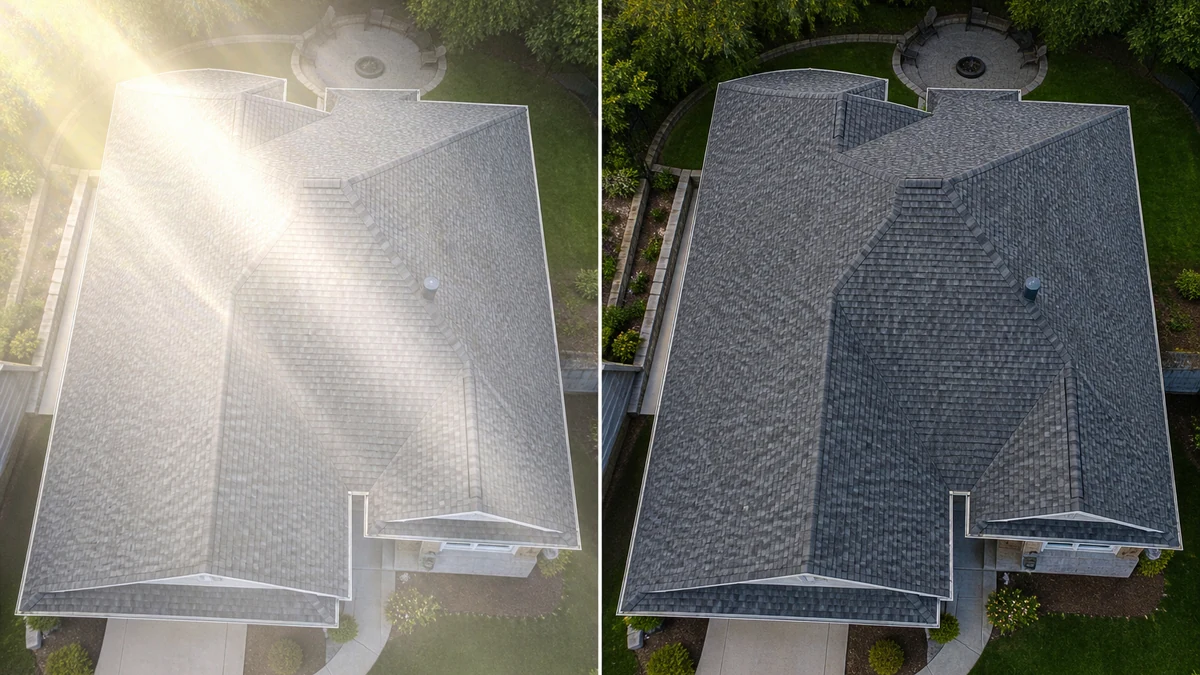
Illustrative before/after generated directly via OpenAI gpt-image-2 while mcp.coinis.dev remains down (10+ consecutive days, see disclosure below). A real enhance_asset_proxy recraft-inpaint correction is demonstrated in our AI photo enhancer walkthrough.
Once the roof reads clean from corner to corner, generate_image_templates, Ad Studio's primary image-ad generator, turns that one corrected aerial shot into a square feed post, a 9:16 Story crop, and a horizontal Display banner in a single pass, so the flare that would have landed differently in every crop never makes it into any of them.
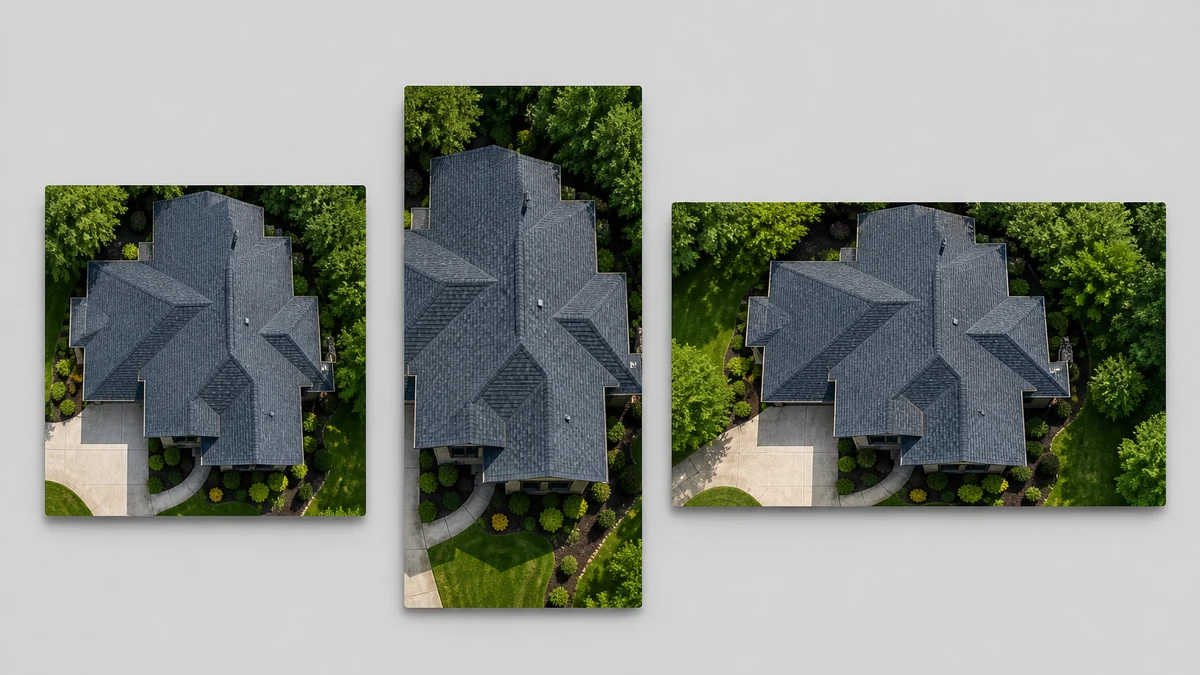
Illustrative fan-out mockup generated via OpenAI gpt-image-2, same MCP-outage disclosure applies. A real generate_image_templates fan-out is demonstrated in our one-photo-every-ad-size guide.
Building this into a roofing crew's actual flight schedule
A roofing company that flies drones is not doing it for one hero shot a year. It is documenting nearly every job for a mix of inspection reports, insurance claims, and marketing, and the flight that produces the clearest roofline detail is often the same low-angle flight most likely to catch a flare. The order matters every time: correct the flare first with enhance_asset_proxy, confirm the actual roof, the shingles, the repair work, is untouched, and only then hand the clean file to generate_image_templates for the ad-size fan-out. Cropping or resizing a flared photo before fixing it just relocates the haze into whichever crop happens to catch it.
This is a different capture mechanism from a construction site's atmospheric dust haze, which is airborne particulate scattering light across an entire outdoor scene rather than light scattering inside the lens itself from one bright source, and from a car dealership's windshield glare, which is a specular reflection off a flat surface rather than an optical artifact generated inside the camera. It shares the same underlying lesson as a job-site flash blowout: a photo taken under real working conditions, not staged studio conditions, carries a real, physically-caused flaw that needs a correction scoped to the actual mechanism rather than a blanket brightness adjustment. A roofing company with a corrected version of its best aerial shots on file can turn any of them into a full ad-ready set the moment a storm season or a slow month calls for fresh creative, instead of waiting on a second flight at a better sun angle.
FAQ
Does correcting the flare change what the roof actually looks like? No. The mask is scoped to the haze and any visible flare artifacts, not the roof itself. The shingle pattern, the roofline, and any repair or upgrade work stay exactly as flown and shot.
Is this the same fix as removing a color cast or a shadow? No. A lens flare is light scattering inside the lens from a bright source in or near the frame, not a whole-photo white-balance problem or an external shadow. enhance_asset_proxy's masked correction targets the specific washed-out region the flare created, which is the mechanism this defect actually needs.
Should the crew just avoid flying toward the sun instead? Repositioning the flight path helps on future jobs, but it also constrains exactly when a crew can fly for the best roofline visibility, and it does nothing for the aerial photos already on file from a job that is already closed. This fix is for the shots that already exist and are worth turning into ads.
Do I need a separate photo for every ad platform's size? No. generate_image_templates produces the crop and composition for each platform's spec from one corrected source photo, which is why fixing the flare once, before any cropping happens, matters more here than for a defect that survives a crop unchanged.
The Coinis angle
A flared aerial roof photo does not need a second flight at a better sun angle to become ad-ready. Correct the one shot already on the drone's memory card with Ad Studio's enhance_asset_proxy, confirm the roof and the work are untouched, then turn it into a full ad-ready set with generate_image_templates, and launch the result through Ad Studio's templates instead of exporting a photo whose flare will land badly in whatever crop a platform demands.
Sources
- Wikipedia, "Lens flare," accessed 2026. https://en.wikipedia.org/wiki/Lens_flare
- Roofing Contractor, "2026 State of the Roofing Industry Report," January 5, 2026. https://www.roofingcontractor.com/articles/101643-2026-state-of-the-roofing-industry-report
- IBISWorld, "Roofing Contractors in the US Industry Analysis," accessed 2026. https://www.ibisworld.com/united-states/industry/roofing-contractors/198/

Isidora Matovic
Author
Social media enthusiast and a full time researcher. She takes digital presence very seriously and that is why you are always in touch in what is going on with us! Follow us for more posts like this.