

A job site is never clean air. Graders and haul trucks kick dust into the same light a phone camera is trying to use, and a crane or a finished facade fifty yards back gets photographed through it. The equipment doesn't look sharp. It looks like it's behind a pane of frosted glass, colors pulled toward gray, edges softened, the exact opposite of the "we can handle a project this size" impression a general contractor or heavy-equipment dealer needs an ad to make.
Nobody schedules a second visit to reshoot once the dust settles. The crew has moved to the next phase, the equipment has moved to the next site, and the photo that exists is the photo that goes in the ad, haze and all.
Why dust haze is a different problem than a bad-lighting photo
Most of the physical defects this pipeline has already covered are localized: a bright patch on chrome, a reflection sitting inside a screen, a glare band across a label. Atmospheric haze isn't localized at all. Airborne dust and particulate scatter light across the entire frame, which is why photography research on the topic treats it as a physics problem, not a lighting mistake: haze reduces contrast and detail as a function of distance and particle density, and it gets worse the farther the subject sits from the camera (Li, Hu & Bai, "Motion-Blurred Image Restoration in Haze Weather Based on the Color Line Model," Signal Processing: Image Communication, October 2025). On a construction site, the equipment a contractor most wants to show off, the excavator mid-dig, the crane at full extension, is usually the thing standing farthest back in the frame, which means it takes the worst of the haze.
The same effect shows up in ordinary outdoor photography guidance, phrased in plainer terms: haze scatters light, flattens contrast, fades distant objects, and pulls the whole image toward a cool gray-blue cast (ILGO Tours, "Understanding Haze in Photography: Challenges and Solutions"). A dusty job site produces exactly this, minus the mountains, plus a bulldozer.
The gap this leaves in construction marketing
Construction firms already know visual proof closes work. Contractor-industry research found that 72% of viewers say a contractor's video influenced their decision to hire them, yet only about 38% of contractors actually use video, a wide gap between what buyers respond to and what most firms are showing them (Construction Executive, "Key Marketing Trends Shaping the Construction Industry," updated July 2026). The same logic applies to still photography used in ads: a washed-out, hazy equipment shot undercuts the "we run a serious operation" message before a single word of ad copy gets read.
The gap isn't a lack of photos. Job sites generate photos constantly, on phones, on drone flights, on daily progress logs. The gap is that most of those photos were shot for a daily record, not for an ad, and nobody goes back to fix the ones dust already ruined.
Correct the haze before the equipment photo becomes an ad
Ad Studio's repair layer, enhance_asset_proxy, treats this as a single targeted correction rather than a reshoot. Because atmospheric haze sits across the whole frame rather than one bounded region, the fix uses a full-frame mask paired with a prompt describing the target state only, restored contrast and color, the same equipment, the same site, the same composition, with no mention of the specific haze or dust by name. Naming the flaw directly in a full-frame correction prompt is a known trigger for the model inventing an unrelated scene instead of correcting the one it was given, so the prompt stays scoped to what the corrected photo should look like, never to what's wrong with it.
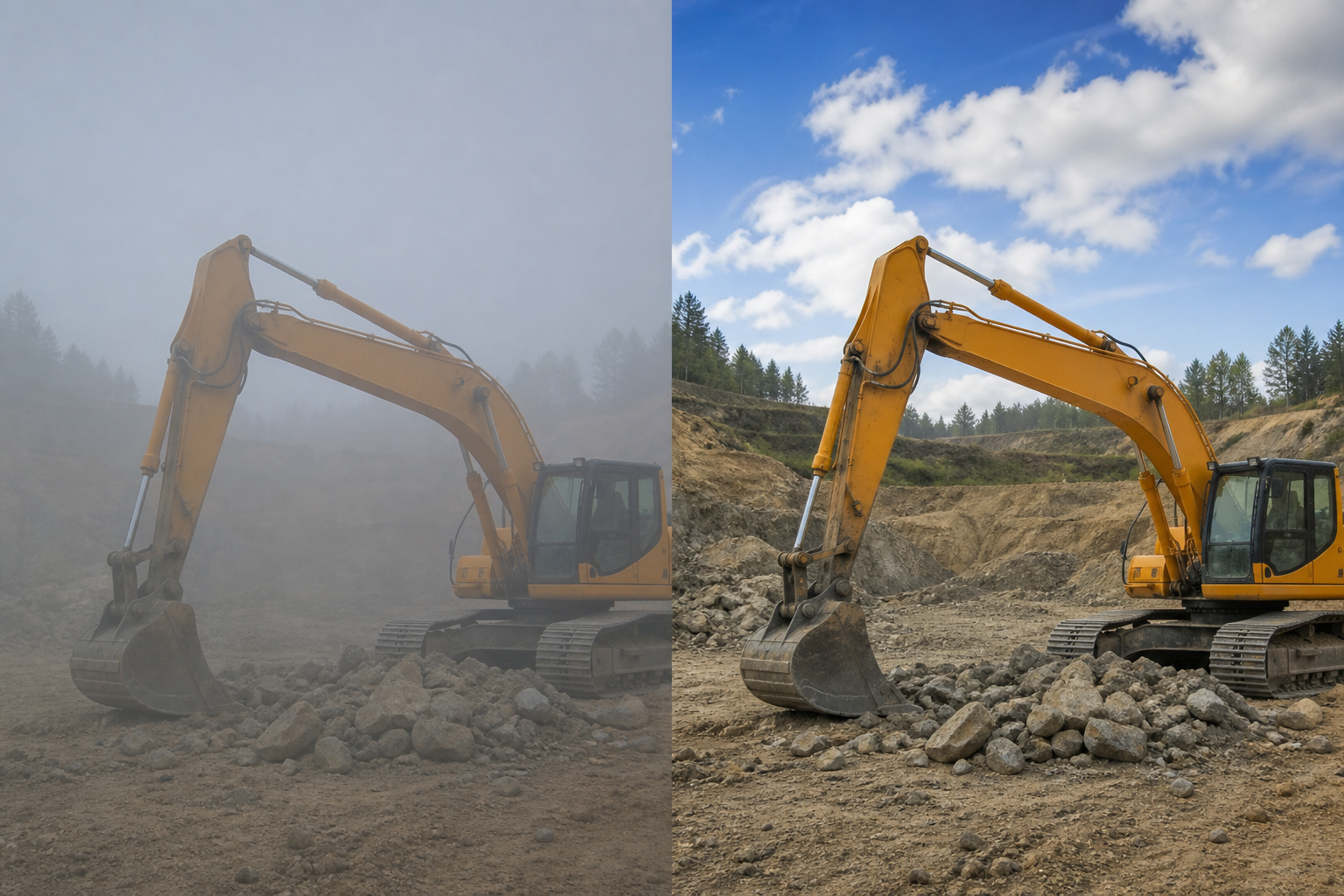
Illustrative render generated directly via OpenAI gpt-image-2 while mcp.coinis.dev was down this session (Backend rejected the request, 401, Coinis session no longer valid). This demonstrates the before/after concept, not a live enhance_asset_proxy output. See a photo enhancer for ads on Coinis for a real recraft-inpaint render on a different vertical.
This is a repair step, not a re-creation. The excavator stays the same excavator, the site stays the same site, and nothing about the equipment's brand, model, or condition changes. What changes is whether a shopper can actually see it clearly.
Once the photo reads clean, the fan-out step is generate_image_templates, Ad Studio's primary image-ad generator. One corrected job-site photo becomes a square feed post, a 9:16 Story, and a horizontal Display banner in a single pass, cropped and composed for each placement without a second trip to the site.
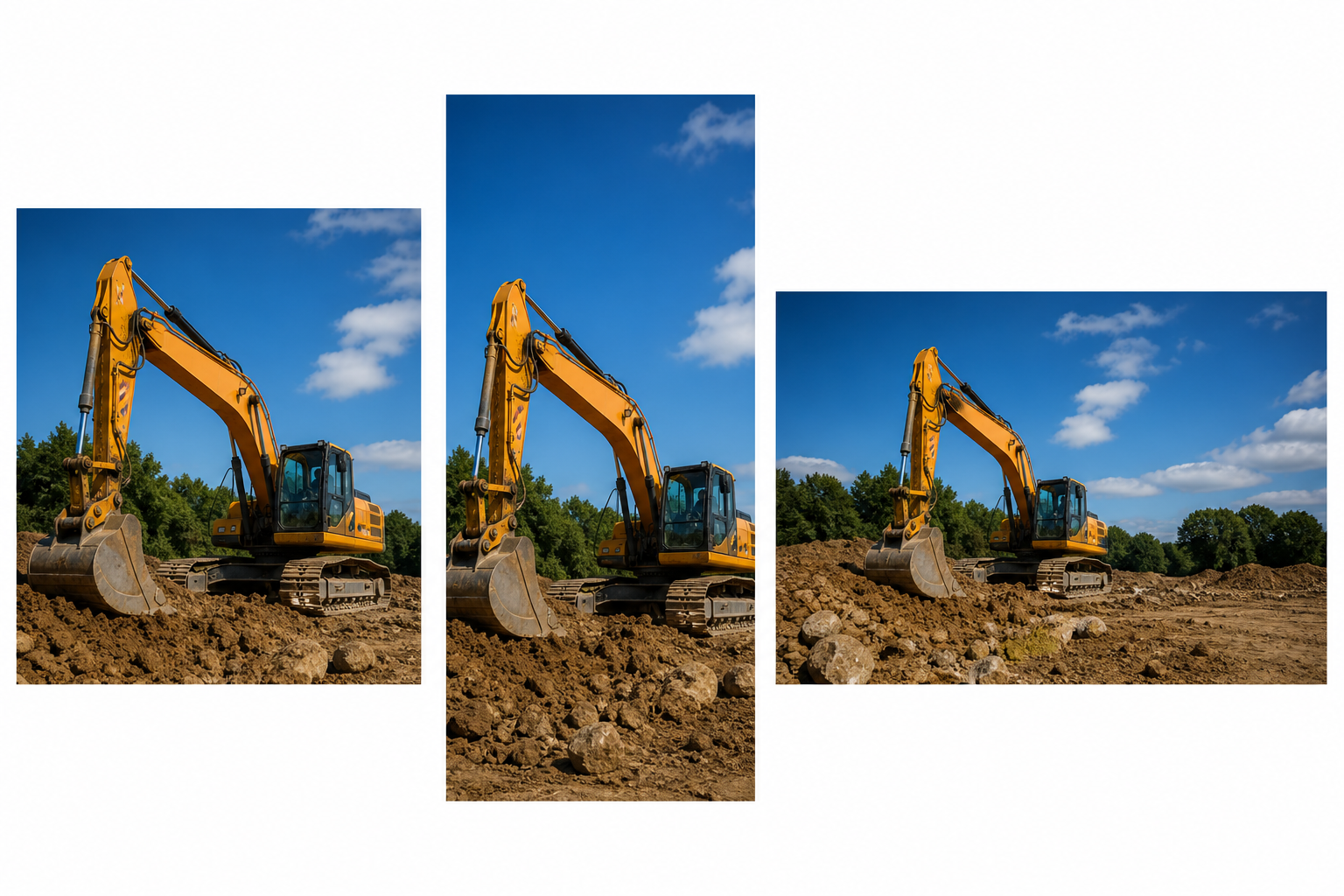
Illustrative fan-out mockup, generated the same way as the image above, standing in for a real generate_image_templates output.
Building this into a construction marketing workflow
A general contractor, heavy-equipment dealer, or civil-construction firm doesn't run one job site. New projects break ground on a schedule, and every one of them produces a stack of daily-log and drone photos that were never shot with an ad in mind. The order that actually holds up: pull the strongest available shot even if the air was dusty that day, correct the haze with enhance_asset_proxy first, confirm the equipment and site read exactly as photographed, and only then hand the corrected file to generate_image_templates for the size fan-out. Resizing a hazy photo before fixing it just multiplies the same washed-out shot across every ad placement instead of solving it once.
This connects to the same lesson already proven across other physically-affected categories: a restaurant's steam haze softening a plated dish and a camper's blown-highlight, crushed-shadow midday-sun shot are both versions of the same principle, atmosphere and light between the camera and the subject degrade a photo in ways a reshoot rarely happens fast enough to fix, so the correction has to happen on the file that already exists. It also connects to mobile game ad creative fatigue: a firm stuck running the same one usable equipment shot keeps running it past the point it still converts, because there's no clean second angle sitting ready to rotate in.
FAQ
Does correcting the haze change the equipment itself? No. The correction restores contrast and color across the existing frame. The excavator, crane, or truck stays the same model, same condition, same paint, same branding. What changes is visibility through the dust, not the machine.
What if the site photo has both haze and a strong midday sun problem? Both are whole-frame corrections, so they're addressed as one pass rather than two separate masked repairs, restoring contrast and balanced exposure together in a single enhance_asset_proxy call.
Do I need a different photo for every platform's ad size? No. generate_image_templates handles the cropping and composition into each platform's own spec from one corrected source photo, which is the entire reason to fix the haze once instead of on every export separately.
Does a clean equipment photo replace the daily project-log photos we already take? No, and it shouldn't try to. The daily log stays a daily log. This step only applies to whichever shot from that log is strong enough to become the ad hero photo, corrected once before it's fanned out.
The Coinis angle
A hazy job-site photo doesn't need a second site visit to become usable. Correct the one photo already on file with Ad Studio's enhance_asset_proxy, confirm the equipment reads exactly as it was, then turn it into a full ad-ready set with generate_image_templates, and land the result as a launch-ready ad through Ad Studio's templates instead of running a washed-out shot because reshooting wasn't worth the trip.
Sources
- Li, J., Hu, H. & Bai, Y., "Motion-Blurred Image Restoration in Haze Weather Based on the Color Line Model," Signal Processing: Image Communication, Volume 138, Article 117352, October 2025. https://www.sciencedirect.com/science/article/abs/pii/S0923596525000980
- ILGO Tours, "Understanding Haze in Photography: Challenges and Solutions." https://www.ilgotours.com/understanding-haze-in-photography-challenges-and-solutions/
- Construction Executive, "Key Marketing Trends Shaping the Construction Industry," updated July 16, 2026. https://constructionexec.com/article/key-marketing-trends-shaping-the-construction-industry-in-2025/

Isidora Matovic
Author
Social media enthusiast and a full time researcher. She takes digital presence very seriously and that is why you are always in touch in what is going on with us! Follow us for more posts like this.