
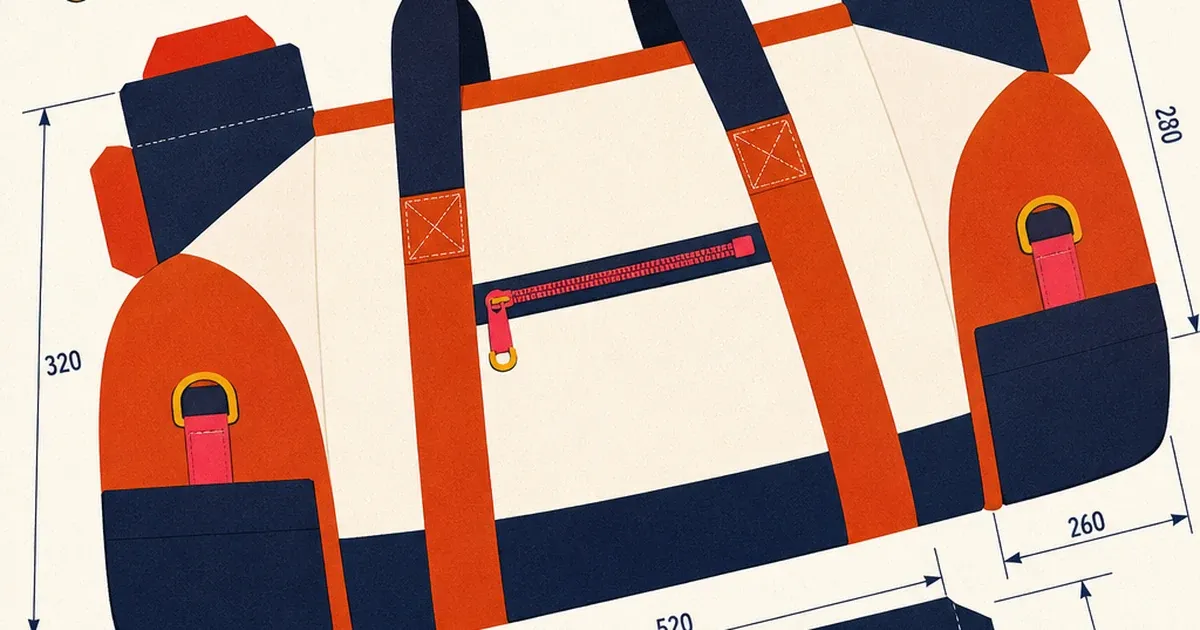
A shopper staring at a product photo on their phone is usually asking one quiet question before anything else: how big is this, actually? A backpack photo with nothing else to judge scale against could be a daypack or a weekend duffel. A mug could hold four ounces or sixteen. That uncertainty is exactly where a sale stalls, and it is the one question a lifestyle shot almost never answers. The size and dimensions preset exists to answer it directly, on the ad itself.
generate_image_preset_agent's ecommerce-dimensions preset takes one product photo and prints the product's real measurements right on the image, the way a technical spec diagram marks height, width, and depth. No separate size chart link. No guessing from a hand in the corner of the photo. The number is just there.

Why "how big is it" kills more sales than a weak photo
Unclear sizing is one of the most common, least discussed reasons a shopper abandons a product page without buying. A product that looks great but gives no sense of scale forces the shopper to either dig through a separate dimensions table (friction that kills momentum on a feed-scroll impulse decision) or guess and risk a return. Returns tied to size mismatch are a known cost center across apparel, furniture, and home goods retail, and the fix most brands reach for is a text-only spec table buried under the fold, which a scroller on a social ad never sees at all.
A size-and-dimensions ad flips that. The measurement answer arrives in the same two seconds the shopper is already spending deciding whether to stop scrolling. It is not a selling point in the emotional sense. It is a friction remover, and removing friction at the exact moment a shopper is deciding is one of the highest-leverage things a static ad image can do.
What the preset actually does
Feed it a single product photo, the catalogue photo counts, and the preset marks the product's real measurements directly on the image: height, width, depth, weight, or capacity, whichever applies to the product. The output is one annotated image, the product shown at a clear angle with dimension lines and numbers placed the way a spec diagram would place them, legible at a glance.
This is the narrowest preset in the whole mini-series. The feature infographic preset calls out named features (a port, a material, a certification). The dimensions preset only ever prints measurements, numbers tied to physical scale, nothing else. That narrowness is the point: a shopper comparing two visually similar products often has exactly one open question, and it is usually "will this fit."
Worked example: turning a spec sheet number into an on-image answer
Take a canvas weekender duffel bag with three real, specific measurements: 20 inches long, 11 inches wide, 11 inches tall, and a 15-liter capacity. The brief for the preset:
Preset: ecommerce-dimensions
Product: [source product photo URL]
Measurements to mark (exactly these, no others): 20in length, 11in width, 11in height, 15L capacity
Style: clean dimension lines from edge to edge, legible sans-serif measurement labels, no invented fifth measurement, no CTA button
Background: simple, uncluttered, keeps focus on the product and its measurement lines
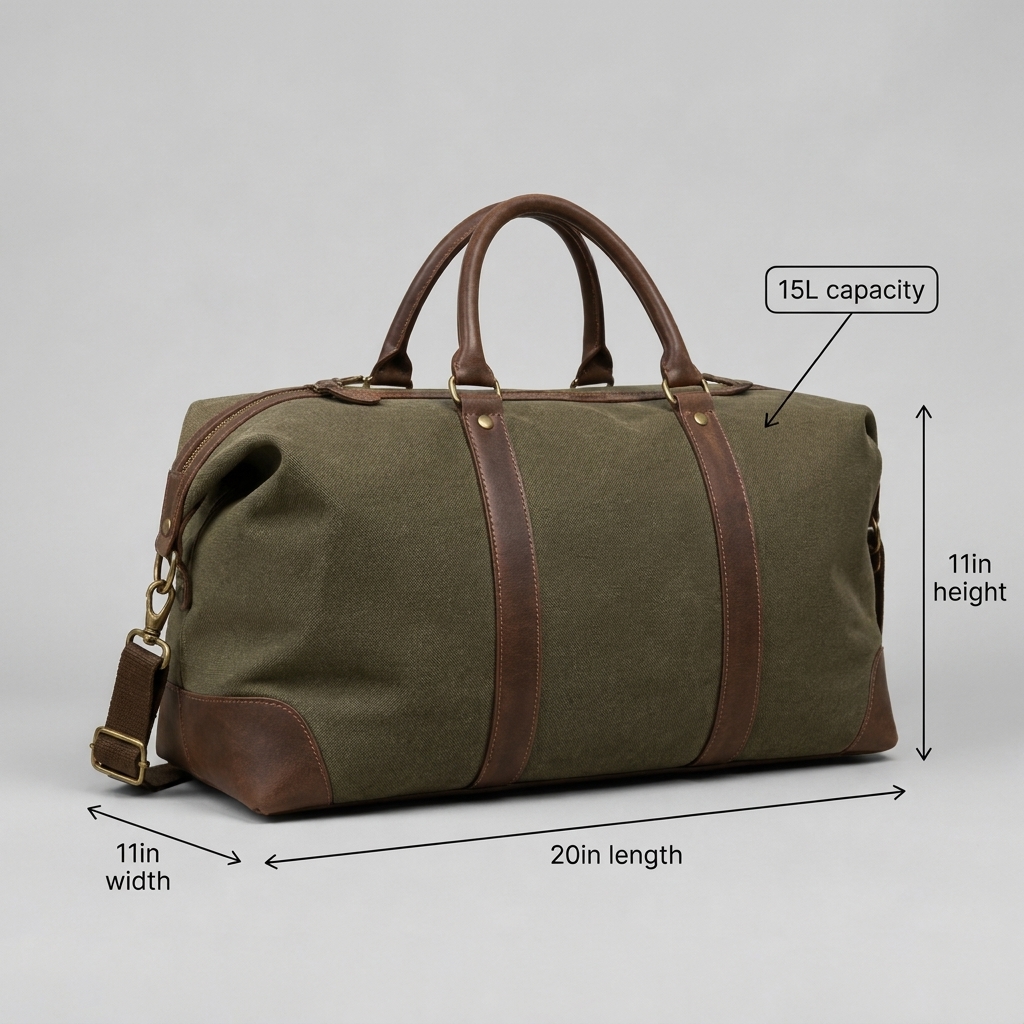
A real worked example, generated via generate_image_preset_agent with preset='ecommerce-dimensions': the same canvas duffel bag with dimension lines marking length, width, height, and a separate capacity callout, every number matching the exact figures given in the brief, zero invented measurements, zero garbled label text.
The one hard rule for this preset is stricter than almost any other in the series: a printed measurement is only honest advertising if it is the real, literal size of the product being sold. There is no room for an approximate number here the way there might be for a softer marketing claim elsewhere. A shopper who buys based on a printed dimension and receives something a different size has a legitimate complaint, not just a disappointed expectation.
Where this fits in the preset lineup
Every preset in this mini-series builds something different on top of a base product photo. The packshot preset strips a photo down to a clean, compliant white background with nothing added. The in-hand preset adds a human hand for scale and tactility, an implied-size cue rather than a printed one. The feature infographic preset names what the product does. The size and dimensions preset is the explicit version of the in-hand preset's scale cue: instead of implying size through a hand in frame, it prints the exact number. Run it on a product with a packshot already done for a clean base to annotate, the same workflow this mini-series has used throughout.
When to reach for this preset (and when not to)
Reach for ecommerce-dimensions for any product where size is genuinely ambiguous from a photo alone and matters to the buying decision: bags, furniture, storage containers, appliances, anything sold by capacity or footprint. It is a strong fit for furniture, luggage, home organization, and kitchenware, categories where a return driven by a size surprise is a real, recurring cost.
It is a weaker fit for products where size is either obvious from context (a phone case, a book) or genuinely irrelevant to the purchase decision (a digital product, a service). Printing a dimension callout on a product nobody is confused about just adds visual clutter without removing any real friction.
FAQ
Does the preset calculate the measurements itself? No. The brief must supply the product's real, literal measurements. The preset only handles the visual layout: where the lines go, how the numbers are placed, keeping the labels legible. Treat any output with a number not supplied in the brief as a failed generation to re-roll, the same discipline applied to a fabricated statistic or an invented product feature elsewhere in this series.
What if the product has multiple relevant measurements (height and capacity, for instance)? Both can go in the same brief. The worked example above marks three physical dimensions and a separate liquid-capacity figure in one image. Keep the total count to what a shopper would realistically want to know, usually two to four numbers, not every spec on a data sheet.
How is this different from the feature infographic preset? Infographic names what a product does or includes (a port, a material, a certification). Dimensions only ever marks physical scale: how big, how heavy, how much it holds. A product can reasonably use both presets for different ad variants if it has both a spec story and a size story to tell.
Does this replace a size chart on the product page? No. A size chart on the page still matters for edge cases and exact fit questions. This preset answers the first, faster question a scroller asks before they ever reach the product page: is this roughly the size I need.
Try it on Coinis
A size question a shopper has to guess at is a sale that stalls before it starts. Generate a size-and-dimensions ad from an existing product photo and answer the question before the scroll continues.
Start building size-and-dimension ads on Coinis
Sources
- Narvar, "The State of Returns" (consumer returns research, including size/fit-driven return causes): https://corp.narvar.com/resources/state-of-returns
- Baymard Institute, "Product Page UX: Secondary Product Images" (ecommerce product-page usability research, scale and measurement clarity): https://baymard.com/blog/secondary-product-images

Isidora Matovic
Author
Social media enthusiast and a full time researcher. She takes digital presence very seriously and that is why you are always in touch in what is going on with us! Follow us for more posts like this.