
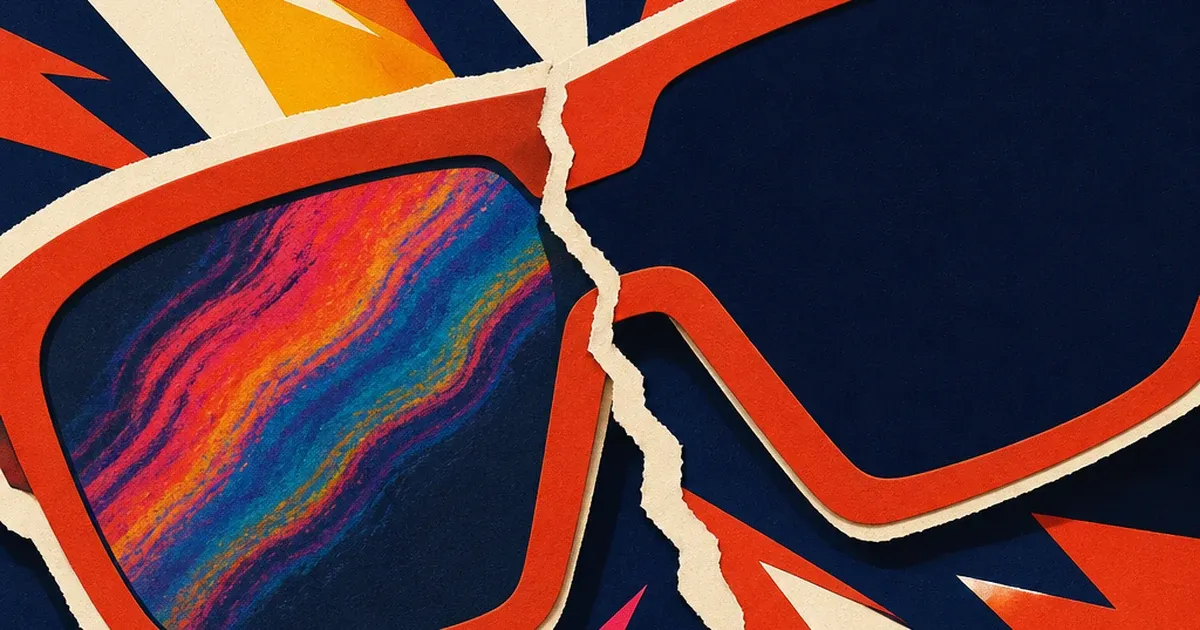
An eyewear brand photographs a pair of polarized sunglasses against a lightbox or a bright sky backdrop, and one lens comes back streaked with a faint oil-slick rainbow that was never part of the design. Nobody airbrushed it in. Nobody scratched the lens. The frame, the tint, the coating are all exactly as manufactured. The rainbow only exists in the photograph, and it shows up because the lens itself is polarized, the backdrop is throwing back partially polarized light, and the two are fighting each other in a way a naked eye on the shop floor never notices but a camera sensor renders in full color.
This is not a manufacturing defect and it is not a lighting mistake in the usual sense. It is a genuine optical-physics interaction between the product and the shoot, and it is invisible until the shutter clicks.
Why a polarized lens does this to a camera and not to a shopper's eye
A polarized lens works by blocking light that vibrates in one direction, which is exactly how it cuts glare off water, snow, and pavement for the wearer. The same filtering effect happens in reverse when that lens is photographed in front of a source of partially polarized light, such as a bright sky, an LCD lightbox, or even a glossy studio backdrop under certain angles. Photographers who shoot through an airplane window with a circular polarizing filter run into the same underlying phenomenon from the other direction: the window's own internal manufacturing stresses reveal themselves as a circular, rainbow-colored pattern the instant a polarizing filter is added to the shot, even though the window looks perfectly clear without one (Unique Photo Community Q&A, quoting Photography Stack Exchange, 2018). A camera's own polarizing filter, or a second polarizing surface like a sunglasses lens, makes an otherwise invisible interaction visible and colored.
The mechanism has a name in optics: stress birefringence. Any transparent or semi-transparent material that has internal manufacturing stress, whether it is a sheet of glass, a molded plastic lens, or a polarizing film laminate, splits polarized light into two waves that travel at slightly different speeds depending on wavelength. When those two waves recombine and pass through a second polarizing filter, only some colors line up to pass through cleanly, and the rest get blocked, which is what produces the visible rainbow banding (Exploratorium Science Snacks, "Bone Stress," polarization education demonstration). A shopper trying the sunglasses on in-store never triggers this, because their own eye is not itself acting as a second polarizing filter the way a polarized lens or a polarizing camera filter does. A camera pointed at the product under the wrong lighting can trigger it every time.
What this costs an eyewear brand that ships the rainbow anyway
Eyewear sits inside the broader Optical Goods Retailing category, a $23.9 billion US industry in 2026 that has held flat with a 0.0% five-year CAGR between 2021 and 2026, meaning existing brands are fighting for share in a market that is not growing on its own (IBISWorld, "Optical Goods Retailing in the US," 2026). Winning that fight on flat volume comes down to which creative actually converts a click into a sale, and a blown-color lens photo works against that from the first impression.
Product image quality is one of the most heavily studied levers in ecommerce conversion for exactly this reason. Baymard Institute's research on shopper behavior found that 56% of online shoppers' first action on a product page is to explore the images, ahead of reading any title or description (cited in letsenhance.io's review of academic ecommerce research, 2026). The same review cites Salsify's 2025 Consumer Research Report finding that 77% of shoppers say high-quality images and video are important to their purchase decision, and separately cites peer-reviewed research (Szulc and Musielak, 2022) finding that 68% of consumers prefer products photographed in clean, distraction-free settings. A lens with an unintended color artifact running through it is the opposite of clean, and it sits on the exact feature (lens tint and clarity) a sunglasses shopper is evaluating hardest.
The ad spend riding on that photo is not cheap either. Apparel, fashion, and jewelry campaigns, the closest published benchmark category to eyewear, carry a median cost per click of $4.44 across US Google and Microsoft Ads search campaigns in the 2026 benchmark year (WordStream/LocaliQ, "Search Advertising Benchmarks for Every Industry," 2026). Every one of those clicks lands on whatever photo the campaign is running, rainbow artifact included.
Fix the interaction, not the lens
Ad Studio's repair layer, enhance_asset_proxy, treats this the same way it treats any other localized optical artifact: as a targeted correction, not a full-frame relight or a fresh photo shoot. One tool covers upscaling, sharpening, denoising, lighting and white-balance fixes, background swaps, and masked repairs, all through a single model field matched to the specific flaw. A birefringence rainbow sits inside the lens area only, never on the frame, the temple arms, or the background, so the correction that fits is a tight masked inpaint: a mask drawn around the lens surface itself, paired with a prompt describing the same lens with a clean, uniform, consistent tint and no color banding, so the fix rebuilds only the lens's optical appearance and leaves the frame shape, hinge hardware, and any branding untouched.
Per the standing hue-naming lesson learned across this pipeline's own prior color-correction work, the prompt never names the specific colors in the rainbow itself. It describes only the desired end state (even, uniform, single-tone lens color, no shimmer, no banding) rather than instructing the model to "remove the rainbow," which risks the model reading a color word as a design instruction instead of a defect description.
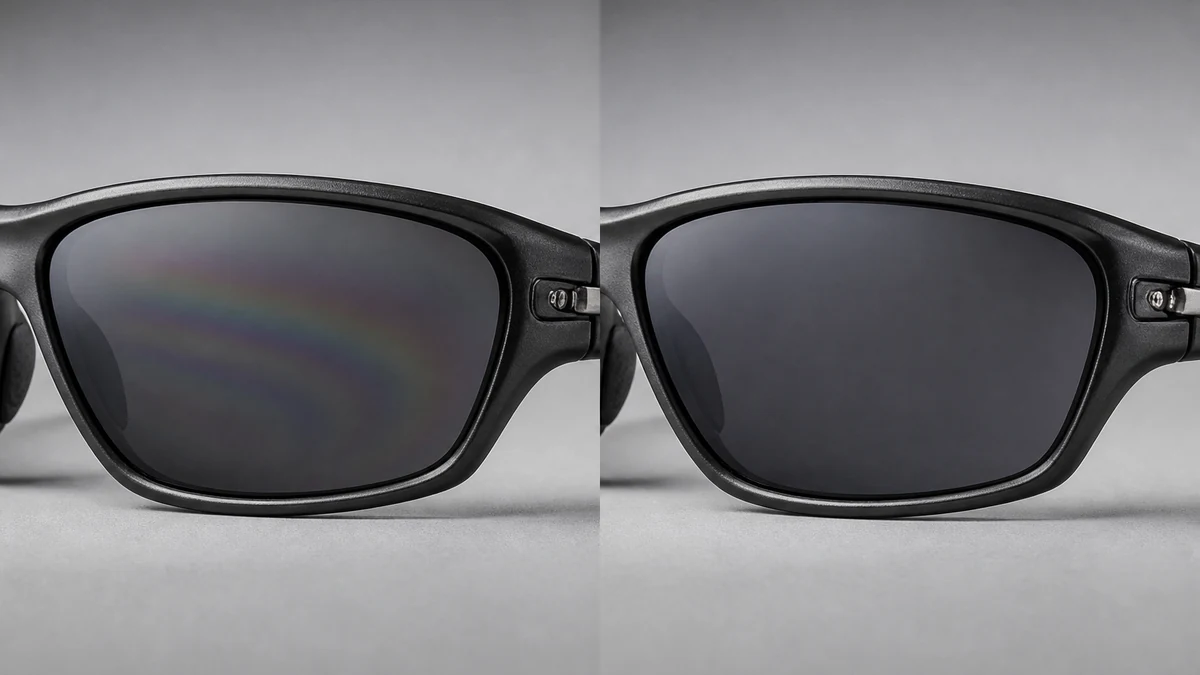
Illustrative composite, not a live enhance_asset_proxy render: mcp.coinis.dev's generation pipeline is in a confirmed OAuth outage at publish time. The correction logic described above is real and already demonstrated with an actual render on the watch retail crystal-dome fix. This image will be swapped for a real render once the outage clears.
Once the lens reads clean, the fan-out step is generate_image_templates, Ad Studio's primary image-ad generator. One corrected product photo becomes a square feed post, a 9:16 Story, and a horizontal Display banner in one pass, cropped and composed for each placement, without rebooking the same lightbox shoot three more times to catch every ad size.
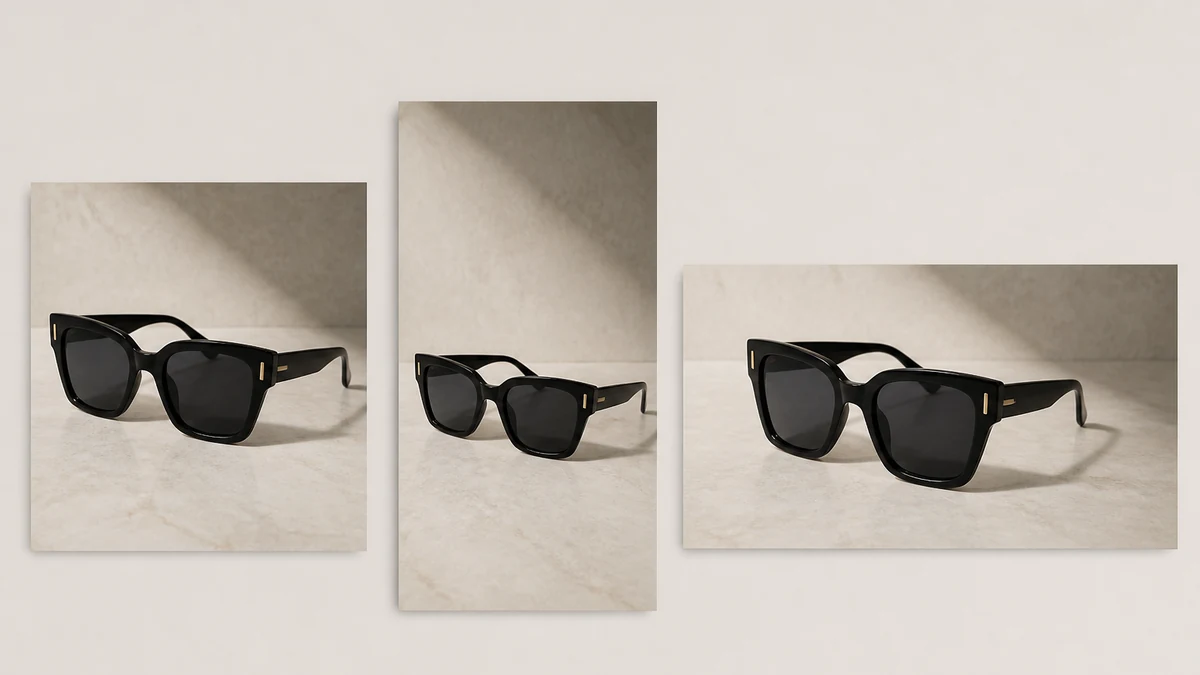
Illustrative composite, same mcp.coinis.dev outage disclosure as above. A real generate_image_templates fan-out is already demonstrated on the one-photo-every-ad-size article.
Building this into an eyewear catalog's actual workflow
An eyewear brand's catalog runs new frame colorways and new polarized-lens tints on a constant cycle, and every one of them can trigger the exact same birefringence interaction under lightbox or bright-sky lighting, regardless of how careful the studio is with white balance or exposure. The order matters every time: repair the specific lens artifact first with enhance_asset_proxy, confirm the frame and hardware are untouched, and only then hand the clean file to generate_image_templates for the size fan-out. Resizing a rainbow-streaked lens photo before fixing it just multiplies the same artifact across every ad placement instead of solving it once.
This is the same underlying pattern already proven across other optically sensitive product categories: a watch's domed-crystal lens distortion, an electronics brand's flat-screen mirror reflection, and a jewelry brand's polished-metal specular hotspot are all versions of the same lesson: a transparent or reflective surface fails in a way specific to its own optics, and the fix has to target that exact mechanism rather than a generic filter. It also connects to an automotive dealer's windshield and chrome glare, where a circular polarizing filter is the photographer's own standard fix on set, the same physics working in the opposite direction from the birefringence problem an eyewear brand runs into on its own product.
FAQ
Does the fix change the lens tint or color itself? No. The masked inpaint rebuilds only the color-banding artifact using the lens's own base tint as reference. Frame color, hinge hardware, and any branding stay exactly as photographed. What changes is the unintended rainbow band, not the actual product color.
Can a different lighting setup avoid this at the shoot? Sometimes, since the interaction depends on the angle between the light source's own polarization and the lens's polarizing axis. But it is unpredictable without testing every angle on set, and a lightbox or bright-sky backdrop, both common in eyewear product photography, are exactly the setups most likely to trigger it. A repair step covers whatever photo is already on file, including ones shot before anyone knew to test for it.
Does this happen on non-polarized sunglasses too? The visible rainbow banding specifically requires a polarized lens interacting with a partially polarized light source, so non-polarized sunglasses are far less likely to show this exact artifact. Non-polarized lenses can still show unrelated glare or reflection issues, which is a different repair case.
Do I need a different photo for every platform's ad size? No. generate_image_templates handles the cropping and composition into each platform's spec from one corrected source photo, which is the entire point of fixing the lens once instead of on five separate exports.
The Coinis angle
A sunglasses photo with an unintended rainbow running through the lens does not need a rebooked lightbox shoot to become usable. Repair the one photo already on file with Ad Studio's enhance_asset_proxy, confirm the frame and hardware are untouched, then turn it into a full ad-ready set with generate_image_templates, and land the result as a launch-ready ad through Ad Studio's templates instead of exporting a rainbow-streaked photo and building the ad by hand.
Sources
- Unique Photo Community Q&A, "Why did a polarizing filter create rainbow-like patterns when shooting through an airplane window?," quoting Photography Stack Exchange, December 2018. https://www.uniquephoto.com/community/qa/why-did-a-polarizing-filter-create-rainbow-like-patterns-when-shooting-through-an-airplane-window
- Exploratorium Science Snacks, "Bone Stress: Light & Polarization Science Activity." https://www.exploratorium.edu/snacks/bone-stress
- IBISWorld, "Optical Goods Retailing in the US - Market Size (2021-2031)," 2026. https://www.ibisworld.com/united-states/market-size/optical-goods-retailing/1056/
- letsenhance.io, "How product image quality impacts e-commerce conversion and returns," 2026 (citing Baymard Institute, Salsify 2025 Consumer Research Report, and Szulc & Musielak 2022). https://letsenhance.io/blog/all/product-image-quality/
- WordStream/LocaliQ, "Search Advertising Benchmarks for Every Industry [2026 Data]." https://localiq.com/blog/search-advertising-benchmarks/

Isidora Matovic
Author
Social media enthusiast and a full time researcher. She takes digital presence very seriously and that is why you are always in touch in what is going on with us! Follow us for more posts like this.