

A phone, laptop, or tablet screen is close to a mirror when the device is off or dark, and studio lighting treats it exactly like one. Point a softbox at a glossy display and the shot does not come back with a soft highlight. It comes back with the softbox itself, the ceiling, or the photographer's own silhouette, sitting inside the frame of the product a shopper is supposed to be looking at.
That reflection rarely gets caught in time. A batch shoot for a new SKU or color variant moves fast, and a screen that looks fine on a small preview thumbnail can show a clearly recognizable studio setup once it is blown up to full size in an ad.
Why a screen reflection is a different problem than ordinary glare
Most reflective-surface photography problems are a bright patch: a hot spot on chrome, a sheen on a glossy label. A device screen is different because it is flat, large, and angled straight at the camera, so instead of one small bright patch it produces a full, legible reflection: window frames, ceiling tiles, a tripod leg, sometimes a person. On a curved bottle or a ring, a highlight reads as an imperfection. On a phone screen, a mirrored studio reads as evidence the photo is a staged product shot rather than the clean device render a shopper expects, and it can visually compete with whatever UI mockup or lock-screen graphic the brand actually wants displayed there.
The category is also unforgiving of a mismatch between what a shopper sees and what arrives. The National Retail Federation's 2025 Retail Returns Landscape report (with Happy Returns) found that 19.3% of online purchases are returned overall, with a product looking or performing differently than expected a persistent driver across categories (NRF, "2025 Retail Returns Landscape," October 2025). Electronics buyers already research specs harder than most categories before they click buy. A distracting reflection sitting over the one surface they are trying to evaluate does not help that research along.
The lighting fix works, but it does not scale to a growing catalog
Photography guides on this exact problem describe a consistent set of fixes: angle the light off-axis rather than straight at the screen, use a large diffused source close to the product to soften and spread the reflection, and block ambient light from windows or open ceiling fixtures with black foam core or flags (Photofocus, "How I Got the Photo: Working With Glass and Reflections"). All of that works in a single, carefully lit shot. None of it survives a catalog with a dozen SKUs, three finish colors each, and a new photo needed every time a variant ships, because someone has to re-rig the same lighting setup and re-shoot the same angle every single time.
What typically ships to the ad account instead is whichever shot from the batch came back closest to clean, reflection included, because reshooting the miss is not worth the time it takes.
Fix the reflection before the photo goes into every ad format
Ad Studio's repair layer, enhance_asset_proxy, treats this as a targeted correction rather than a reshoot. One tool handles upscaling, sharpening, denoising, lighting and white-balance fixes, background swaps, and masked repairs, all through a single model field matched to the specific flaw. A reflection sitting inside a screen panel is a bounded, masked region, not a whole-photo problem, so the correction that fits is a masked inpaint: a mask drawn tightly around the screen's edges, paired with a prompt describing a clean off-state display or the device's own UI, so the fix rebuilds only what is inside the screen and leaves the device's body, ports, and branding exactly as photographed.
This is a repair step, not a redesign. It does not change the device model, does not add a UI element the product does not actually have, and does not alter the body, logo, or finish outside the masked screen area.
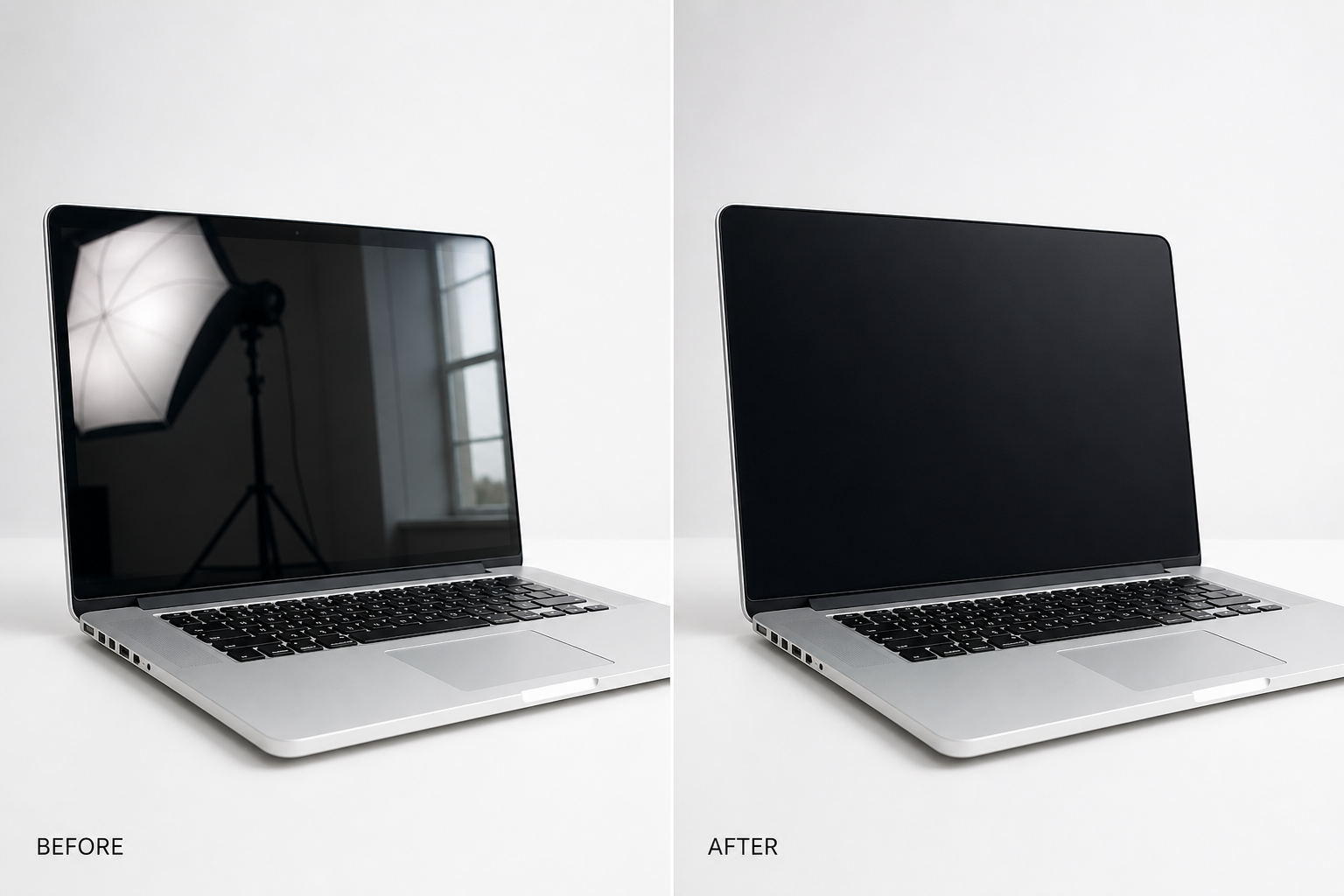
Illustrative example. mcp.coinis.dev generation backend is currently down (token refresh failure, ongoing outage since 2026-08-09). This before/after is a static illustrative composite generated directly via OpenAI gpt-image-2, standing in for a real enhance_asset_proxy recraft-inpaint render. See Bad Product Photos Are Costing You Sales for a real enhance_asset_proxy render on this same tool.
Once the screen reads clean, the fan-out step is generate_image_templates, Ad Studio's primary image-ad generator. One corrected device photo becomes a square feed post, a 9:16 Story, and a horizontal Display banner in one pass, cropped and composed for each placement, without re-lighting the same shot three more times or re-touching the same reflection on every export.
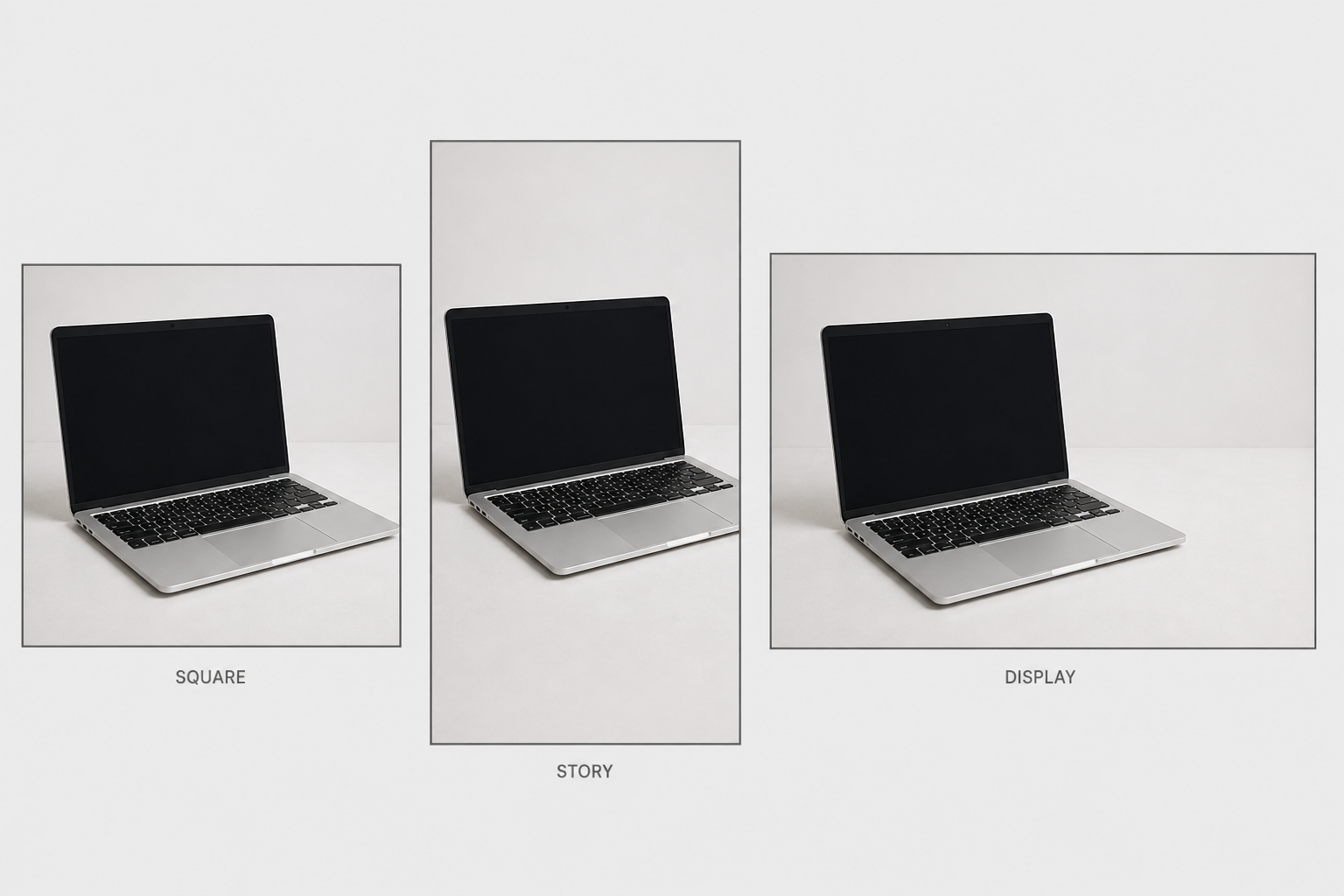
Illustrative example. mcp.coinis.dev generation backend is currently down (token refresh failure, ongoing outage since 2026-08-09). This multi-format mockup is a static illustrative composite generated directly via OpenAI gpt-image-2, standing in for a real generate_image_templates fan-out. See One Product Photo, Every Ad Size for a real generate_image_templates render.
Building this into an electronics catalog's actual workflow
A phone, laptop, or accessories line rarely holds still at one SKU. New colors, new bundles, and new generations ship on a schedule, and every one of them needs a clean hero shot before it can go into any ad format on any platform. The order matters every time: repair the specific flaw first with enhance_asset_proxy, confirm the device itself, not just the reflection, is untouched, and only then hand the clean file to generate_image_templates for the size fan-out. Resizing a photo before fixing it just multiplies the same reflection across every ad size instead of solving it once.
This is the same underlying pattern already proven across other physically reflective product categories: a beverage brand's glass-and-condensation problem, a jewelry brand's blown-out specular hotspot, and a supplement bottle's glare band over the label are all versions of the same lesson: a highly reflective surface fights the camera differently depending on its shape and finish, and the fix has to be scoped to the actual flaw rather than applied as one generic filter. It also connects to mobile game ad creative fatigue: a brand stuck on one usable hero shot per SKU keeps running that same shot until performance drops, because there is no clean second angle to rotate in without redoing the whole shoot.
FAQ
Does the fix change anything about the device itself? No. The masked inpaint rebuilds only the screen region using the surrounding device as reference. Body color, ports, branding, and finish stay exactly as photographed. What changes is the reflection that was sitting inside the display.
Can this add a UI mockup to the screen instead of just clearing it? The masked region can be filled with either a clean off-state or a described UI, but the fix should never invent an interface, app, or feature the actual product does not have. Keep the prompt scoped to what genuinely ships on the device.
Do I need a different photo for every platform's ad size? No. generate_image_templates handles the cropping and composition into each platform's spec from one corrected source photo, which is the entire point of fixing the reflection once instead of on five separate exports.
What if the reflection is on a curved surface, like a smartwatch face, rather than a flat screen? The same masking approach applies, scoped tighter to the curved display's visible edge. A curved screen concentrates the reflection into a smaller area than a flat laptop panel, which usually makes the mask easier to draw precisely.
The Coinis angle
A device photo with a studio reflected in the screen does not need a re-shoot to become usable. Repair the one photo already on file with Ad Studio's enhance_asset_proxy, confirm the device itself is untouched, then turn it into a full ad-ready set with generate_image_templates, and land the result as a launch-ready ad through Ad Studio's templates instead of exporting a flawed photo and building the ad by hand.
Sources
- National Retail Federation (with Happy Returns), "2025 Retail Returns Landscape," October 15, 2025. https://nrf.com/research/2025-retail-returns-landscape
- Photofocus, "How I Got the Photo: Working With Glass and Reflections." https://photofocus.com/photography/shooting-photography/how-i-got-the-photo-working-with-glass-and-reflections/

Isidora Matovic
Author
Social media enthusiast and a full time researcher. She takes digital presence very seriously and that is why you are always in touch in what is going on with us! Follow us for more posts like this.