

A chocolatier's whole visual pitch rests on two things a camera can actually capture: a mirror-glossy surface and a clean, sharp "snap" when the bar or truffle breaks. Properly tempered chocolate looks almost wet with shine under light, which is exactly why a photo of it sells so hard. Then a batch sits in a display case, a shipping box, or a home pantry for a few days, and a dull grey or white film shows up across the surface, sometimes as a streaky bloom, sometimes as a fine powdery dusting. The chocolate underneath hasn't gone bad. It just stopped looking like something worth buying in a photo.
That film has a name, and it isn't one problem, it's two different ones that happen to look similar. Cocoa butter fat separating out and recrystallizing on the surface is called fat bloom. Surface sugar dissolving in ambient moisture and recrystallizing as it dries is called sugar bloom. Both are real physical changes to the chocolate's surface, not lighting mistakes or camera settings, and that distinction matters for anyone trying to fix a product photo instead of just reshooting it and hoping the next batch looks better.
The chocolate itself is misbehaving, not the camera
Fat bloom is a migration problem inside the chocolate. Peer-reviewed food science research combining NMR spectroscopy and HPLC-MS has confirmed that the fat bloom layer is dominated by the chocolate's own triacylglycerides, the fat molecules in cocoa butter, physically migrating up through the matrix to the surface and recrystallizing there into a visible film (Trapp, L. et al., "Chemical Composition of Fat Bloom on Chocolate Products Determined by Combining NMR and HPLC-MS," Molecules, 2024). Temperature swings, under-tempering, or oil migrating in from a nut or caramel filling all accelerate this migration, and a comprehensive review of the mechanism notes that once cocoa butter fat recrystallizes into its most thermodynamically stable crystal form on the surface, it produces the characteristic dull grey-white streaking chocolatiers dread (Lonchampt, P. and Hartel, R.W., "Fat bloom in chocolate and compound coatings," European Journal of Lipid Science and Technology, 2004).
Sugar bloom is a different mechanism with the same visual result. It happens when humidity or condensation puts moisture on the chocolate's surface, dissolving the surface sugar. As that moisture evaporates, the sugar recrystallizes into visible white or grey crystals, producing a grainy, textured coating rather than fat bloom's smoother streaking (CocoaSupply, "Fat Blooming and Sugar Bloom in Chocolate," trade guide). Either way, the surface that is supposed to read as glossy and smooth now reads as chalky and flat, and a camera captures that faithfully. The product is still perfectly safe to eat. It just stopped photographing like a treat.
Why this defect is worse for ads than for the shop counter
A customer standing at a counter can pick up a bloomed chocolate, see the dull patch, and still trust their nose and the shop's reputation enough to buy it anyway. An ad doesn't get that benefit of the doubt. The entire job of a product photo in paid media is to make the food look more appealing than it would look walking past it on a shelf, and that effect lives or dies on the visual treatment of the product itself. A controlled study of 101 participants found that food advertising images drive purchase intent specifically through how enticing and visually appealing the photo makes the product look, independent of what the product's actual recipe or ingredients are (Detta, H. et al., "Effect of Colorful Food Photography and Consumer Intentions to Purchase Food and Beverages," Eduvest - Journal of Universal Studies, 2024). A flat, grey-dusted chocolate bar is working directly against that mechanism, no matter how good the chocolate actually tastes.
Chocolate and confectionery brands also live almost entirely on close-up hero shots. A dressed salad or a plated entree has a dozen visual elements competing for attention. A chocolate bar or a single truffle in an ad usually has one, the surface finish itself, carrying the entire visual argument. There's very little else in frame to distract from a dull, bloomed surface once that one element fails.
Fix the bloom before you multiply the photo
Ad Studio's repair layer, enhance_asset_proxy, handles this the same way it handles any shooting-environment defect: a correction matched to the physical shape of the flaw, not a blanket filter run over the whole image. Fat and sugar bloom typically doesn't sit in one isolated spot the way a specular hotspot does, it spreads unevenly across the chocolate's own surface wherever the migration or moisture exposure was worst, so the correction uses a mask that traces the bloomed surface area of the product itself rather than either a single full-frame pass or one tiny localized patch. The prompt stays minimal and specific: restore the chocolate's true glossy, tempered-dark or tempered-milk surface color and sheen underneath the grey film, nothing about the background, the packaging, or the plate it's sitting on.
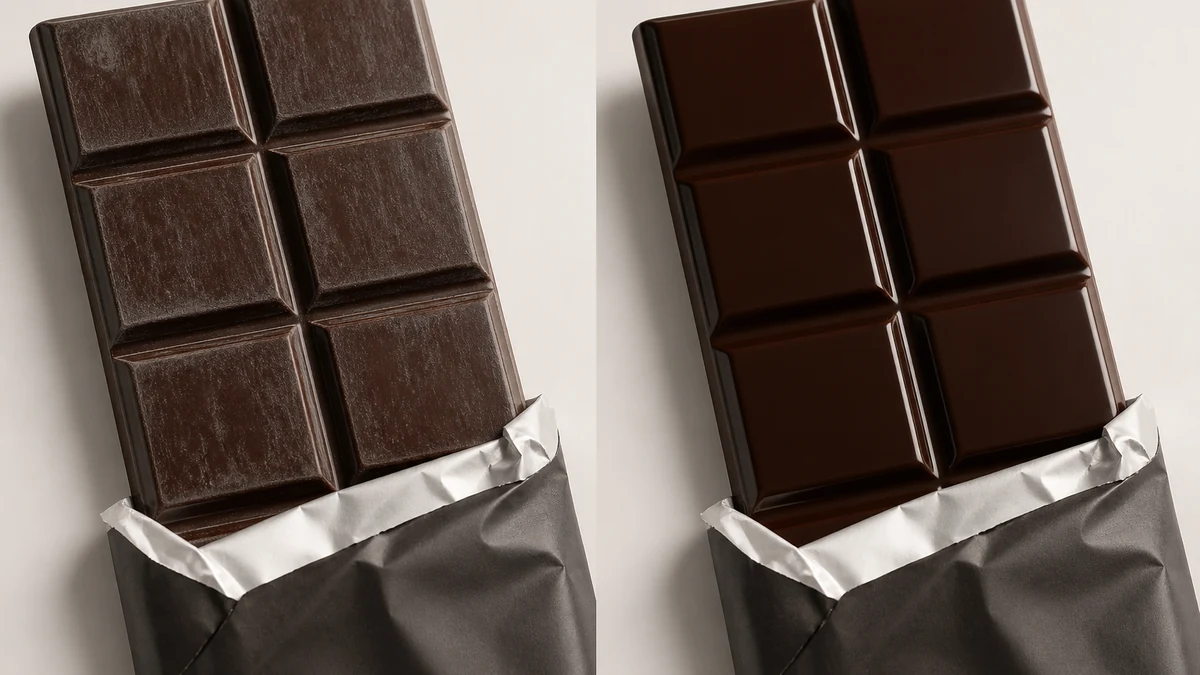
Illustrative composite, not a live enhance_asset_proxy render: mcp.coinis.dev's generation pipeline is in a confirmed OAuth outage at publish time. The correction logic described above is real and already demonstrated with an actual render on the bakery's glaze-blowout fix. This image will be swapped for a real render once the outage clears.
With a corrected shot in hand, generate_image_templates, Ad Studio's primary image-ad generator, turns that single photo into a square feed post, a vertical Story crop, and a horizontal Display banner in one pass, each matched to what the placement actually expects.
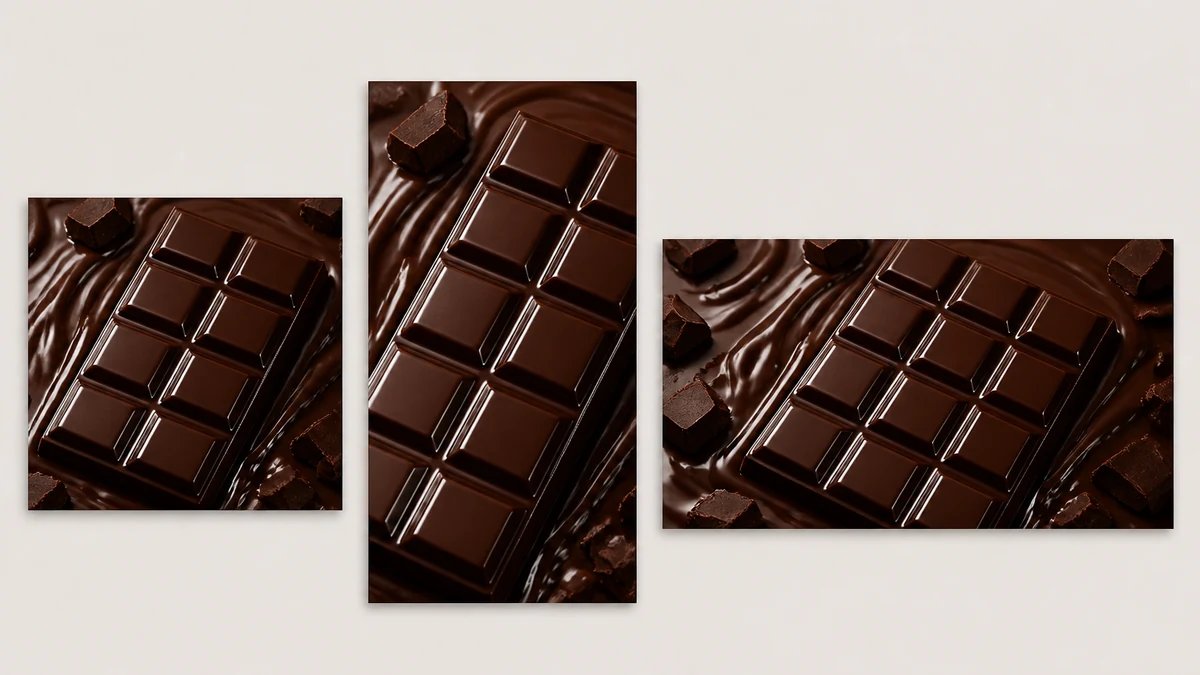
Illustrative composite, same mcp.coinis.dev outage disclosure as above. A real generate_image_templates fan-out is already demonstrated on the one-photo-every-ad-size article.
This is a recurring shelf-life problem, not a one-time reshoot
A chocolatier can't control every hour a product spends between tempering and the camera. A batch gets photographed fresh one week and looks perfect. The same recipe gets photographed again a month later after sitting through a warm delivery truck or a humid storeroom, and bloom has already started. Reshooting from scratch every time a new batch shows the first signs of bloom isn't realistic for most confectionery operations running on a seasonal or holiday production calendar. The fix works the same way every time regardless of which batch or flavor triggered it: correct the bloomed surface with enhance_asset_proxy first, then hand the corrected file to generate_image_templates for the ad-size fan-out. Running it the other way around just resizes a photo that still has the grey film baked into every crop.
This is the same category of recurring shooting-environment defect already covered for a bakery's fluorescent case light and glaze blowout and a CPG snack bag's crinkled-foil glare, and it sits on the opposite end of the thermal spectrum from an ice cream shop's freezer-condensation frost bloom, which is moisture depositing from the outside in on a frozen surface rather than the product's own fat and sugar migrating out. A confectioner dealing with any of these surface-condition defects is dealing with the same underlying truth: the product itself changes between the kitchen and the camera, and the ad photo needs a correction step built for that, not a one-time reshoot.
FAQ
Is bloomed chocolate still safe to use in the photo, or does this mean the batch is bad? Bloomed chocolate is still perfectly safe to eat. Fat and sugar bloom are cosmetic surface changes, not spoilage or quality defects in the product itself. The correction fixes how the surface photographs, it doesn't change anything about the chocolate's actual condition.
Can you tell the difference between fat bloom and sugar bloom from a photo alone? Not always reliably, and it usually doesn't matter for the correction. Fat bloom tends to look like smoother, streakier grey-white patches. Sugar bloom tends to look grainier and more crystalline. Either way, the correction targets restoring the surface's true glossy color and sheen rather than diagnosing which specific migration caused it.
Will the corrected photo look fake or over-polished? No. The correction restores the chocolate's actual tempered glossy finish, the surface condition it had right after tempering and before bloom set in, not an exaggerated or unnaturally glossy look. The goal is accurate, not enhanced beyond what properly tempered chocolate actually looks like.
Does this work on filled chocolates and truffles, or only solid bars? The same masking approach applies to any chocolate surface showing bloom, solid bars, molded pieces, or the chocolate shell on a truffle. The mask traces wherever the bloom patch sits on that specific product's visible surface.
Sources
- Trapp, L. et al., "Chemical Composition of Fat Bloom on Chocolate Products Determined by Combining NMR and HPLC-MS," Molecules, 2024. https://pmc.ncbi.nlm.nih.gov/articles/PMC11243742/
- Lonchampt, P. and Hartel, R.W., "Fat bloom in chocolate and compound coatings," European Journal of Lipid Science and Technology, 2004. https://onlinelibrary.wiley.com/doi/10.1002/ejlt.200400938 (citation confirmed via Trapp et al. 2024 reference list, PMC)
- CocoaSupply, "Fat Blooming and Sugar Bloom in Chocolate," trade guide. https://cocoasupply.com/blog/fat-blooming-and-sugar-bloom-in-chocolate/
- Detta, H. et al., "Effect of Colorful Food Photography and Consumer Intentions to Purchase Food and Beverages," Eduvest - Journal of Universal Studies, 2024. (reused source, previously fetched and verified for bakery-display-case-photo-fix-coinis)
The Coinis angle
A grey bloom patch on a chocolate photo isn't a lighting fix, it's a surface-condition fix, and most teams either reshoot the whole batch or just ship the dull photo because reshooting a seasonal confectionery line every time bloom shows up isn't realistic. Ad Studio's enhance_asset_proxy handles the surface correction in one masked pass, matched to exactly where the bloom sits on the product, and generate_image_templates turns that single corrected shot into every ad size a campaign needs without a second photo shoot. Build the whole sequence as a ready-to-run template in Ad Studio once, and every new seasonal batch that blooms before the camera gets the same fix instead of a fresh problem.

Isidora Matovic
Author
Social media enthusiast and a full time researcher. She takes digital presence very seriously and that is why you are always in touch in what is going on with us! Follow us for more posts like this.