

Lay a bag of chips on the table, fire two strobes at it, and check the result. The logo is legible in one corner. The rest of the bag is a field of small, scattered white blowouts, one for every fold in the foil. There's no single glare spot to dodge. There are dozens, and they move every time the bag shifts a millimeter.
That's not a lighting mistake. It's what happens when a reflective, non-planar surface meets a light source: every crinkle in the foil or mylar sits at its own angle, so every crinkle bounces the light back to the camera from a different direction. A curved bottle or a polished ring gives you one predictable specular highlight to manage. A crinkled snack bag gives you a hundred unpredictable ones, scattered across exactly the surface carrying the brand name and the product shot.
Why Foil Packaging Breaks the Usual Lighting Playbook
Specular reflection follows a simple rule: light bounces off a surface at the same angle it arrived at, straight back to whatever's positioned at that reflection angle. On a flat or gently curved surface, that means one light source produces one predictable highlight, and a photographer can move the light, the camera, or the product until that highlight lands somewhere harmless.
A crinkled foil or mylar bag has no single surface angle. Every fold, pucker, and seam is its own tiny mirror pointed in its own direction. Photographers documenting this exact problem describe it plainly: no matter where the lights go, some fold is going to be angled straight at the camera, and moving the light closer just multiplies the number of surfaces catching it at every possible angle instead of fixing the one that mattered. One community answer to a photographer stuck on this exact shot put it directly: the packaging itself is the problem, and the fix usually starts with flattening the material, not chasing the lights around the room. It's a different mechanism from the smooth-glass glare and condensation problem beverage brands deal with or a single polished-metal hotspot on jewelry: those surfaces produce one predictable reflection, foil produces dozens at once.
That's the trap: the fixes photographers reach for on a smooth product (softer light, a polarizer, repositioning) only partially help here, because there isn't one reflection angle to defeat. There are dozens, moving independently, and no single light position eliminates all of them at once.
Fixing the Scatter Without Reshooting the Shelf
The fix isn't a global dulling-spray pass or a full reshoot with different lighting. It's the same kind of targeted correction Coinis's photo-repair tool already demonstrated on a flat-screen mirror glare problem: a fix that flattens the scattered hotspots back to even, legible surface detail without redrawing the bag, the logo, or the background around it.
The worked example:
- Source photo. A real (or marketplace-generated) shot of a crinkled foil snack bag with the classic multi-hotspot glare pattern, dozens of small blown-out flecks scattered across the surface, logo partially obscured.
- Tight, measured mask. Only the scattered hotspot regions get masked, not the whole bag and not the background. A defect made of dozens of small, unevenly distributed spots calls for a mask that hugs each cluster, not a blanket full-frame correction that risks the model redrawing the bag's shape or printed artwork.
- Neutral correction prompt. The fix instruction describes only the target state, restore even, matte, legible surface detail with the printed logo and text fully readable, no blown highlight, no scattered glare. It never names a color or a specific brand element, since naming specifics inside a defect-repair prompt is a confirmed confabulation trigger elsewhere in this pipeline.
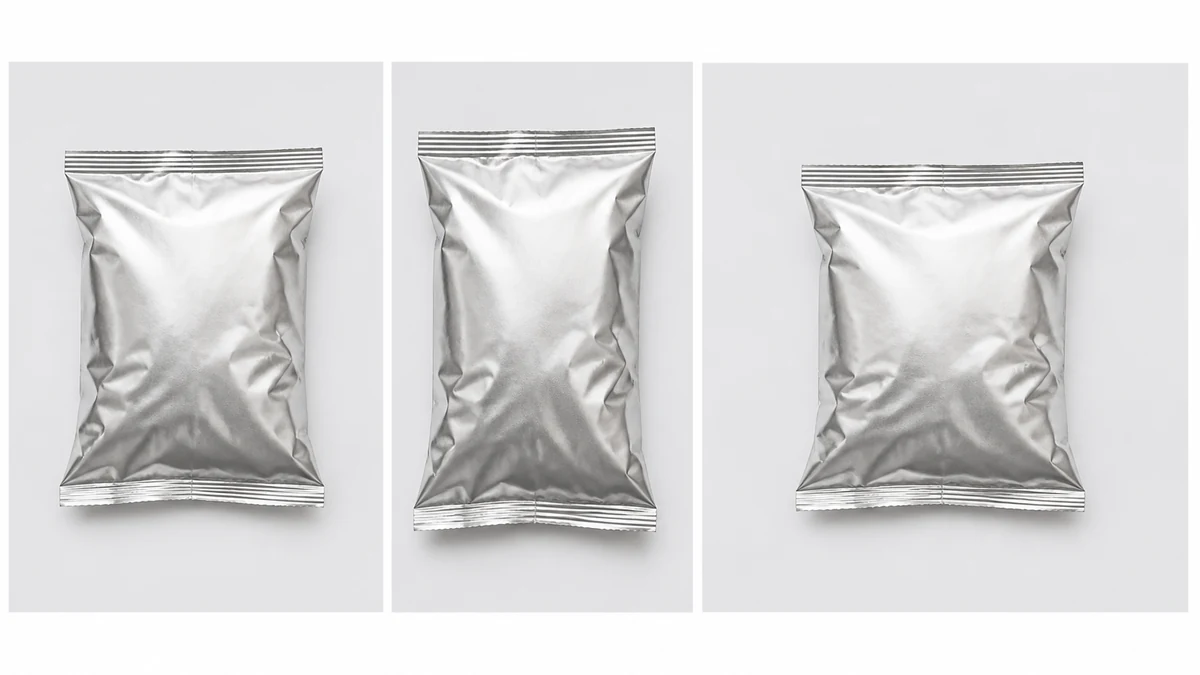
- Fan out to six ad sizes. The same corrected bag photo becomes a square feed post, a 9:16 story, a landscape banner, and every other format a snack brand needs, built from one fixed source instead of six separate reshoots with six different light setups.
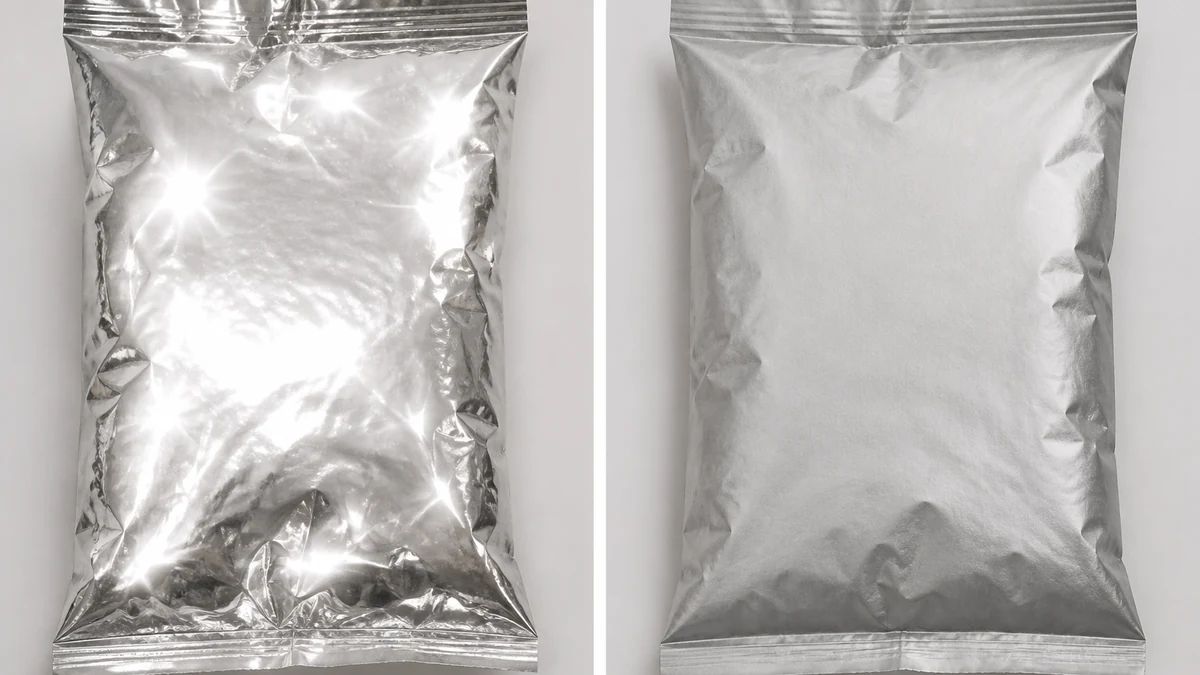
mcp.coinis.dev is in an extended OAuth outage as this article went to press, so the before/after above is a vision-QA'd illustrative still generated directly through OpenAI's image model rather than a live enhance_asset_proxy render. For a real enhance_asset_proxy recraft-inpaint repair on a comparable localized optical artifact, see the fishing-tackle purple-fringe fix.
Why This Matters for a CPG Brand's Ad Spend
Snack food production is a $50.6 billion industry in the United States in 2026, growing at a 5.7% clip this year alone. That's a shelf, and a feed, crowded with brands competing mostly on package design, since most snacks in a category taste and cost roughly the same. The package IS the ad creative for a huge share of this category's spend, repurposed straight from packaging photography into paid social.
A product shot where the logo is half-obscured by scattered glare isn't a minor cosmetic flaw in that context, for any food or beverage brand running paid social. It's the single asset a brand is reusing across every platform, undermining the one thing package design is supposed to do: be instantly recognizable at a glance while someone scrolls past in under a second. A brand that fixes the scatter once and reuses the corrected shot across every ad size is showing a legible, recognizable package. A competitor still running the original studio shoot is showing dozens of tiny distracting blown-out flecks instead.
What to Do Now
- Pull the packaging photo you already have, the one with scattered white flecks across the foil instead of one clean highlight.
- Run it through a targeted crinkle-glare correction instead of re-shooting with dulling spray or a different light rig.
- Fan the corrected photo out to every platform's ad dimensions from that single fixed source.
- Launch it as a ready-to-run ad through Coinis Ad Studio, built from a template instead of a blank canvas.
FAQ
Is this the same problem as glare on a glass bottle or a polished ring? No. A bottle or a ring has one smooth, continuously curved surface, so it produces one predictable specular highlight that a photographer can move or mask. Crinkled foil has no single surface angle, so it scatters that same light into dozens of independent hotspots at once. Different geometry, different fix.
Can dulling spray or a polarizer fix this in-camera? Partially, and not reliably for retail packaging. A polarizer reduces some reflections but leaves metallic ones largely untouched, and dulling spray changes how the actual finish looks, which matters when the real package has to match what's on the shelf. Neither addresses hotspots already baked into a photo you've already taken.
Will an AI fix flatten the bag's texture or make it look fake? Not when the mask stays tight to the actual hotspot clusters and the prompt describes only the target state. The goal is restoring the surface detail and logo legibility that glare wiped out, not smoothing away the bag's real texture or shape.
Does this apply to other crinkled or non-planar packaging, not just chip bags? Any flexible, reflective package with folds, wrinkles, or a non-planar surface hits the same scattered-reflection problem: candy wrappers, coffee pouches, jerky bags, foil-wrapped bars. A rigid box or a smooth can doesn't have this issue, since it has far fewer independent surface angles to catch light.
Sources
- Photography Stack Exchange, "Having difficulty lighting various reflective product packaging, use dulling spray?": https://photo.stackexchange.com/questions/37464/having-difficulty-lighting-various-reflective-product-packaging-use-dulling-spr
- IBISWorld, "Snack Food Production in the US Industry Analysis, 2026": https://www.ibisworld.com/united-states/industry/snack-food-production/271/

Isidora Matovic
Author
Social media enthusiast and a full time researcher. She takes digital presence very seriously and that is why you are always in touch in what is going on with us! Follow us for more posts like this.