
A framing shop photographs a finished piece for its ad campaign: a client's print, matted and sealed behind clean glass, lit evenly, composed well. On screen, a faint ring of rainbow color sits over one corner of the glass, right where the glazing rests closest to the print beneath it. Nobody left a smudge. No light is flaring into the lens. The glass and the print inside it are doing something neither one does alone.
The physics hiding in a sheet of ordinary glass
When two transparent or reflective surfaces sit almost, but not quite, touching, with a microscopically thin wedge of air trapped between them, light reflecting off the top surface and light reflecting off the bottom surface travel very slightly different distances before reaching the camera. Those two reflections interfere with each other: at some thicknesses they reinforce a color and make it brighter, at others they cancel it out entirely. The result is a pattern of concentric colored rings, a textbook optical effect known as Newton's rings, first documented through the exact setup of a curved glass surface pressed against a flat one (Harvard Natural Sciences Lecture Demonstrations, "Newton's Rings," accessed 2026).
A framed print is that exact setup in miniature. Glazing doesn't lie perfectly flat against a mat board or print surface across its entire area. Humidity, a slightly bowed mount, or just normal manufacturing tolerance leaves tiny air gaps that vary in thickness from one spot to the next, and wherever that gap happens to fall in the right range, the interference pattern shows up as a shimmer of rainbow bands invisible to a shopper glancing at the piece on a wall but unmissable the moment a camera locks focus on it dead-on. Picture framers trade notes on this constantly under its plain-language name, calling out "concentric bands of colored light" appearing wherever "two transparent surfaces are not quite in contact" (The Grumble, picture framers' forum, "Newton rings," accessed 2026).
Why this isn't the same problem as ordinary glass glare
Photographers who shoot framed work for a living have a whole separate playbook for ordinary glare, the kind caused by a visible light source or its reflection bouncing straight off the glass into the lens. The fix there is angle and light placement: keep every light source outside the direct reflection path between the camera and the glass, often by positioning lights to each side at roughly 45 degrees so neither the lamp nor its glow ever lines up with the camera's view (Stack Exchange Photography, "How do you photograph artwork in a glass picture frame?," accessed 2026). That playbook works because ordinary glare comes from an external light source hitting glass at the wrong angle, and repositioning the light removes the problem.
Newton's rings don't come from an external light source at all. They come from the physical gap between two surfaces, baked into the piece before a single studio light gets turned on. Re-angling every light in the room won't close an air gap that's already there. A framing shop can run a flawless glare-free lighting setup, follow every rule in the standard playbook, and still end up with an interference pattern sitting over one corner of the glass, because the two problems have different physical causes and only one of them responds to relighting.
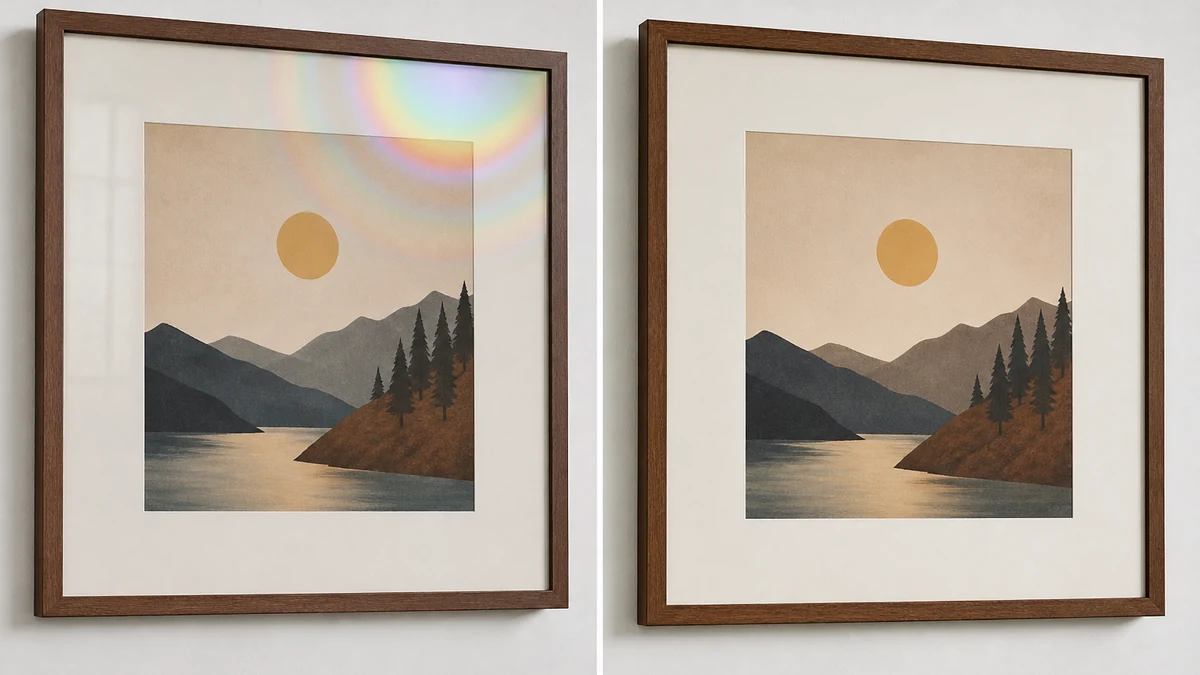
mcp.coinis.dev, the live connection used to generate real Ad Studio renders for this blog, is in a confirmed outage as of this writing. The image below is an illustrative substitute generated to show the correction concept, not a live recraft-inpaint/generate_image_templates output. For a real render from this same repair tool on a different optical defect, see the fishing tackle photo fix.
Fixing it without reshooting the piece
Reshooting means repositioning the actual framed artwork, hoping the air gap that caused the rings happens to sit differently, and running the whole lighting setup again with no guarantee the next shot won't show the same pattern somewhere else on the glass. Ad Studio's repair layer, enhance_asset_proxy, skips that gamble. One tool covers upscaling, sharpening, denoising, lighting and white-balance correction, background swaps, and masked inpainting, selected through a single model field matched to whatever is actually wrong with the photo.
For a localized interference pattern confined to one region of the glass, the right call is recraft-inpaint with a tight mask hugging only the affected area, paired with a prompt describing that masked region corrected to clear, neutral glass matching the surrounding unaffected surface. Per the standing lesson from this pipeline's own prior color-correction work, the prompt never names the specific colors the pattern produced. It describes only the target state, clear glass, rather than instructing the model to "remove the rainbow" or "fix the color rings," because naming a color or pattern in a defect-repair prompt risks the model reading it as a design instruction instead of a correction target.
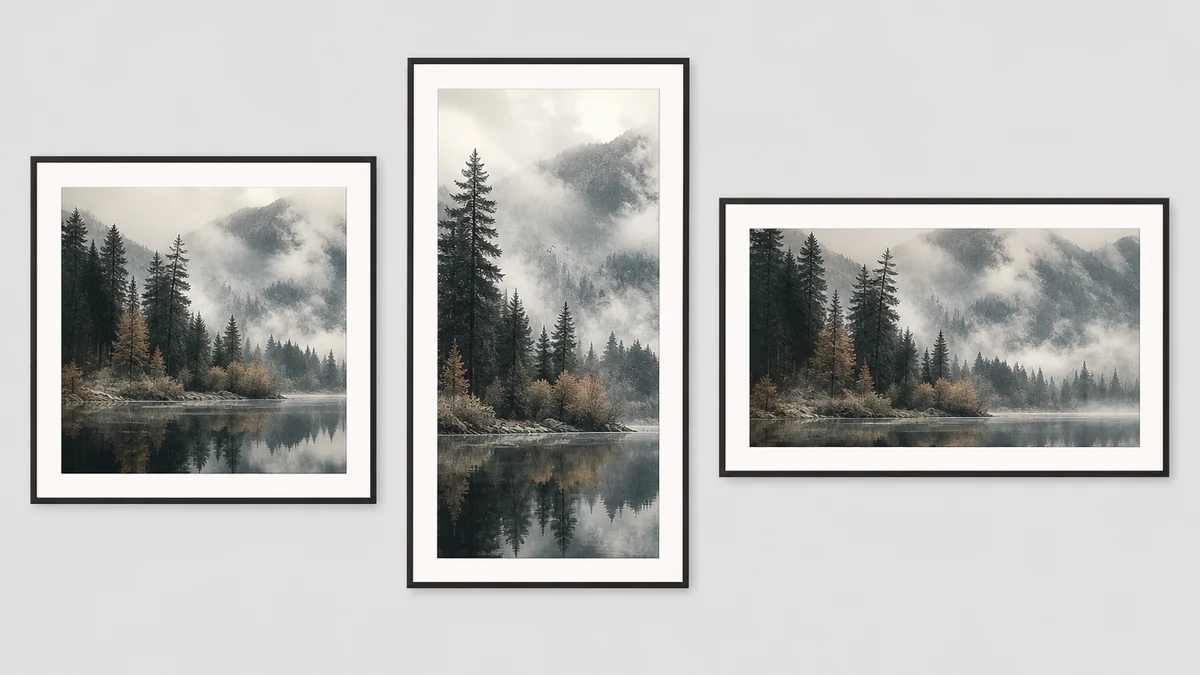
Once the glass reads clean with the print's own color and the frame untouched, the fan-out step is generate_image_templates, Ad Studio's primary image-ad generator. One corrected catalog photo becomes a square feed post, a 9:16 Story, and a horizontal Display banner in a single pass, without rebooking a studio session for every platform's own size spec.
Why this keeps resurfacing across a framing shop's catalog
A framing shop doesn't photograph one finished piece and stop. Every client's artwork gets its own glazing job, its own mat, its own slightly different mounting tension, which means every new piece carries its own fresh chance of a new air gap landing in the interference-prone range, in a different spot on the glass each time. The order that holds up: correct the ring pattern on each new piece's photo first with a tight recraft-inpaint mask, confirm the print's own color, the mat, and the frame are untouched, then hand the corrected file to generate_image_templates for the size fan-out. Resizing a photo before correcting it just multiplies the same rainbow pattern across every ad placement instead of resolving it once.
This is the same underlying pattern already proven across other optically sensitive product categories on this blog: a sneaker's color-bleed tint and a photography studio's own lens vignetting are both versions of the same lesson applied to the custom-framing and art-print retail space, a color or geometry failure has a specific, citable physical cause, and the fix has to target that exact mechanism rather than a generic color-grade pass. It is distinct from both of those cases, and from every prior lens-based vertical on this blog, because the interference pattern isn't produced by a single surface at all. It's produced by the gap between two surfaces, the print and the glazing covering it, which is also why it sits at a different corner on every piece and can't be predicted from the glazing material alone.
FAQ
Is this the same thing as glare from a studio light? No. Glare comes from an external light source reflecting straight into the lens, and repositioning the lights removes it. This pattern comes from a microscopic air gap between the glazing and the print underneath, present before any light is ever turned on, so relighting the shot does not fix it.
Does museum glass or anti-reflective glazing prevent this? Anti-reflective coatings reduce ordinary glare from light sources, but the interference pattern comes from the physical gap between two surfaces rather than from the glass reflecting ambient light, so coating alone does not guarantee the pattern never appears.
Will this show up on every framed piece? No. It only appears where the gap between the glazing and the print happens to fall within a narrow thickness range at a given spot, which is why it tends to show up as a localized ring or band rather than across the whole piece, and why two pieces mounted the same way can still differ.
Do I need a separate photo for every ad platform's size spec? No. generate_image_templates crops and composes each platform's spec from one corrected source photo, which is the entire point of fixing the pattern once instead of re-shooting for every export.
Sources
- Harvard Natural Sciences Lecture Demonstrations, "Newton's Rings" (accessed 2026): https://sciencedemonstrations.fas.harvard.edu/presentations/newtons-rings
- The Grumble (Picture Framers Forum), "Newton rings" (accessed 2026): https://www.thegrumble.com/threads/newton-rings.19206/
- Stack Exchange Photography, "How do you photograph artwork in a glass picture frame?" (accessed 2026): https://photo.stackexchange.com/questions/6625/how-do-you-photograph-artwork-in-a-glass-picture-frame
- Straits Research, "North America Picture Frame Market Size, Share & Trends Analysis Report" (accessed 2026): https://straitsresearch.com/report/picture-frame-market/north-america

Isidora Matovic
Author
Social media enthusiast and a full time researcher. She takes digital presence very seriously and that is why you are always in touch in what is going on with us! Follow us for more posts like this.