

A wide-open aperture is how most photographers get that soft, creamy background clients pay for. It is also how a photo ends up with dark, shadowed corners nobody asked for. The subject in the center looks lit exactly right. The frame's edges go noticeably darker, sometimes enough to read as a mistake rather than a stylistic choice, and the shot that was supposed to be the hero image for a session gallery or an ad ends up with a built-in flaw sitting right where a crop or a headline usually lands.
For a working photographer, this is not a rare accident. It is a predictable side effect of the gear and settings that produce the images clients actually want.
Why a vignette is a lens problem, not a lighting mistake
Vignetting comes from how a lens physically handles light, not from a badly placed flash. TechNexion's breakdown of the phenomenon lists three separate mechanical causes. Natural vignetting happens when light rays reaching the edge of the frame travel a longer path and arrive dimmer than light hitting the center. Optical vignetting happens when the lens's own internal aperture blocks some of the light entering at a wide angle, worse the wider the aperture is opened. Mechanical vignetting happens when a lens hood, filter, or add-on accessory physically obstructs the corners of the sensor's field of view (TechNexion, "Lens Vignetting -- Everything You Need to Know," accessed 2026). A photographer chasing shallow depth of field at f/1.4 or f/1.8 is, by the physics of the lens itself, choosing the exact aperture range where optical vignetting is strongest. The dreamy background and the dark corners come from the same setting.
That makes the defect systematic rather than occasional. Every portrait, every headshot, every product shot taken on a favorite fast prime at its widest opening carries the same risk, and a photographer who does not want to stop down and lose the background blur is choosing to live with some amount of corner falloff on nearly every frame from that lens.
Why this specific flaw fights an ad crop harder than it fights a print
A print or a portfolio page usually shows the whole frame, so a vignette reads as a soft, often flattering frame around the subject. An ad placement rarely does. Square feed crops, 9:16 Story crops, and horizontal Display banners each cut the original frame down to a different aspect ratio, and a corner that looked like gentle falloff in the original 3:2 or 4:3 frame can land squarely in the middle of a cropped edge, turning a subtle effect into a visible dark smear right where a headline, logo, or CTA button needs clean space to sit.
The stakes are not small for a working studio. The U.S. photography services industry is valued at roughly 16.2 billion dollars in 2025, per IBISWorld's market-size tracking for the sector, and the U.S. Bureau of Labor Statistics projects photographer employment to decline slightly, about 1 percent, from 2025 to 2035, even as around 10,700 openings are still expected annually from turnover. That means studios compete hard for a limited, non-growing pool of local bookings (IBISWorld, "Photography in the US - Market Size," accessed 2026, and U.S. Bureau of Labor Statistics, "Photographers: Occupational Outlook Handbook," 2025). In a market where sessions do not multiply on their own, the ad that is supposed to book the next client cannot afford a dark smear sitting under the "Book Now" button.
The manual fix works per photo, not per catalog
Photo-editing guidance on vignetting is consistent. Stop the lens down a stop or two, since optical vignetting eases noticeably as the aperture closes. Correct it in post with a lens-profile-based de-vignette tool. Or, per the same TechNexion breakdown, address the lens-to-sensor chief ray angle mismatch that drives it in the first place. Every one of those fixes is real, and every one of them has to be reapplied, by hand, to every photo a studio wants to reuse as an ad.
A studio is not correcting one photo. It is trying to turn a session gallery, sometimes dozens of images, into a rotating set of ad creatives across multiple platforms, and stopping down after the fact is not possible once the shot is already taken at f/1.4. The corner falloff is baked into the file, the same way a blown highlight or a color cast is baked in once the shutter closes.
Fix the corners before the photo goes into every ad format
Ad Studio's repair layer, enhance_asset_proxy, handles this as a masked lighting correction rather than a reshoot. One tool covers upscaling, sharpening, denoising, lighting and exposure fixes, background swaps, and inpainting, selected through a single model field matched to the actual flaw. A vignette sitting in the four corners of a frame is a defined region, not a whole-photo tonal shift, so the fix uses a mask shaped to the darkened corner areas, with a prompt describing only the target state, even, natural-looking edge exposure that matches the center of the frame, and never naming the defect itself, since naming a specific lighting flaw in the prompt is a confirmed trigger for the model inventing an unrelated scene instead of correcting the one it was given.

Note: mcp.coinis.dev was down at the time this article was written, so the image above is an illustrative substitute generated directly, not a live enhance_asset_proxy render. See a real enhance_asset_proxy render on a different vertical for the actual tool output.
Once the frame reads clean edge to edge, generate_image_templates, Ad Studio's primary image-ad generator, turns that one corrected photo into a square feed post, a 9:16 Story crop, and a horizontal Display banner in a single pass, so the corners that would have landed in a bad crop never make it into any of the three.
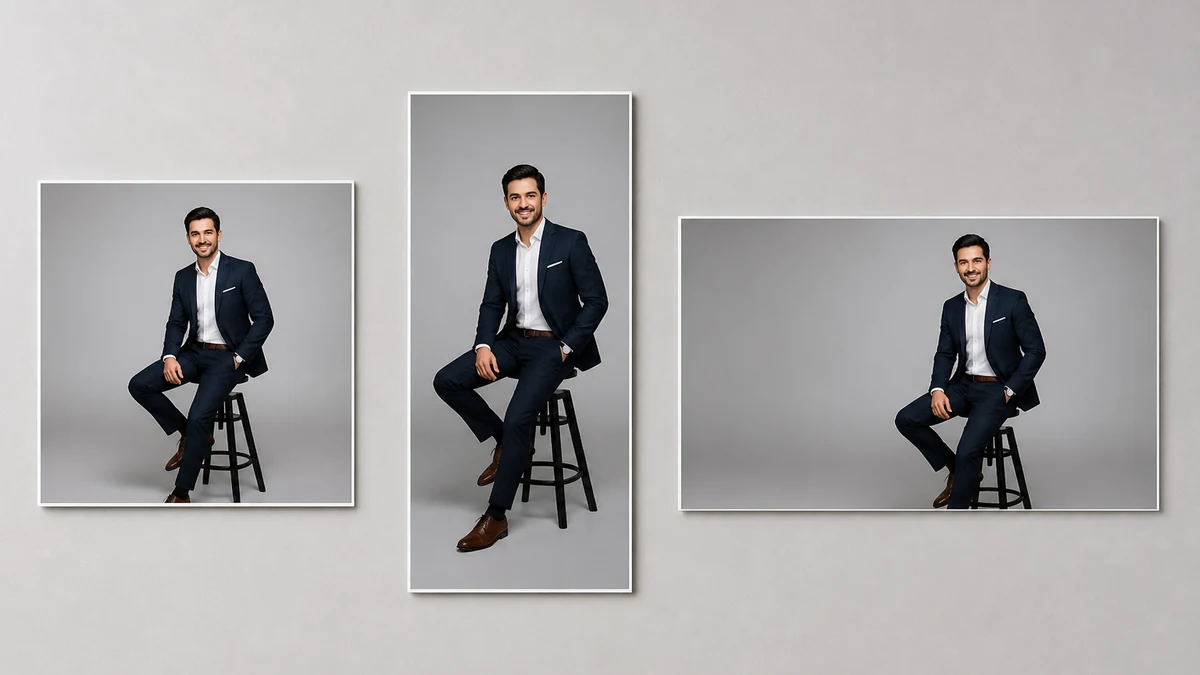
Note: this fan-out mockup is also an illustrative substitute for the same reason. See one-photo-every-ad-size for a real generate_image_templates render.
Building this into a studio's actual booking cycle
A working photographer is shooting new sessions constantly, and every one of them produces a handful of hero frames shot at whatever aperture got the look the client wanted, vignette included. The order matters every time: correct the corner falloff first with enhance_asset_proxy, confirm the subject and composition are untouched, and only then hand the clean file to generate_image_templates for the size fan-out. Cropping or resizing a vignetted photo before fixing it just relocates the dark corner into whichever crop happens to catch it, instead of removing it once.
This is a distinct optical-capture defect from a gadget photo's mirrored studio reflection, which is a flat reflective surface acting like a mirror rather than a lens producing uneven edge exposure, and from a wedding dress photo's blown-out fabric highlight, which is a sensor clipping a bright region rather than a lens darkening a dim one. It shares the same general lesson as a jewelry brand's specular hotspot: a physically-caused flaw in how the camera or lens captured the scene needs a correction scoped to the actual mechanism, not a generic brightness or contrast slider dragged across the whole image. A studio with a corrected version of its best session photos on file can turn any of them into a full ad-ready set the moment a slow month calls for fresh creative, instead of waiting for a new shoot with a stopped-down lens.
FAQ
Does correcting the vignette change the photo's actual style or mood? No. The correction targets only the darkened corner regions, matching them to the center's exposure and color. The subject, the background blur from the wide aperture, and the overall composition stay exactly as shot.
Is this the same fix as removing a lens flare or chromatic aberration? No. A vignette is uneven brightness across the frame, not a color fringe or a stray light artifact. enhance_asset_proxy's masked lighting correction targets brightness and exposure in the masked region specifically, which is the mechanism a vignette actually needs.
Should I just stop down my lens instead of fixing this after the fact? Stopping down reduces vignetting on future shots, but it also changes the background blur the photographer chose the wide aperture for in the first place, and it does nothing for photos already taken. This fix is for the session photos that already exist and are worth turning into ads.
Do I need a separate photo for every platform's ad size? No. generate_image_templates produces the crop and composition for each platform's spec from one corrected source photo, which is the reason fixing the vignette once, before any cropping happens, matters more here than for a defect that survives a crop unchanged.
The Coinis angle
A portfolio or session photo with dark, vignetted corners does not need a reshoot at a smaller aperture to become ad-ready. Correct the one photo already on file with Ad Studio's enhance_asset_proxy, confirm the subject and mood are untouched, then turn it into a full ad-ready set with generate_image_templates, and launch the result through Ad Studio's templates instead of exporting a photo whose corners will land badly in whatever crop a platform demands.
Sources
- TechNexion, "Lens Vignetting -- Everything You Need to Know," accessed 2026. https://www.technexion.com/resources/lens-vignetting-everything-you-need-to-know/
- IBISWorld, "Photography in the US - Market Size," accessed 2026. https://www.ibisworld.com/united-states/market-size/photography/1443/
- U.S. Bureau of Labor Statistics, "Photographers: Occupational Outlook Handbook," 2025. https://www.bls.gov/ooh/media-and-communication/photographers.htm

Isidora Matovic
Author
Social media enthusiast and a full time researcher. She takes digital presence very seriously and that is why you are always in touch in what is going on with us! Follow us for more posts like this.