
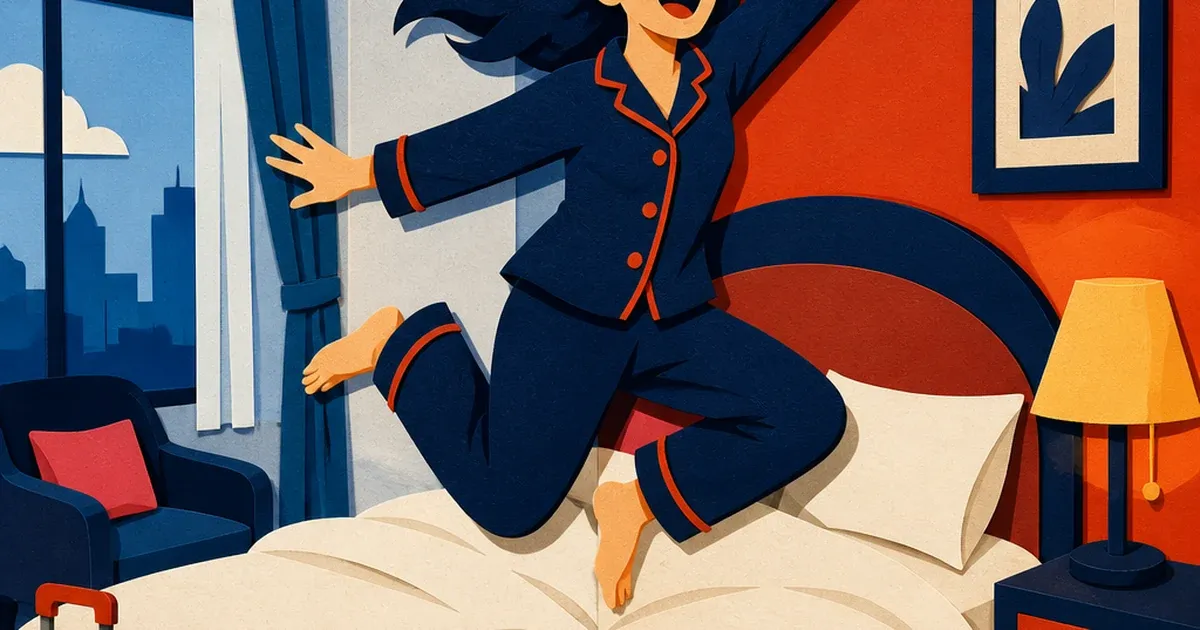
A hotel photographs a room the way a guest will actually see it: curtains open, daylight coming through the window, lamps on because the room reads warmer and more inviting that way. That combination is also the fastest way to wreck a color-accurate photo. The window side of the frame comes out cool and slightly blue, the lamp side comes out warm and orange, and a camera sensor pointed at both light sources at once cannot pick a single correct white balance for the whole room. The bedspread that is actually cream looks orange on one side of the photo and gray-blue on the other. The wall color shifts between the two halves of the same wall.
Nobody sets out to shoot this way on purpose. A front-desk manager grabbing a quick update for the property listing, a marketing coordinator photographing a newly renovated suite, a boutique property owner shooting rooms one afternoon before a seasonal rate change: all three end up with the same daylight-versus-tungsten color fight in the frame, because turning off every lamp for a "correct" shot also turns off the warm, occupied feeling that sells the room in the first place. It hits every corner of a hotel and hospitality marketing calendar, not just guest rooms.
Room photos are the deciding factor before a guest ever calls the front desk
Hotel booking is a visual decision made entirely from photos, and the research backs up how much weight those photos carry. A 2023 study published in Humanities and Social Sciences Communications, examining the aesthetics and composition of hotel digital images and their effect on booking decisions, found that guests respond most strongly to room photos with an abundance of natural light and to images that let them piece together an accurate sense of the space from multiple angles (Cuesta-Valiño et al., "The effects of the aesthetics and composition of hotels' digital photo images on online booking decisions," Humanities and Social Sciences Communications, 2023). The same review cited an earlier experiment finding a single well-chosen hotel photo boosted booking intent measurably on its own. A guest deciding between two similar rooms at similar rates is, in practice, deciding based on which photo looks more like a room they want to sleep in. A photo where the color temperature visibly splits down the middle of the frame undercuts that decision before the guest reads a single review.
Why the room that looks best to the eye photographs worst to the sensor
The human eye adjusts for mixed light sources automatically and mostly without the viewer noticing. A camera sensor does not have that adaptive advantage: it records one white balance setting across the whole frame, and daylight (roughly 5500-6500K) sits nowhere close to a warm incandescent or tungsten lamp (roughly 2700-3200K) on the color temperature scale. Photography guidance on mixed-lighting environments describes exactly this failure mode: setting the white balance for the window makes everything lit by the lamps look too orange, and setting it for the lamps makes everything near the window look too blue, and there is no single camera setting that gets both halves of the frame right at once (PhotographyPro, "White Balance Explained: How To Get Accurate Colors In Your Photos," 2018).
A hotel room is close to a worst-case version of this problem on a recurring basis. Every guest room has a window and at least one lamp. Every renovation, every new furniture set, every seasonal refresh means another round of room photos shot the same way, under the same mixed light, with the same half-warm, half-cool color split baked into the file. Sending a photographer back with lighting gels to correct every room, every season, is not realistic for a property running its own marketing.
Fix the color split before you multiply the photo
Ad Studio's repair layer, enhance_asset_proxy, is built for exactly this correction. One tool handles the full range of photo repairs, exposure, sharpening, denoising, background replacement, object removal, chosen through a single model field that pairs the right operation to the right flaw. A mixed-lighting color cast spans the whole frame rather than sitting in one corner, so the fix here is recraft-inpaint with a full-frame mask and a prompt describing the room's true, neutral color: what the bedspread, walls, and furniture actually look like under even light, not a warmer or cooler version of either light source already in the shot.
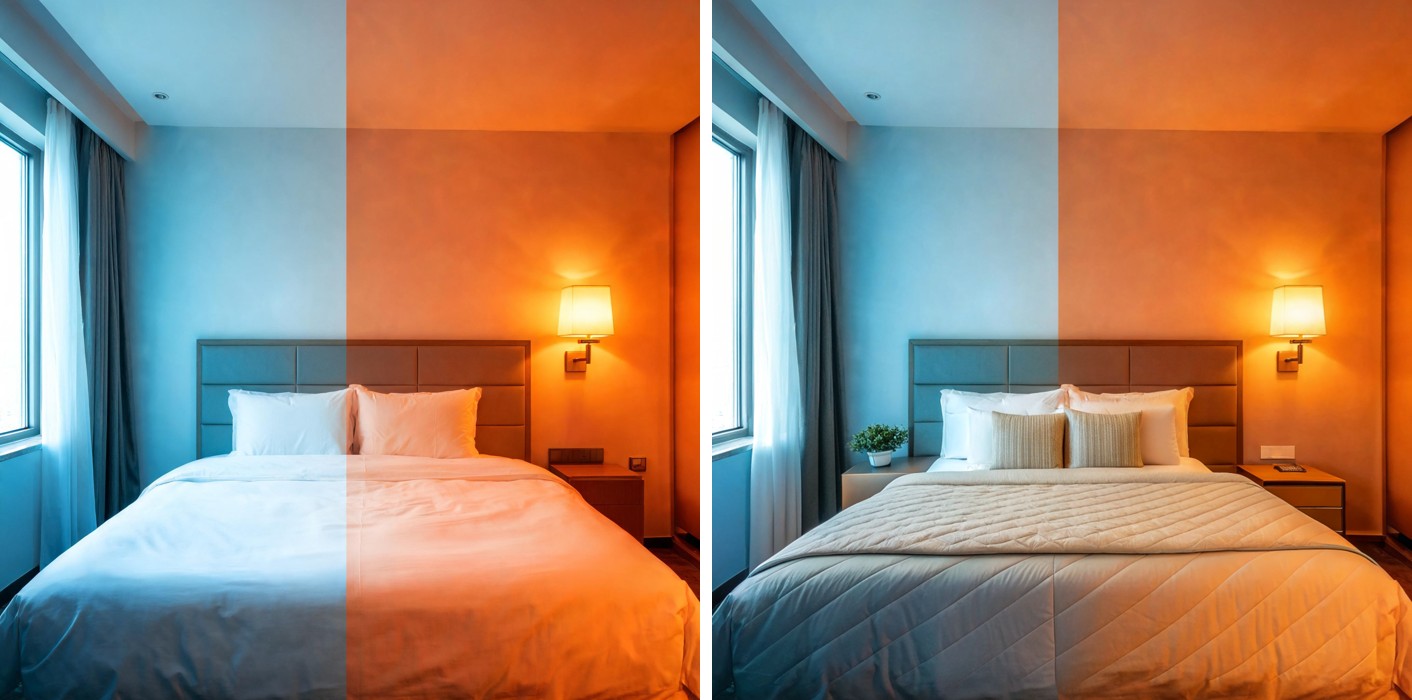
With a color-accurate room photo in hand, the next step is generate_image_templates, Ad Studio's primary image-ad generator. One corrected room photo becomes a square feed post, a vertical Story crop, and a horizontal Display banner in a single pass, matched to what each placement expects, without scheduling a second shoot to get three different crops of the same room.

Building this into a seasonal refresh cycle
Hotels reshoot on a schedule set by renovations and seasons, not by whether the light happened to be even that day: a new suite finish, a lobby refresh, a seasonal rate push, a listing update after a room type gets repainted. Each of those triggers a fresh round of interior photos, almost always shot with the lights on and the curtains open because that is the room a guest actually books. The order matters every time: correct the color cast first with enhance_asset_proxy, and only then hand the corrected file to generate_image_templates for the ad-size fan-out. Doing it the other way just resizes a photo that still has the color split baked in, producing five flawed variants of the same problem instead of one clean set.
This is the same repeat-photo fatigue already covered in mobile game ad creative fatigue: a property running the same aging room photo across every channel because a proper reshoot under controlled light is not always possible on a renovation or seasonal timeline. Hotels hit this constantly, since interior shoots happen under whatever light is in the room that day, not a studio setup. A corrected photo that survives a real white-balance fix and a full ad-size fan-out gives a property the rotation it needs without waiting for a lighting crew, the same fix already applied to a beauty brand's whole-photo color-cast problem and a restaurant's steam-fogged plating shot.
FAQ
Does enhance_asset_proxy change what the room actually looks like? No. The correction targets the color temperature split the two light sources created, not the room's actual furniture, finishes, or layout. The bedspread's real color, the wall's real paint color, the furniture's real finish stay exactly as photographed. What changes is the color balance the camera sensor could not resolve in one exposure.
Will the fixed photo still look warm and inviting, or does it look clinical after correction? It still looks like an occupied, lived-in room. The correction removes the color SPLIT between the two halves of the frame, it does not flatten the room to a cold, even studio tone. A well-corrected room photo reads as warm and consistent, not sterile.
Does this apply to any room type, or just standard guest rooms? The flaw is the same wherever daylight and interior lighting mix in one frame: standard rooms, suites, lobbies, restaurants and bars inside the property, meeting spaces with both windows and overhead fixtures. The dynamic is identical across room types, only the mask shape changes if part of the flaw is more localized than the rest.
Do I need a different photo for every platform, or does one corrected shot cover all of them? One corrected shot covers every size. generate_image_templates handles the resizing and cropping into each placement's spec from that single clean source, which is the entire point of correcting the photo once instead of five times.
The Coinis angle
A hotel does not need to turn off every lamp and reshoot every room under flat, even light to get a color-accurate photo. Correct the mixed-lighting color cast on the room photo already on file with Ad Studio's enhance_asset_proxy, then turn it into a full ad-ready set with generate_image_templates, and land the whole thing as a launch-ready ad through Ad Studio's templates instead of exporting raw images and assembling the ad by hand.
Sources
- Cuesta-Valiño, P. et al., "The effects of the aesthetics and composition of hotels' digital photo images on online booking decisions," Humanities and Social Sciences Communications, 2023. https://www.nature.com/articles/s41599-023-01529-w
- PhotographyPro, "White Balance Explained: How To Get Accurate Colors In Your Photos," 2018. https://photographypro.com/white-balance/

Isidora Matovic
Author
Social media enthusiast and a full time researcher. She takes digital presence very seriously and that is why you are always in touch in what is going on with us! Follow us for more posts like this.