
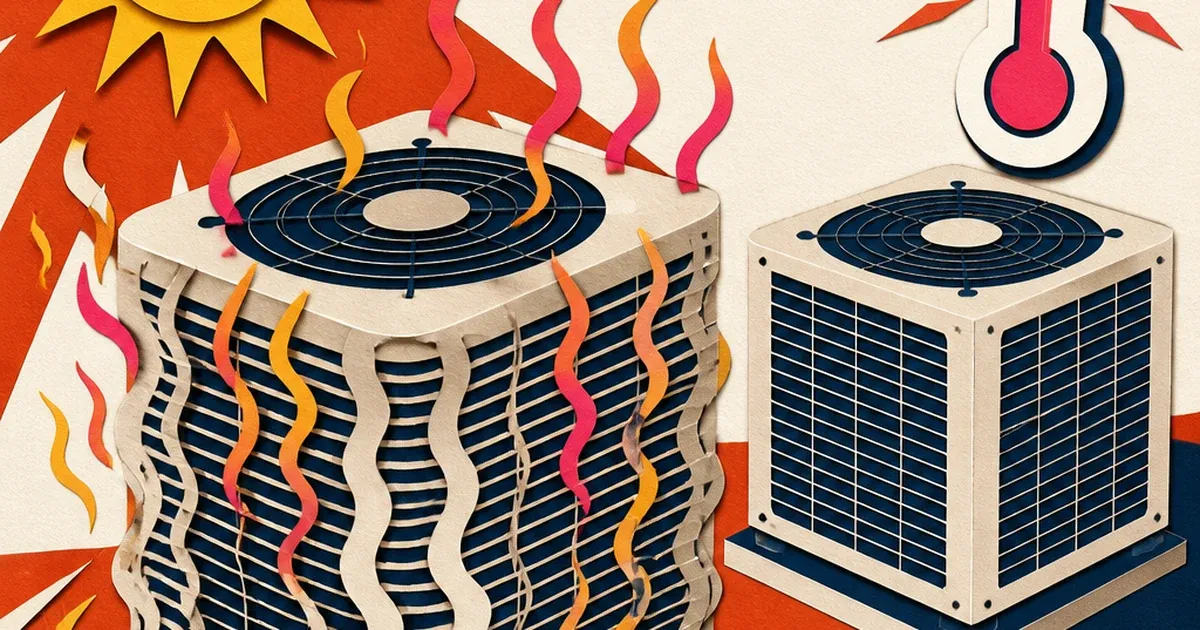
Point a phone at a rooftop condenser unit or an outdoor compressor on a hot afternoon and the straight edges of the equipment don't look straight. They ripple. The metal panel wobbles like it's underwater, the fins blur into a soft smear, and the whole unit looks slightly out of focus even though nothing was actually out of focus when the shutter clicked.
That's not a bad photo. It's the air itself getting in the way.
The air between the lens and the unit is the actual subject
Heat distortion, sometimes called heat haze or heat shimmer, happens when hot air rising off a surface mixes with cooler air above it. Light passing through that mix refracts unevenly, and anything on the other side of it, a rooftop unit, a condenser pad, a line set running across hot asphalt, comes through the lens looking soft, wavy, or smeared. Adorama's own photography guide describes exactly this mechanic: heat distortion happens when hot air rises and mixes with cooler air, causing light to refract and making an image look blurry even when the camera and focus are both fine (Adorama, 2025). Canon's EOS Magazine backs up the same physical description independently, noting that longer lenses magnify the effect and images can appear increasingly dull the more atmosphere the light has to travel through (EOS Magazine, Canon).
This is exactly why HVAC photos are so exposed to it. A technician photographing a finished rooftop install is usually standing several feet back from a hot metal surface, in direct sun, often shooting across even more hot roofing material or asphalt to frame the whole unit. Every one of those conditions, distance, heat-radiating surfaces, midday sun, is precisely what makes heat haze worse. The photo isn't shaky and it isn't out of focus. It's shot through a layer of moving hot air that no amount of careful framing fixes in the field.
Why this is a different problem than dust, glare, or a lens flare
It's worth being precise about what this actually is, because it looks like several other things at a glance. It isn't the atmospheric particulate haze that softens a dusty job-site photo, that's airborne dust and debris reducing contrast and color, a completely different physical cause. It isn't a lens flare from shooting toward the sun, that's light scattering inside the lens itself from a bright point source in frame. And it isn't the blown-out flash and crushed shadows from shooting indoors in a dim mechanical closet. Heat haze is refraction, the air itself acting like a weak, constantly shifting lens between the camera and the equipment, bending light unevenly and making sharp edges look soft and wavy. Same rooftop unit, same camera, same technician, a completely different physical mechanism than any of those other job-site photo problems.
What a wavering photo costs an HVAC ad
HVAC is a category where the photo is doing real work. A homeowner deciding between three quotes for a new install or a tune-up plan is judging craftsmanship partly off whatever image shows up in the ad. A soft, wavy, slightly melted-looking unit reads as an amateur photo even when the actual installation behind it is clean. It undercuts the exact impression a contractor needs to make, precise, professional, worth the invoice.
The category has real money riding on getting that impression right. The US Heating & Air-Conditioning Contractors industry sits at $159.4 billion in 2026, spread across 120,000 businesses that grew at a 2.6% CAGR between 2021 and 2026 (IBISWorld, 2026). That's a large, fragmented, intensely local market where most operators are shooting their own before-and-after and completed-install photos on a phone, in the field, in the exact hot-weather conditions that produce heat distortion. The installs competing for the same seasonal tune-up and emergency-repair searches are the ones whose photos actually look sharp.
Fixing the wobble without waiting for a cooler day
You can't schedule around heat haze. It shows up on the hottest days, which are also the busiest days for HVAC service calls, and reshooting every job at sunrise isn't realistic for a crew running a full schedule. The fix is correcting the photo you already took.
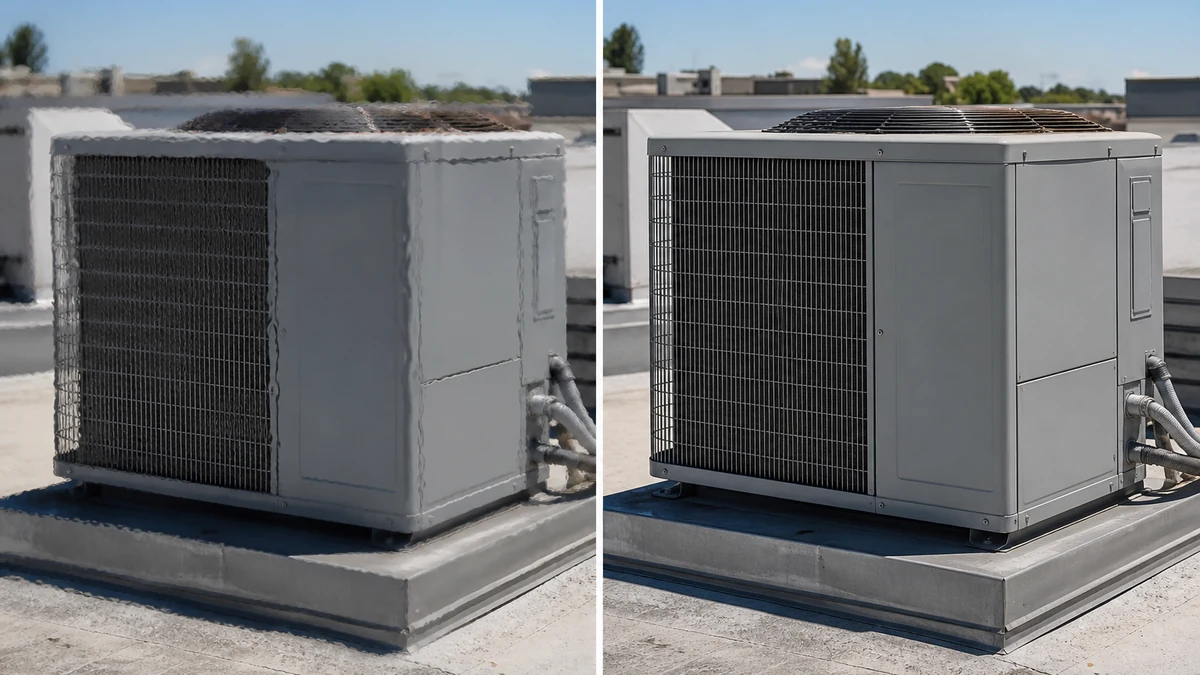
Illustrative example. mcp.coinis.dev, the live connection to Ad Studio's marketplace generation tools, is in an extended outage as of this writing, so the before/after shown above is a studio-style illustration of the fix rather than a live enhance_asset_proxy render. See the fishing tackle color-correction article for a real enhance_asset_proxy render of this same repair tool on a different optical defect.
The correction targets only the distortion itself, the wavering edges pulled back to their true straight lines, the fins and panel seams reading clearly again, with the rest of the rooftop scene, the roofline, the sky, the surrounding equipment, left exactly as shot. Nothing about the actual install changes. The unit just stops looking like it's underwater. On Coinis, that's enhance_asset_proxy, Ad Studio's repair layer, run with recraft-inpaint and a tight mask over the equipment only, with a correction prompt describing sharp, defined, undistorted edges rather than naming the heat or the haze itself.
One corrected photo, every ad size the campaign needs
Once the unit reads sharp, the same corrected shot needs to run as a Facebook feed image, an Instagram Story, a Google Local Services banner, and whatever else the campaign calls for. Reshooting for every format on every job isn't how a busy HVAC crew operates. Fanning out one corrected photo is, through generate_image_templates, Ad Studio's primary image-ad generator.
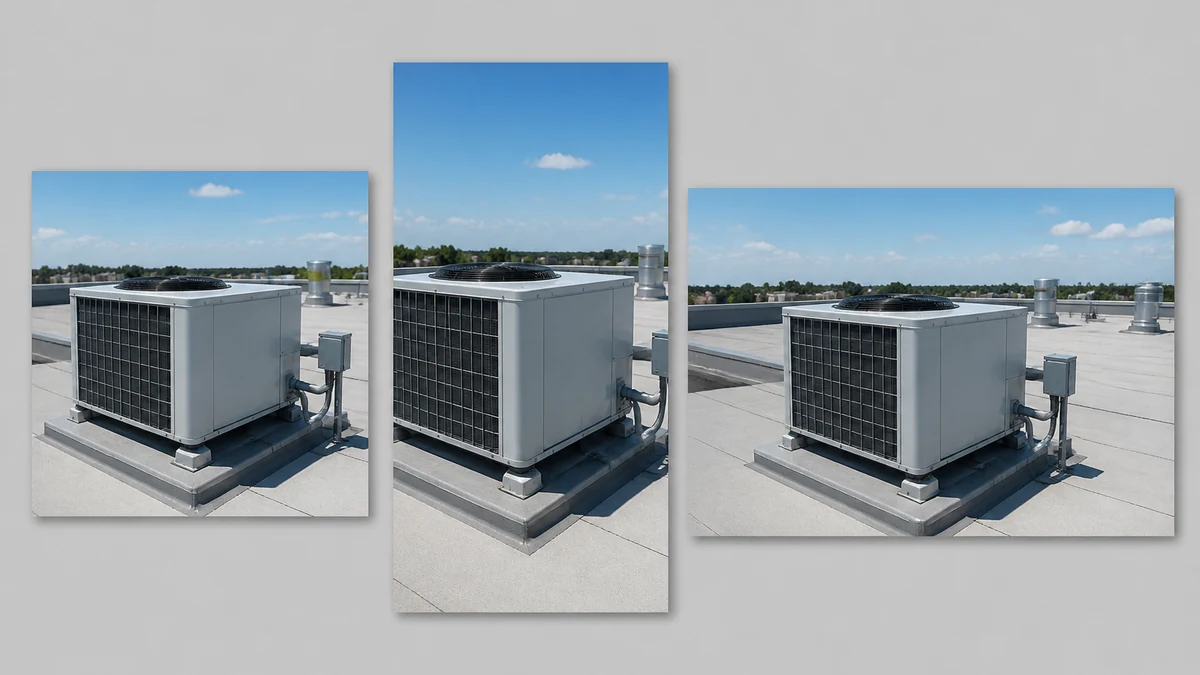
Same finished install, same corrected clarity, three formats ready to run without another site visit.
What to do with this today
If your crew shoots completed-install or tune-up photos outdoors in the summer, especially rooftop units, condenser pads, or anything photographed from a few feet back on a hot day, look closely at the edges before you use the shot in an ad. Wavy, soft, slightly melted-looking metal is heat distortion, not a bad camera or a shaky hand, and it's fixable without a reshoot.
This is the same pattern already proven on other job-site and equipment photos: a construction site's dust haze and a roofing drone shot's lens flare both need a correction matched to their own specific physical cause rather than a generic sharpen pass. On Coinis, upload that photo into Ad Studio, correct the distortion on the equipment itself, and generate every ad size the current campaign needs from that one corrected image. No waiting for a cooler morning, no second trip to the roof.
FAQ
Is heat distortion the same thing as a photo being out of focus? No. Out-of-focus means the lens itself didn't lock focus correctly. Heat distortion happens even with perfect focus, because the air between the lens and the subject is refracting light unevenly. A photo can be perfectly focused and still look soft and wavy from heat haze.
Does shooting closer to the unit help? Yes, to a point. Less atmosphere between the camera and the subject means less air for the heat to distort through, which is part of why heat haze gets worse the farther back or the more zoomed-in a shot is. It's not always practical to get closer to a rooftop unit safely, which is why correcting the photo afterward is often the more realistic fix.
Does this affect indoor equipment too, like a furnace in a basement? Not the same way. Heat distortion specifically needs a hot surface heating the air right in front of the lens, which is a much bigger factor outdoors in direct sun than in a climate-controlled or even a warm indoor space. Indoor HVAC photos are more likely to run into lighting problems like flash blowout in a dim mechanical closet, a different fix entirely.
What's the fastest way to get all my ad sizes from one job-site photo? Correct the distortion or exposure issue once on your best available shot, then run that single corrected image through a multi-format generator so you get square, vertical, and landscape versions without re-editing for each platform separately.
Does this apply to other trades that shoot equipment outdoors in the sun? Yes. Any trade photographing metal equipment or reflective surfaces outdoors on a hot day, roofing, solar installers, pool equipment technicians, can run into the same refraction problem. HVAC just hits it constantly because rooftop and outdoor condenser units are photographed in direct sun as a matter of routine.
Sources
- Adorama ALC, "How to Avoid Heat Distortion in Your Photography": https://www.adorama.com/alc/how-to-avoid-heat-distortion-in-photography/
- EOS Magazine (Canon), "Heat distortions: how temperature can affect your image quality": https://www.eos-magazine.com/articles/advice/heat-distortion.html
- IBISWorld, "Heating & Air-Conditioning Contractors in the US Industry Analysis, 2026": https://www.ibisworld.com/united-states/industry/heating-air-conditioning-contractors/1945/

Isidora Matovic
Author
Social media enthusiast and a full time researcher. She takes digital presence very seriously and that is why you are always in touch in what is going on with us! Follow us for more posts like this.