
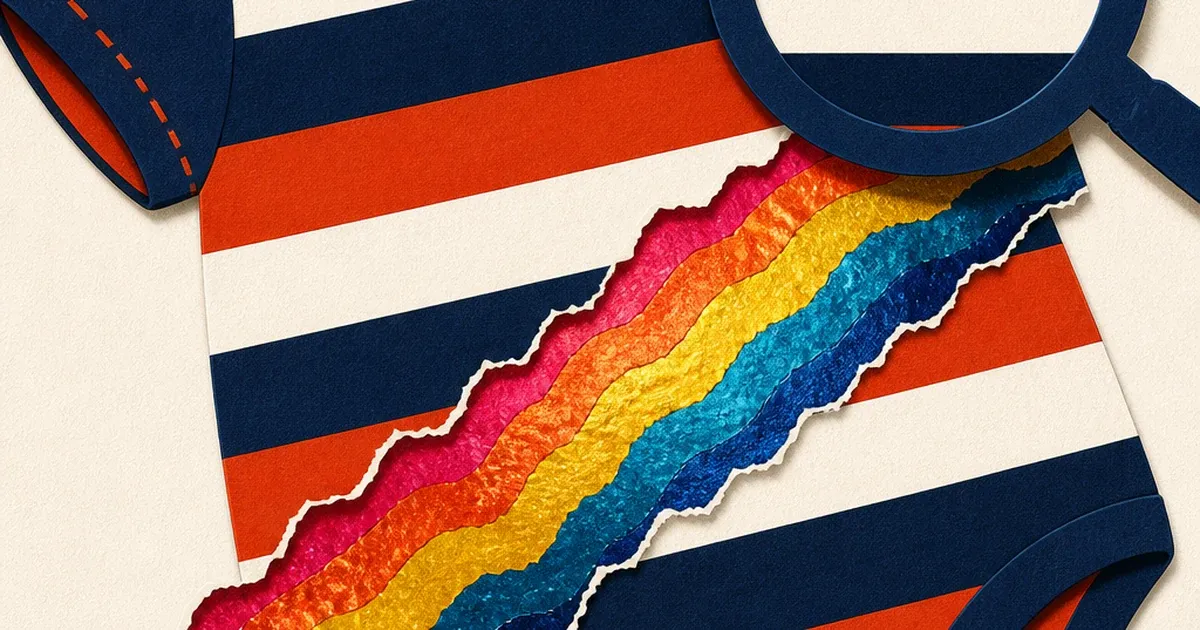
A striped onesie. A gingham dress. A fine-ribbed baby beanie. Photograph any of them on a phone or an entry-level mirrorless camera and something strange can happen: the clean stripes or checks start showing faint rainbow bands that were never on the fabric. Zoom in and the bands shift and swim. Zoom out and they vanish. The fabric hasn't changed. The camera has done this to itself.
That artifact has a name: moiré. It shows up disproportionately often in kids' and baby apparel because the category leans so heavily on small, repeating patterns, stripes, checks, houndstooth, tiny polka dots, the exact kind of fine detail that triggers it. A brand that doesn't know what they're looking at will often reshoot the same garment five times, blame the lighting, blame the camera, and still end up uploading a listing photo with a faint rainbow shimmer sitting across a $28 romper. This piece explains why moiré happens, then walks through fixing it and turning one corrected photo into every ad size a kids' clothing brand actually needs to run, using tools already live on Coinis.
What moiré actually is
Moiré is an interference pattern, not a lighting problem or a focus problem. Wikipedia's own technical description calls it "a large-scale wave interference pattern that can be produced when a partially opaque ruled pattern with transparent gaps is overlaid on another similar pattern" (source: Wikipedia, "Moiré pattern"). In a camera, the two overlapping patterns are the fabric's own repeating weave or print, and the fixed grid of pixels on the sensor. When the fabric's stripe frequency gets close to the sensor's pixel frequency, the two grids beat against each other and produce a third, false pattern, usually a soft rainbow or grayscale ripple, that exists nowhere in the real garment.
A detailed answer on Photography Stack Exchange breaks down why this specific defect often shows up as color banding rather than plain blur: "Moiré is related to false colour due to the demosaicing process. As most digital sensors are monochrome devices, alternating colour filters are placed over each pixel and the colours interpolated to produce a full colour image. When observing a high frequency monochrome pattern, adjacent pixels with different colour filters may see peaks and troughs in the signal respectively, and this can be falsely interpreted as different colours being present in the input" (source: Matt Grum, Photography Stack Exchange, 2011, still the accepted top answer). That's the mechanism behind the rainbow shimmer on a plain black-and-white stripe: the camera's own color-filter array is guessing wrong at exactly the spatial frequency the stripe pattern sits at.
Fine repeating fabric patterns are the textbook trigger. The same Stack Exchange thread notes moiré "is caused by a scene that contains areas with repetitive detail which exceed the resolution of the camera," and calls out fine clothing detail by name as one of the two classic real-world examples, alongside repetitive architectural patterns. Kids' and baby apparel sits squarely in that danger zone: thin stripes on a onesie, a tight gingham check on a dress, a fine cable-knit texture on a sweater, a houndstooth romper. None of that is unusual fabric. It's exactly the kind of pattern density this defect targets.
Why this keeps costing kids' clothing brands sales
The children's apparel market isn't a niche corner of e-commerce. The global toddler wear market alone was valued at $265.7 billion in 2024 and is projected to reach $302.4 billion in 2026, growing at a 7.0% CAGR through 2030, per Grand View Research's own industry report (source: Grand View Research, "Toddler Wear Market Size & Share Report, 2025-2030"). That same report notes the apparel segment alone held a 71.8% revenue share of the category in 2024, and flags online distribution as the fastest-growing channel, meaning more of this category's sales than ever ride entirely on how a static product photo looks on a phone screen, with zero chance for a shopper to touch the fabric first.
A photo with visible moiré doesn't read as "technical camera artifact" to a scrolling parent. It reads as a bad photo, at best, or worse, as a screenshot of a screen, or a low-quality reseller listing. On a category where trust in fabric quality (breathability, safety, softness against a baby's skin) already carries more weight than almost any other apparel segment, an artifact that makes the fabric itself look glitchy is a conversion problem hiding inside what looks like a purely cosmetic flaw.
Fixing it: a targeted repair, not a full reshoot
The instinct when moiré shows up is to reshoot from scratch: different angle, different lens, different distance. That works, sometimes. It also means paying for a second shoot, a second studio day, or a second product sample, for a defect that's really just a fixable local artifact on an otherwise usable photo.
The faster path is a targeted AI repair on the existing photo, the same approach this blog has already walked through for apparel catalog photo defects and screen-glare fixes on electronics listings. enhance_asset_proxy's recraft-inpaint operation, already demonstrated on this blog for spot defects ranging from a glare streak on glass to a blown-out specular hotspot on polished metal, works the same way here: a tight mask drawn around just the moiré-affected region of the fabric (the striped bodice, the checked collar), paired with a prompt describing only the corrected state, not the defect itself ("restore the fabric's true stripe pattern with clean, even color, no shimmer or banding"). Naming the defect by color ("remove the rainbow tint") is a known confabulation trigger on this pipeline, so the correction prompt stays scoped to what the fabric should look like, not what's currently wrong with it.
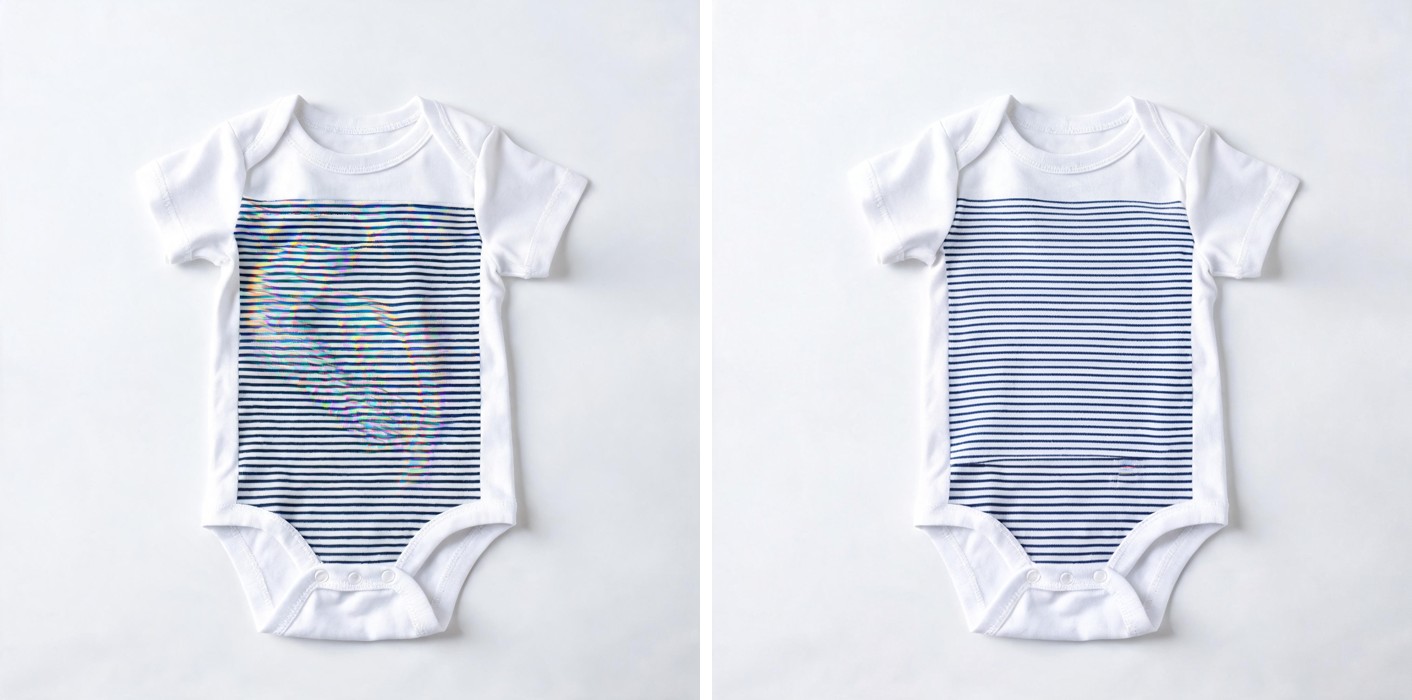
Once the source photo is clean, the same corrected image needs to go everywhere a kids' clothing brand actually advertises: a square product tile for the marketplace listing, a vertical story crop for Instagram and TikTok, and a wide landscape banner for a display network placement, the same one-photo-to-every-ad-size fan-out this blog covers on its own. generate_image_templates handles that fan-out from the single corrected photo, one call per output format (confirmed on this pipeline: a single multi-format call returns one representative image, not a true batch, so each aspect ratio needs its own call), composited side by side for the worked example below.

What to do now
- Check your existing catalog photos at full zoom, not thumbnail size. Moiré often disappears at small preview sizes and only shows up once a shopper taps to enlarge, which is exactly the moment they're deciding whether to buy.
- Don't blame the lighting or reshoot blind. If the flaw only shows up on striped, checked, or fine-knit patterns and looks like a faint rainbow ripple, it's moiré, a sensor-pattern interaction, not an exposure or focus mistake, and a full reshoot won't necessarily fix it if the same lens and distance get used again.
- Repair the specific region, not the whole photo. A tight, targeted correction on just the affected fabric panel preserves everything else in the shot, faster and cheaper than a reshoot.
- Fan the corrected photo out to every format you actually run ads in, from the same source image, so the fix doesn't just fix one listing thumbnail while five other ad placements still carry the flawed version.
- Build the whole pipeline, repair through every ad size, inside Coinis Ad Studio with a ready-to-launch template, instead of stitching together a photo editor, a separate crop tool, and a manual upload to each ad platform.
The Coinis angle
Marketplace access on Coinis puts enhance_asset_proxy's repair models and generate_image_templates' format fan-out in the same workspace already used for every other vertical this blog has walked through, the same underlying AI photo enhancer stack. The differentiator sits one step further: Ad Studio turns that corrected photo into a launch-ready ad from a template, sized, formatted, and ready to run, rather than leaving a brand with a folder of individually-exported images to upload by hand across four different ad accounts. For a kids' clothing catalog with dozens of patterned SKUs, that's the difference between fixing one photo and fixing a whole season's catalog before it ever goes live.
FAQ
Does moiré mean my camera or lens is broken? No. It's a normal interaction between a fine repeating pattern and a fixed sensor pixel grid, and it happens on phones and professional cameras alike. Cameras with an anti-aliasing filter show it less often. Many modern cameras (including most phones) skip that filter for extra sharpness, which makes moiré more likely, not less.
Will changing the distance or angle I shoot from fix it? Sometimes. Moving slightly closer or farther changes how the fabric pattern's frequency lines up with the sensor's pixel frequency, which can shift moiré in or out of visibility. It's not reliable enough to depend on for a catalog shoot with dozens of SKUs, and it doesn't help with a photo that's already been shot and needs to ship.
Is this the same problem as glare or a color cast? No. Glare and color casts come from how light hits a surface. Moiré comes from the camera's own pixel grid interacting with a fine pattern in the scene, an entirely different, purely optical-and-sensor mechanism, distinct from every prior lighting-source or color-cast defect covered on this blog.
Which fabrics are most at risk? Anything with a fine, repeating pattern at a small physical scale: pinstripes, gingham and houndstooth checks, fine cable knits, small polka dots, and closely-spaced ruffle or pleat lines. Solid colors and large, loose prints rarely show it.
Can I prevent moiré before I even shoot? Slightly softer focus, a small change in camera distance, or shooting in RAW and applying a mild blur pass during editing can all reduce it at the source. None of those are guaranteed, which is why a targeted post-shoot repair on the specific flagged photos is the more reliable fix for a catalog that's already been shot.
Sources
- Wikipedia, "Moiré pattern": interference-pattern mechanism definition.
- Matt Grum, Photography Stack Exchange, "What is moiré? How can we avoid it?": demosaicing/color-filter-array explanation and repetitive-detail trigger.
- Grand View Research, "Toddler Wear Market Size & Share Report, 2025-2030": $265.7B (2024) to $302.4B (2026) market size, 7.0% CAGR, 71.8% apparel segment share, online-channel growth.

Isidora Matovic
Author
Social media enthusiast and a full time researcher. She takes digital presence very seriously and that is why you are always in touch in what is going on with us! Follow us for more posts like this.