

A landscaping crew finishes a job. Someone pulls out a phone, snaps the freshly mowed lawn or the newly planted hedge line, and the photo comes back wrong. Not blurry, not dark, just off: the grass reads as a saturated, almost neon green that looks nothing like what anyone standing there actually saw. That photo still becomes the ad. It goes into a Facebook carousel, an Instagram Story, a Google Display banner, radioactive lawn and all, because reshooting on a different afternoon costs a return trip nobody has time for. Landscaping businesses looking to build out a full local campaign can see the category breakdown in Coinis landscaping industry solutions.
Why a lawn photo does this and a driveway photo doesn't
Most color problems in advertising photography come from mixed or unusual light: fluorescent tubes, candlelight, a shaded corner fighting a sunny window. Landscaping photos have a different failure mode, and it happens even in perfectly even, sunny daylight.
A camera's auto white balance works by scanning the frame for a spread of colors, assuming the average of everything in the shot should land near neutral gray, then adjusting the whole image to make that average true. That assumption breaks down when one color dominates the frame. A lawn filling most of a photo, a hedge wall, a bed of turf freshly laid, gives the auto white balance algorithm almost nothing but green to measure against. It reads that saturation as a color cast it needs to correct, and it "corrects" by shifting the whole image, pushing the green further instead of neutralizing it. The result is a lawn that looks like it is lit from underneath.
Photography educators flag this exact scenario as one of the classic ways to defeat auto white balance. A frame that "contains mostly one color (e.g. a lot of green grass, white snow, blue sea or sky)" is explicitly named as a condition where the camera's automatic correction goes wrong and a photographer needs to take control of white balance manually (photographypro.com, "White Balance Explained: How To Get Accurate Colors In Your Photos," accessed 2026). A landscaping crew snapping a quick phone photo after a job is exactly this scenario. Nobody is setting a custom white balance on a job site between clients.
The stakes are higher than they look for a services category
Landscaping is not a niche corner of local advertising, and the same white-balance trap shows up across other outdoor, on-site categories, from construction job sites fighting dust haze to camping gear shot in harsh midday sun. The US landscaping services industry generated 176.7 billion dollars in revenue in 2026, growing at a 3.0 percent compound annual rate, with roughly 0.9 percent growth recorded in 2026 alone (IBISWorld, "Landscaping Services in the US Industry Data and Analysis," 2026). That is a large, steadily growing pool of local businesses that live and die on visual proof of work, and a meaningful share of their advertising budget goes toward photos of the exact thing this defect ruins: grass, hedges, and planted beds.
The underlying reason a landscaping photo has to work hard in the first place is well documented outside the marketing world. A Virginia Tech Cooperative Extension review of landscape economics research found that landscape investment has a measurable effect on perceived property value, with well-executed plantings and lawn care contributing meaningfully to how a home or commercial property is judged from the street (Virginia Tech Cooperative Extension, "The Effect of Landscape Plants on Perceived Home Value," pubs.ext.vt.edu). If a landscaping company's own advertising photo makes their work look artificial or oversaturated, it undercuts the exact selling point, healthy, natural, well-maintained ground, that the research says drives the perceived value in the first place.
What generic photo advice misses here
Standard photo tips for small businesses tend to say "shoot in good light" and stop there. That advice does not fix this problem, because the defect shows up in good light. A bright, sunny, evenly lit lawn is precisely the setup most likely to fill the frame with a single dominant green and confuse auto white balance. Waiting for cloudier weather or a different time of day does not remove the underlying cause, a lawn is still mostly one color no matter when it is photographed.
The fix that actually works is a white-balance correction targeted at the whole frame, since the cast is not localized to one corner or one object, it spans the entire photo, the same whole-frame approach used to fix a beauty brand's color-cast product photos. That makes this a different repair problem from a glare streak on a bottle or a hotspot on a ring, where a small masked region does the job. A whole-photo color-cast correction needs a correction that touches every pixel while keeping composition, plant placement, and hardscaping completely unchanged.
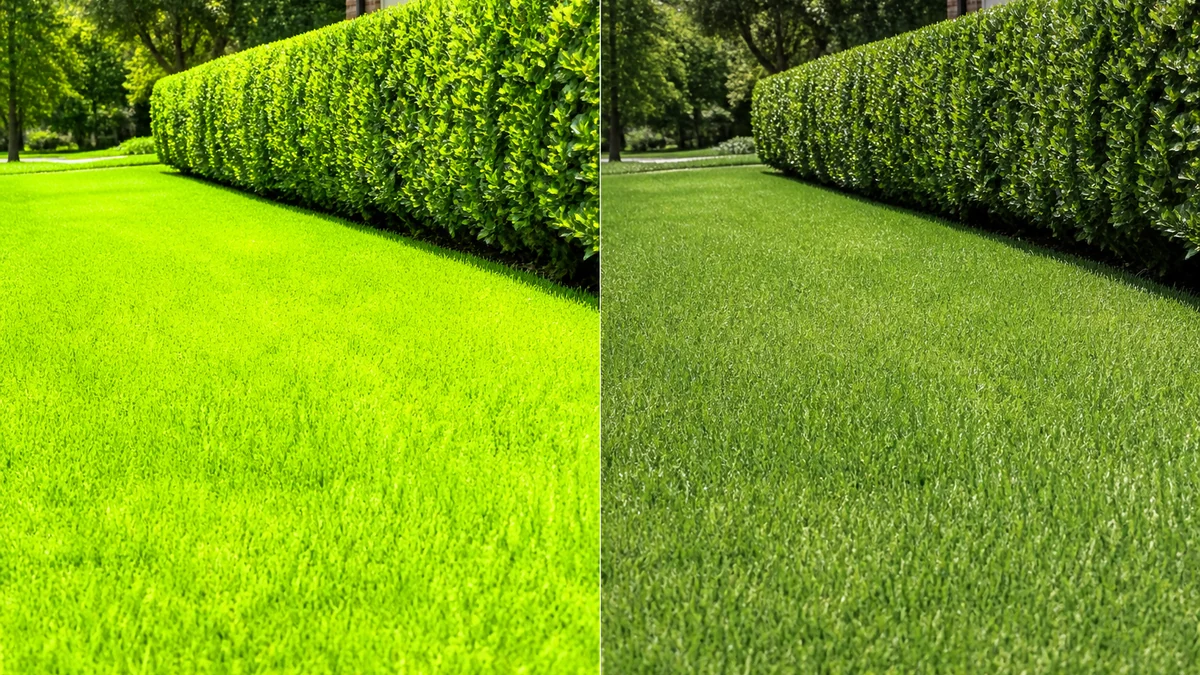
Illustrative example. mcp.coinis.dev was unreachable this session, so this before/after was generated as a direct illustrative rendering rather than through Coinis's own enhance_asset_proxy tool. For a real enhance_asset_proxy correction on a product photo, see the beauty brand color-cast fix article.
On Coinis, that correction runs through Ad Studio's photo-repair tool, enhance_asset_proxy. The same tool that fixes a beauty brand's whole-photo color cast or a hotel's mixed-lighting split handles this the same way: a full-frame correction pass that resets the image to a neutral, true-to-life color balance without touching the actual scene underneath. Once the photo reads the way the lawn actually looked in person, it becomes the source image for every other ad format a landscaping business needs.
From one corrected photo to a full campaign
A single fixed photo does not go far on its own. A local landscaping business typically needs a square crop for a Facebook or Instagram feed post, a vertical crop for Stories and Reels, and a wide landscape crop for Google Display and YouTube, all showing the same lawn or hedge job with consistent, accurate color across every size.
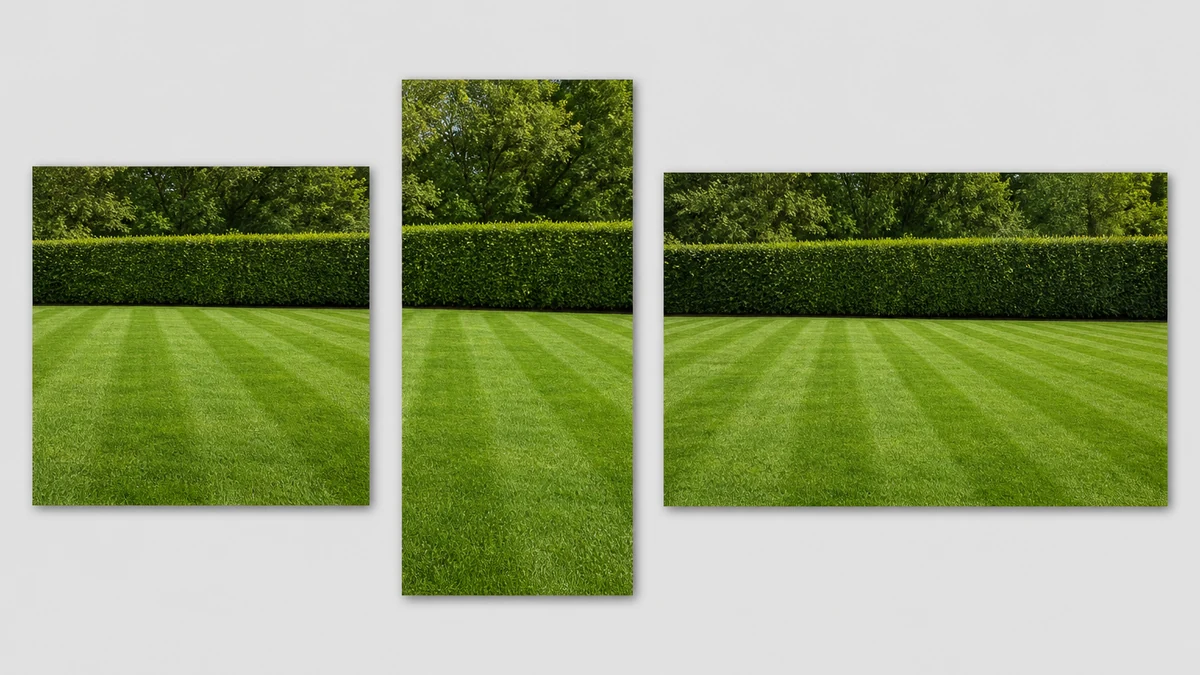
Illustrative example. mcp.coinis.dev was unreachable this session, so this multi-format fan-out was generated as a direct illustrative rendering rather than through Coinis's own generate_image_templates tool. For a real generate_image_templates fan-out, see the one photo every ad size article.
Coinis's generate_image_templates tool takes that one corrected photo and produces a matched set across every standard ad size in a single Ad Studio workflow, rather than a designer manually cropping and re-color-grading three separate files by hand, the same fan-out approach covered in one photo, every ad size. Every format keeps the same true-to-life green a client actually saw on-site, not the oversaturated version a phone camera invented.
What to do with a landscaping photo before it becomes an ad
- Assume any photo dominated by lawn, hedge, or turf is a white-balance risk, even if it was shot outdoors in bright daylight. This is the opposite of most photo advice, which treats good light as a safe default.
- Run a full-frame color correction before cropping to any ad format. A localized fix will not touch a defect that spans the entire photo.
- Generate every ad size from the corrected photo, not the original, so the color problem does not resurface in a downstream crop that skipped the repair step.
- Keep the correction to color only. Composition, plant placement, and any hardscaping in frame should look identical before and after, the goal is accuracy, not a different photo.
FAQ
Why does a landscaping photo turn overly green even in good lighting? A camera's auto white balance assumes the average color across a frame should be roughly neutral. A lawn or hedge filling most of the shot gives it almost nothing but green to measure, so it overcorrects and shifts the whole image further into an oversaturated green cast, a scenario photography educators specifically flag as one of the conditions that defeats auto white balance (photographypro.com).
Is this the same problem as a color cast on a product photo? The mechanism is related, both come from a camera's white balance algorithm reacting badly to the actual scene, but the trigger is different. A product color cast usually comes from mixed or unusual studio lighting. This one comes from a single dominant color filling the frame, which can happen in perfectly even daylight.
Can this be fixed after the photo is already taken? Yes. Since the defect is a whole-frame color shift rather than a spot flaw, a full-frame color correction resets the image to a neutral, true-to-life balance without needing to reshoot the job site.
Does fixing the color change anything else in the photo? No, a proper correction only shifts color balance. Plant placement, mowing lines, hardscaping, and composition stay exactly as shot.
What ad sizes does a landscaping business actually need from one photo? At minimum a square crop for feed posts, a vertical crop for Stories and Reels, and a landscape crop for Display and YouTube. Generating all three from the same corrected photo keeps color and branding consistent across every placement.
Turn today's job-site photo into this week's campaign
A landscaping crew does not need better weather or a professional reshoot to get an accurate lawn photo. It needs the color corrected once, then generated into every format the campaign requires. On Coinis, that is enhance_asset_proxy for the correction and generate_image_templates for the fan-out, run through Ad Studio as one workflow instead of two separate tools and a manual crop pass. Start from the last job-site photo sitting in a camera roll and turn it into a ready-to-run ad set with Coinis Ad Studio.
Sources
- photographypro.com, "White Balance Explained: How To Get Accurate Colors In Your Photos," https://photographypro.com/white-balance/
- IBISWorld, "Landscaping Services in the US Industry Data and Analysis," 2026, https://www.ibisworld.com/united-states/industry/landscaping-services/1497/
- Virginia Tech Cooperative Extension, "The Effect of Landscape Plants on Perceived Home Value," https://pubs.ext.vt.edu/426/426-087/426-087.html

Isidora Matovic
Author
Social media enthusiast and a full time researcher. She takes digital presence very seriously and that is why you are always in touch in what is going on with us! Follow us for more posts like this.