

A lighting retailer sets up the shot every lamp catalog needs: the fixture on, bulb glowing, styled on a console table or next to a reading chair so a shopper can picture it at home. The exposure looks right everywhere else in the frame. Then the bulb itself turns into a blown-out white disc with thin, sharp spikes of light radiating out from it like a tiny sun, and those spikes cut straight across the shade, the finish, the one detail that was supposed to sell the fixture.
Nobody shoots this on purpose. The spikes show up because of a decision made for an entirely different reason: keeping the whole fixture, base to shade, in sharp focus.
Why the aperture setting that keeps a lamp in focus also creates the starburst
A photographer shooting a floor lamp or chandelier wants everything in focus at once, the base, the stem, the shade, the bulb glowing inside it. Getting that kind of front-to-back sharpness means stopping the lens down to a small aperture, a high f-number like f/16 or f/22. B&H Photo's own technical guide to star effects explains what a small aperture does to a point source of light in frame: "the smaller the aperture, the more pronounced the effect will be," because the effect itself is diffraction, light bending as it squeezes through the narrow gap formed by the aperture's blades (B&H Photo, "6 Tips to Create Compelling Star Effects, Sun Stars, Starbursts, Sun Flares, or Diffraction Spikes in Your Photographs," accessed 2026).
Wikipedia's entry on the phenomenon, known as a diffraction spike, adds the detail that explains why the spike count and shape depend on the specific lens: manufacturers try to make an aperture as close to circular as possible for pleasing background blur, but "when stopped down to high f-numbers (small apertures), its shape tends towards a polygon with the same number of sides as blades" (Wikipedia, "Diffraction spike," accessed 2026). Each flat edge of that polygon diffracts light into its own spike. A lit bulb, a candle flame, a chrome accent catching a hard light all qualify as the kind of small, intensely bright point source that triggers it. A lamp photographed with its bulb turned on is close to the textbook example.
The lighting that actually sells a fixture, bulb on, shade glowing, is the exact lighting condition most likely to produce a spike running straight through the shot.
This is a meaningfully sized retail category to be losing photos over
Lamp and lighting stores are not a niche sliver of home retail. IBISWorld puts the Lamp & Lighting Stores industry at a $9.7 billion market in the US for 2026, spread across roughly 2,271 businesses (IBISWorld, "Lamp & Lighting Stores in the US," accessed 2026). The adjacent manufacturing side is larger still: IBISWorld's Lighting Fixture Manufacturing report puts that industry at $14.2 billion in 2026 revenue (IBISWorld, "Lighting Fixture Manufacturing in the US Industry Analysis," accessed 2026). Between retailers sourcing catalog shots for their own storefronts and manufacturers supplying imagery down the distribution chain, a lot of product photography in this space involves exactly the on-and-glowing hero shot a starburst can wreck.
A fixture catalog does not get reshot every season. One clean hero photo of a chandelier or floor lamp, on and lit the way a buyer will actually use it, tends to get reused across a product listing, a seasonal sale banner, and a paid social ad for a year or more. Losing that one shot to a spike through the shade means every one of those placements inherits the flaw.
The manual fix trades the shot the buyer actually wants to see
Photography guidance on star effects is consistent about the tradeoff: a wider aperture reduces or eliminates the spike, but it also shrinks the zone that stays in focus, which is the opposite of what a full-fixture product shot needs (B&H Photo, "6 Tips to Create Compelling Star Effects, Sun Stars, Starbursts, Sun Flares, or Diffraction Spikes in Your Photographs," accessed 2026). Shooting the lamp with its bulb switched off avoids the spike entirely, but it also removes the one detail, the warm glow against the shade, that tells a shopper what the fixture looks like doing its actual job. Neither option produces the photo a lighting retailer actually wants on file.
That leaves the photo already on the card: bulb lit, fixture sharp, one bright polygon-shaped burst sitting where the light source is.
Fix the starburst on the photo already shot
Ad Studio's repair layer, enhance_asset_proxy, handles this as a masked correction instead of a reshoot. One tool covers upscaling, sharpening, denoising, lighting fixes, background swaps, and inpainting, all selected through a single model field matched to the actual flaw. A diffraction spike sits in a tight, specific region around the bulb or light source, not spread across the whole photo, so the fit here is recraft-inpaint with a mask drawn around the bulb and its radiating spikes, paired with a prompt describing only the target state: the same fixture, the same warm glow from the bulb, rendered as a normal soft light source instead of a hard polygon burst, with no mention of the spike's specific shape or color, since naming a flaw's exact visual character in an inpainting prompt is a confirmed trigger for the model rendering an unrelated scene instead of correcting the one it was given.
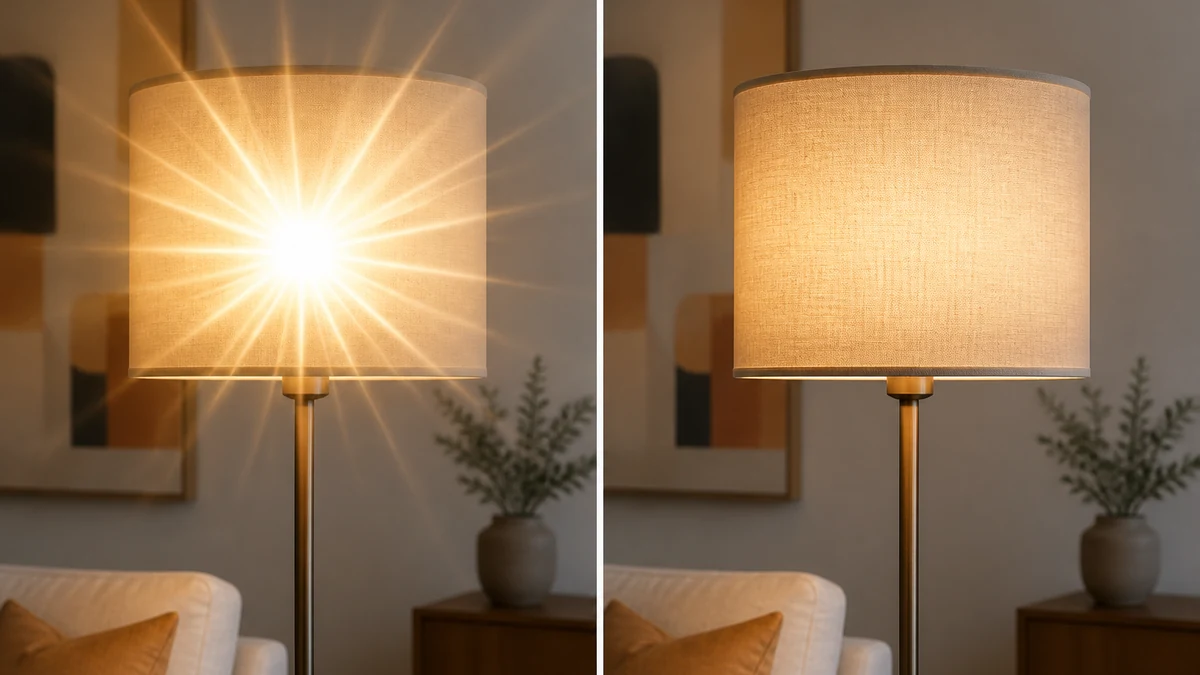
Illustrative example. mcp.coinis.dev was unavailable while this article was drafted, so this before/after was rendered as a standalone illustration rather than a live enhance_asset_proxy call. See a real enhance_asset_proxy correction on a different vertical in the bakery display case fix.
Once the fixture reads clean, generate_image_templates, Ad Studio's primary image-ad generator, turns that one corrected shot into a square feed post, a 9:16 Story crop, and a horizontal Display banner in a single pass, so the spike that would have landed differently in every crop never makes it into any of them.
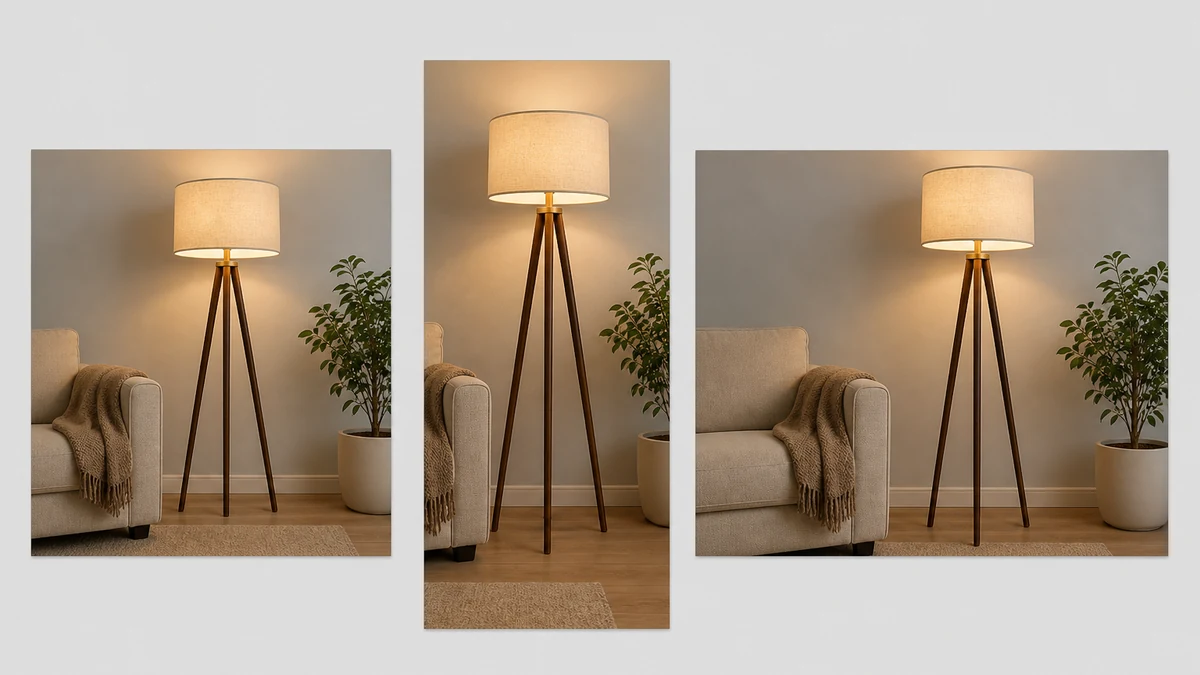
Illustrative example for the same reason as above. See a real generate_image_templates fan-out in the one-photo-every-ad-size article.
Building this into a lighting retailer's actual catalog workflow
A lighting retailer or manufacturer is not shooting one fixture a year. A full catalog means dozens of lamps and fixtures, each ideally photographed lit, and each one a candidate for the same diffraction-spike mechanism the moment the aperture gets stopped down far enough to keep the whole fixture sharp. The order matters: correct the spike first with enhance_asset_proxy, confirm the fixture's actual finish, shade color, and proportions are untouched, and only then hand the clean file to generate_image_templates for the ad-size fan-out. Resizing or cropping a spiked photo first just relocates the artifact into whichever crop happens to catch it.
This is a different capture mechanism from a gaming peripheral's self-illuminated RGB keys clipping a color channel, which is a sensor saturation problem on a broad glowing surface rather than a lens-aperture diffraction pattern around a single point source, and from a candle flame overwhelming a sensor's pixel wells, which is sensor blooming, a charge-spillover streak, not a polygon-shaped artifact created by the lens's own aperture blades. It shares a root cause with the barrel and keystone distortion furniture photographers run into: both are lens-optics artifacts introduced by a choice made for a legitimate reason, stopping down for depth of field here, a wide lens for a cramped showroom there, rather than a lighting-source or color-cast problem. No two-page industry hub for lighting or lamp retail exists on Coinis yet, so this piece links out to its closest sibling photo-defect articles and to the general ecommerce retail hub instead of a dedicated vertical landing page.
FAQ
Does correcting the starburst change the color or finish of the fixture? No. The mask is scoped to the bulb and its radiating spikes, not the fixture itself. The shade color, the metal or wood finish, and the fixture's proportions stay exactly as shot.
Is a starburst the same thing as a lens flare? No. A diffraction spike comes from light bending around the aperture blades as it passes through a small opening, producing sharp straight lines radiating from a point source. A lens flare comes from light scattering and reflecting off internal lens elements, producing a hazy wash or ghost shapes rather than sharp spikes. They can both be triggered by a bright light source in frame, but the mechanism and the fix are different.
Why not just shoot the lamp with a wider aperture to avoid the spike? A wider aperture does reduce or remove the spike, but it also narrows the zone that stays in focus, which usually means part of the fixture, the base or the far edge of the shade, goes soft. For a full-fixture hero shot, that's a worse tradeoff than fixing the spike after the fact.
Do I need a separate photo for every ad platform's size? No. generate_image_templates produces the crop and composition for each platform's spec from one corrected source photo, which is why fixing the starburst once, before any cropping happens, matters more here than for a defect that would survive a crop unchanged.
The Coinis angle
A starburst through a lit bulb does not need a reshoot at a different aperture to become ad-ready. Correct the one shot already on file with Ad Studio's enhance_asset_proxy, confirm the fixture's finish and proportions are untouched, then turn it into a full ad-ready set with generate_image_templates, and launch the result through Ad Studio's templates instead of exporting a photo whose starburst will land badly in whatever crop a platform demands.
Sources
- B&H Photo, "6 Tips to Create Compelling Star Effects, Sun Stars, Starbursts, Sun Flares, or Diffraction Spikes in Your Photographs," accessed 2026. https://www.bhphotovideo.com/explora/photography/tips-and-solutions/6-tips-to-create-compelling-star-effects-sun-stars-starbursts-sun
- Wikipedia, "Diffraction spike," accessed 2026. https://en.wikipedia.org/wiki/Diffraction_spike
- IBISWorld, "Lamp & Lighting Stores in the US," accessed 2026. https://www.ibisworld.com/united-states/industry/lamp-lighting-stores/4269/
- IBISWorld, "Lighting Fixture Manufacturing in the US Industry Analysis," accessed 2026. https://www.ibisworld.com/united-states/industry/lighting-fixture-manufacturing/781/

Isidora Matovic
Author
Social media enthusiast and a full time researcher. She takes digital presence very seriously and that is why you are always in touch in what is going on with us! Follow us for more posts like this.