

A frosted bottle, a humidifier housing, a silicone teether, a nightlight shade: nursery products lean on translucent and frosted plastic more than almost any other category, usually by design, since a soft, cloudy material reads as gentle and safe rather than hard and clinical. That same material choice causes a photography problem specific to this vertical. Point a studio light at a translucent surface and some of that light does not bounce off cleanly the way it would off painted plastic or metal. It goes in.
The light does not reflect, it scatters
The physics has a name: subsurface scattering, the same phenomenon that makes a hand glow faintly orange when held over a flashlight. Light penetrates a thin, translucent surface, bounces around inside the material, and exits from a different point than where it entered, effectively turning the object into a weak light source of its own (Sessions College, "Looking at Light: Subsurface Scattering," 2020). The effect gets stronger as a surface gets thinner and the light behind or through it gets stronger, which describes a studio product shoot almost exactly: bright key lights, close working distance, and plastic walls thin enough to mold economically.
On a nursery product, that scattering shows up as a flat, washed-out glow that eats contrast and true color. A bottle's frosted sleeve reads as a pale blur instead of its actual tint. A humidifier's housing loses the crisp edge between its top and base. A teether's ridges and texture, the detail a parent is actually trying to evaluate before buying something that goes in a baby's mouth, disappear into soft light instead of showing up as the shape they really are.
This is a different problem than a bottle or jar going dark because no light passes through it at all. A skincare serum's clear glass bottle problem is an under-lit liquid reading murky because a single front light cannot illuminate what is behind the glass. A nursery product's frosted plastic has the opposite failure mode: the light is getting in just fine, it is scattering once inside the material and washing out everything the camera is supposed to resolve. One is a missing-light problem. The other is a too-much-of-the-wrong-kind-of-light problem, and the fix for each is scoped to the actual physics rather than one generic correction applied to both.
A real studio fix exists, but it is a per-SKU rebuild
Photographers who shoot translucent and frosted plastic professionally solve this with a backlit base setup: the product sits on its own translucent surface, suspended over a diffused light source positioned specifically to control how much scattered light the material throws back at the lens, rather than relying on a front key light alone (Visual Education, "Bottle Product Photography Using Speedlights"). It is a controllable fix, but it is controllable per product, per angle, and per restock. A nursery brand running a bottle line, a humidifier line, and a teether line in half a dozen colorways each is rebuilding that same lighting rig every time a SKU or a colorway changes, because the amount of scattering a frosted white teether throws back is not the same as a tinted amber bottle sleeve.
What typically ships to the ad account instead is the least-hazy frame from whatever batch got shot, scattering problem still visible, because a full studio re-rig for one correction is not worth the day it costs against a catalog with dozens of SKUs.
Fix the scatter-haze before the photo goes into every ad format
Ad Studio's repair layer, enhance_asset_proxy, treats this as a targeted correction instead of a reshoot. Its masked-inpaint path, recraft-inpaint, already works as the reliable fallback for a whole-photo optical problem once the flaw covers more than one small region: a full-frame mask paired with a prompt describing the same product rebuilt with the haze corrected, so true color and surface definition read clearly, fixes the whole frame's lighting interaction rather than patching one spot.
This is a repair step, not a redesign. It does not change the product's shape, does not alter its real color to something it is not, and does not add detail or texture the product does not actually have.
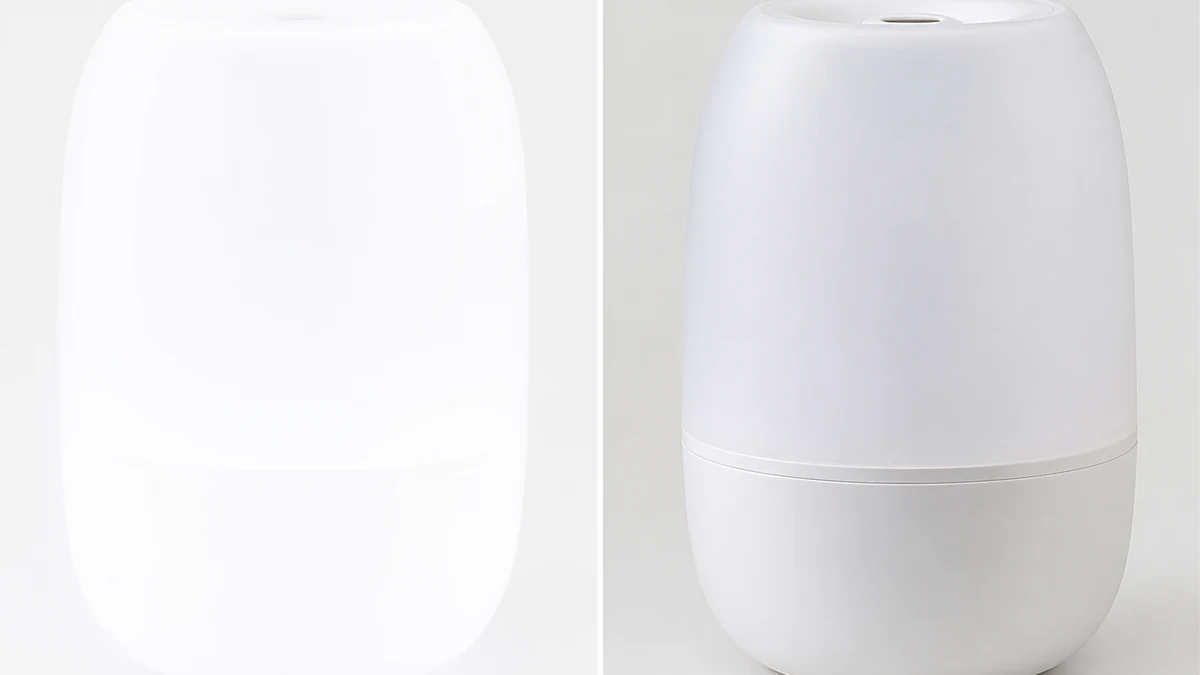
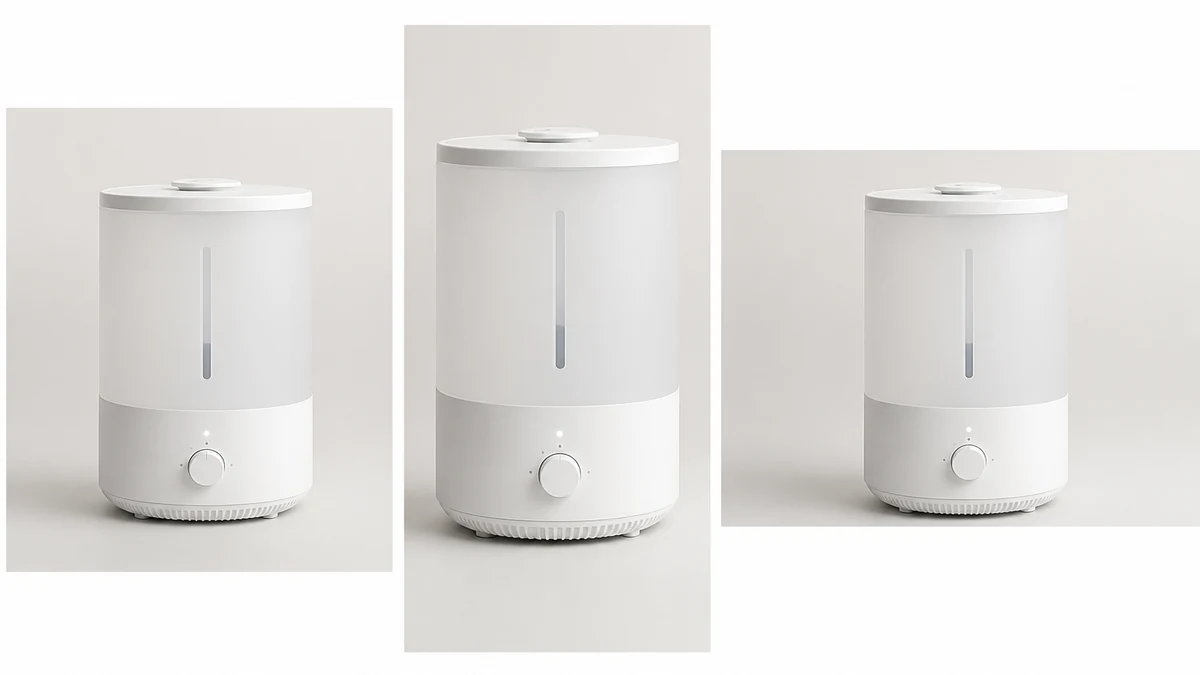
(mcp.coinis.dev, the generation backend for enhance_asset_proxy and generate_image_templates, was in a confirmed outage at the time this article was finished. The images below are illustrative stand-ins generated through a direct image model rather than the real Ad Studio tool output. A live example of enhance_asset_proxy correcting a product photo is in the beverage photo-fix article, and a live example of generate_image_templates' fan-out is in the one-photo-every-ad-size article.)
Once the product reads clean, the fan-out step is generate_image_templates, Ad Studio's primary image-ad generator. One corrected nursery product photo becomes a square feed post, a 9:16 Story, and a horizontal Display banner in one pass, instead of re-shooting the same bottle or humidifier three more times under three different lighting setups for three different crops.
Building this into a nursery catalog's actual workflow
A nursery brand's catalog rarely sits still. New colorways, seasonal bundle sets, and restocked SKUs ship on their own schedule, and each one arrives in whatever translucent or frosted plastic the product line uses. The order matters every time: correct the scatter-haze first with enhance_asset_proxy, confirm the product's shape, color, and texture are untouched by the fix, and only then hand the corrected file to generate_image_templates for the size fan-out. Resizing a hazy photo before fixing it just multiplies the same washed-out product across every ad size instead of solving it once.
This is the same underlying pattern already proven across other material-specific photo problems: a baby gear line's motion-blurred moving part, a skincare brand's under-lit glass bottle, and a jewelry brand's blown-out specular hotspot are all versions of the same lesson: how light interacts with a product's actual material, plastic, glass, metal, or in this case a translucent surface that scatters rather than reflects, is a different flaw every time, and the fix has to match what the material is actually doing to the light rather than a single filter applied everywhere.
FAQ
Does every translucent or frosted plastic product have this problem? No. Subsurface scattering is more visible the thinner the material and the stronger the light hitting it, so a thick, dense plastic under soft, diffused lighting may show little or no visible haze. It becomes a real photo problem specifically when a thin, light-colored, translucent material gets hit with a bright studio light at close range, which is common but not universal in nursery product photography.
Does the fix change the product's actual color? No. The correction rebuilds the same photographed product so its true color and surface detail come through clearly. It does not recolor the product to look different from what it actually is, and it does not add texture or definition the product does not genuinely have.
Why does this need a full-frame mask instead of a small spot fix? A localized defect like a glare streak sits in one small region. Scattering-induced haze affects how light interacts with the entire translucent surface, so the correction has to touch the whole frame rather than one masked patch, the same reasoning that applies to any whole-photo lighting correction versus a localized highlight fix.
Do I need a different product photo for every platform's ad size? No. generate_image_templates handles the cropping and composition into each platform's spec from one corrected source photo, which is the entire point of fixing the lighting once instead of exporting five separately re-shot versions.
The Coinis angle
A nursery product photo that reads hazy or washed-out does not need a re-shoot to become usable. Correct the scattering-induced haze on the photo already on file with Ad Studio's enhance_asset_proxy, confirm the product's shape and color are untouched, then turn it into a full ad-ready set with generate_image_templates, and land the result as a launch-ready ad through Ad Studio's templates instead of exporting a flawed photo and building the ad by hand.
Sources
- Sessions College, "Looking at Light: Subsurface Scattering," November 16, 2020. https://www.sessions.edu/notes-on-design/looking-at-light-subsurface-scattering/
- Visual Education, "Bottle Product Photography Using Speedlights." https://visualeducation.com/speedlite-product-photography-glass-bottle/

Isidora Matovic
Author
Social media enthusiast and a full time researcher. She takes digital presence very seriously and that is why you are always in touch in what is going on with us! Follow us for more posts like this.