

A stroller wheel mid-turn. A crib mobile still swinging from the hand that just wound it. A battery swing caught between one side of its arc and the other. Juvenile-products photography has a problem most product categories do not: a meaningful share of what makes the product worth buying is that it moves, and a still photo taken during that motion comes back soft at the exact point that matters most.
That blurred shot usually still ships. It gets cropped into a Facebook feed square, an Instagram Story, a Google Display banner, motion smear and all, because reshooting a moving part on demand is slower than reshooting almost anything else in a product catalog.
A blurry moving part reads as a defect, not a demo
Most shoppers cannot test-swing a mobile or push a stroller down an aisle before buying it online. The photo is the only substitute for that hands-on check, and a soft, doubled edge on the one part that is supposed to move does not read as "in motion." It reads as an out-of-focus product shot, which is a different signal entirely: one says "watch what this does," the other says "this photo was taken carelessly."
The category is growing fast enough that this photo problem now touches more listings every year. The global baby products market was valued at 355.9 billion dollars in 2025 and is projected to reach 375.8 billion dollars in 2026, with online sales growing faster than the category average as more of that shopping moves off the shelf and onto a screen (Grand View Research, "Baby Products Market Size And Share Report, 2026-2033," 2026). More SKUs shot for more online listings means more chances for the one moving part in a mobile, a swing, or a stroller wheel to blur the photo that is supposed to sell it.
The research on image quality does not carve out an exception for motion
The link between photo quality and purchase behavior is not specific to any one product category, and it does not get gentler for something that happens to move. A Cornell Tech study of secondhand marketplace listings found that items shown with higher-quality photos sold measurably more often, shoes were 1.17 times more likely to sell and handbags 1.25 times more likely, when the listing photo cleared a quality bar the researchers could actually measure computationally (Ma, Naaman, and Belongie, "Understanding Image Quality and Trust in Peer-to-Peer Marketplaces," WACV 2019). The same study found that buyers rated a marketplace populated with low-quality photos as noticeably less trustworthy than one populated with sharp, well-composed images, even when the products for sale were identical.
A separate review of e-commerce image research reaches the same conclusion from the seller's side: sharp, high-resolution images build buyer trust and directly affect conversion, while blurry or low-contrast images signal low effort and reduce a shopper's perceived value of the product before a word of copy gets read (letsenhance.io, "How product image quality affects e-commerce performance," 2026, summarizing peer-reviewed sources including Hong and Pavlou's 2014 Information Systems Research study on product-fit uncertainty). Motion blur is not a different category of flaw from the soft focus or poor lighting those studies measured. It is the same flaw, caused by a moving subject instead of a shaky hand or a dim room.
Why the standard fix, shoot it again, does not scale for moving parts
Conventional advice for a blurred product shot is to reshoot with a faster shutter speed, more light, or a tripod. That works for a still product. It gets harder for a mobile that has to be wound and swung on cue, a battery swing that runs its own motor at a fixed speed, or a stroller wheel that only looks right mid-roll, because "faster shutter speed" competes with a moving part that will not slow down for the camera on request. A studio can eventually get the shot, but it usually takes several attempts and a controlled rig most small and mid-size juvenile brands are not set up to run on the timeline a new listing needs.
What ships in the meantime is whatever attempt looked closest to right, blur included, resized and reused across every ad platform the launch calendar needs that week.
Fix the blur before the photo goes into six ad formats
Ad Studio's repair layer, enhance_asset_proxy, treats this as a targeted repair rather than a reshoot. One tool covers upscaling, sharpening, denoising, lighting correction, background swaps, and masked object repair, all through a single model field matched to the specific flaw. Motion blur concentrated on one moving element, a wheel, a mobile arm, a swing seat, is a sharpening and detail-recovery job: the correction rebuilds edge definition on the blurred region while leaving the rest of the frame, and the product's actual shape and color, untouched. The fix never adds a part that was not there and never changes what the product actually looks like at rest.
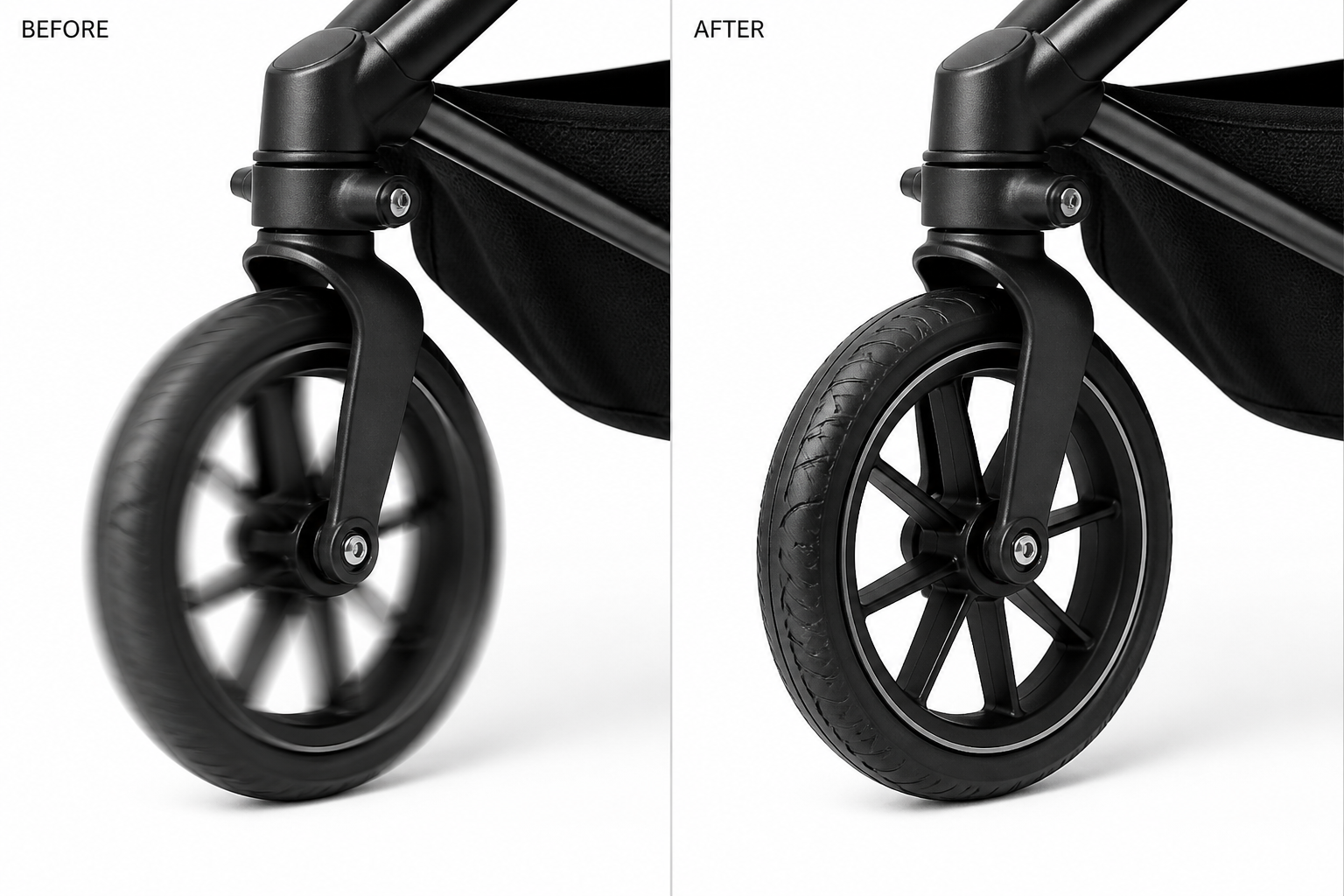
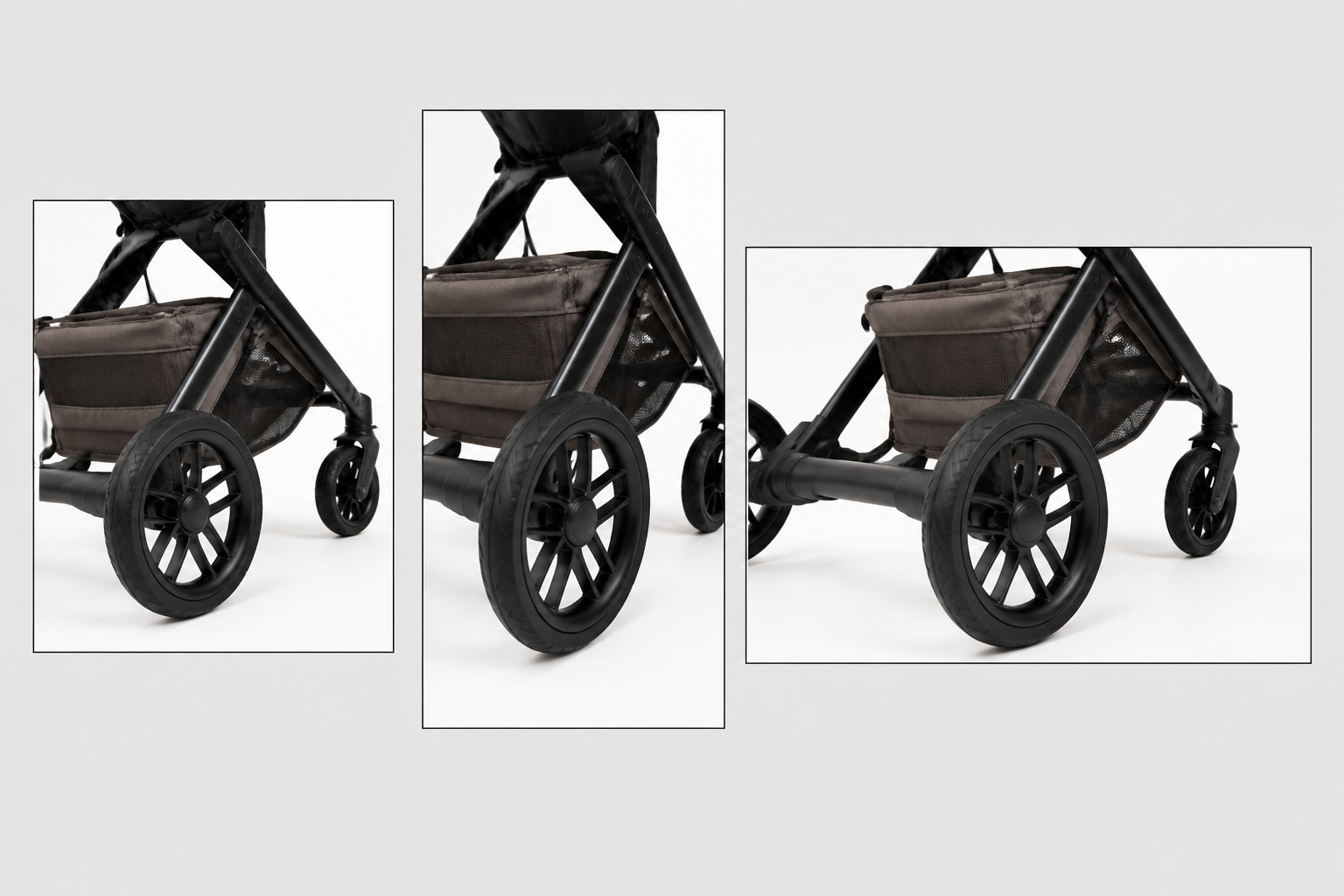
Once the moving part reads sharp, the fan-out step is generate_image_templates, Ad Studio's primary image-ad generator. One corrected photo becomes a square Facebook post, a 9:16 Story, and a horizontal Display banner in one pass, each cropped and composed for its own placement, without a second attempt at catching the part mid-motion and without re-sharpening the same blur on five separate exports.
Building this into a juvenile-brand's actual catalog workflow
A stroller line adds a color variant, a mobile gets a new print, a swing ships with a new seat pad, and each one needs a listing photo that actually shows the moving part doing what it is built to do. The order matters every time: repair the blur first with enhance_asset_proxy, scoped to the specific moving element, confirm the rest of the product photographed correctly and nothing was added or altered, and only then hand the clean file to generate_image_templates for the ad-size fan-out. Doing it the other way just resizes a photo with the blur still baked in, producing five soft variants where one sharp file would have done the job.
This is the same underlying problem covered in mobile game ad creative fatigue: a brand running the same one usable shot past the point an audience has already tuned it out, because there is no second clean attempt to rotate in without another shoot. The same repair-then-generate chain already proved out on a car dealership's reflective-surface problem, a gym's mirror-wall reflection, and a jewelry brand's blown-out specular hotspot applies here too, aimed at a different flaw entirely, motion blur on a moving part instead of a static glare or reflection. See the full AI ad generator for baby brands overview for how this fits alongside the rest of a juvenile-products ad workflow.
FAQ
Does fixing motion blur change how the product actually looks? No. The repair targets edge definition on the blurred region only, using the rest of the same photo as reference for color, shape, and material. The product's real design, size, and finish stay exactly as photographed.
Can this fix a photo where the moving part is blurred but everything else is sharp? Yes, that is the most common case. A localized sharpening repair works on just the blurred region, leaving an already-sharp background or static parts of the product untouched.
Do I need a different photo shoot for every ad platform, or does one corrected shot cover all sizes? One corrected shot covers all sizes. generate_image_templates handles the cropping and composition into each platform's own spec from that single clean source, which is the entire point of fixing the blur once instead of on five separate exports.
What if the blur is on the whole photo, not just one moving part? That is a different scope of the same enhance_asset_proxy tool, using a broader sharpening pass across the full frame instead of a masked region matched to one moving element.
The Coinis angle
A juvenile-products brand does not need a controlled motion-photography rig every time a new stroller color or mobile print ships. Repair the blur on the photo already on file with Ad Studio's enhance_asset_proxy, confirm the product itself reads exactly as it should, then turn it into a full ad-ready set with generate_image_templates, and land the result as a launch-ready ad through Ad Studio's templates instead of exporting a soft photo and building the ad by hand.
Sources
- Grand View Research, "Baby Products Market Size And Share Report, 2026-2033," 2026. https://www.grandviewresearch.com/industry-analysis/baby-products-market
- Ma, X., Naaman, M., and Belongie, S., "Understanding Image Quality and Trust in Peer-to-Peer Marketplaces," IEEE Winter Conference on Applications of Computer Vision (WACV), January 2019. https://arxiv.org/pdf/1811.10648.pdf (summary: Cornell Chronicle, "Is seeing believing? Depends on photo quality, study says," January 2019, https://news.cornell.edu/stories/2019/01/seeing-believing-depends-photo-quality-study-says)
- letsenhance.io, "How product image quality affects e-commerce performance," 2026, citing Hong, W. and Pavlou, P. A., "Product Fit Uncertainty in Online Markets," Information Systems Research, 2014. https://letsenhance.io/blog/all/product-image-quality/
Note: mcp.coinis.dev generation backend was down at drafting time (OAuth token refresh failure, invalid_grant: refresh token does not exist). The two in-post images above are honest illustrative substitutes generated via a direct OpenAI gpt-image-2 call using a generic, unbranded stroller reference (not the actual enhance_asset_proxy/generate_image_templates tool output). A sibling article, Bad Product Photos Are Costing You Sales, already demonstrates a real enhance_asset_proxy render. A future session should swap in the real tool output once the connection is restored.

Isidora Matovic
Author
Social media enthusiast and a full time researcher. She takes digital presence very seriously and that is why you are always in touch in what is going on with us! Follow us for more posts like this.