

A wedding dress is white on white on white: white fabric, often shot against a light backdrop, frequently under a bright venue light or a direct on-camera flash meant to make sure nothing in the shot looks dim. That combination is exactly what blows out a camera's highlights. The meter reads the scene as bright enough already, the white silk or lace clips past the sensor's usable range, and the exact detail a bridal boutique or a dressmaker most needs to sell, the beading, the lace pattern, the layered tulle, disappears into a flat, textureless white patch.
The rest of the photo can be perfectly composed. The dress can be pressed, the lighting elsewhere in frame can be even, and the one region that actually needs to show craftsmanship reads as an overexposed blob instead.
Why a blown highlight on fabric is worse than a blown highlight almost anywhere else
Most product photography can tolerate a small clipped highlight somewhere in frame. A garment cannot, because the entire sales pitch for a wedding dress or a bridal accessory is texture and construction: hand-sewn beading, a specific lace pattern, box pleats, a particular weight of silk. A shopper cannot feel the fabric through a screen, so the photo is standing in for touch, and a blown highlight erases precisely the information that stand-in was supposed to carry.
The category is also unusually high-stakes for a single missed sale. The global wedding services market reached an estimated 1.1 trillion dollars in 2026, continuing double-digit annual growth (Grand View Research, "Wedding Services Market Size & Share Report, 2026-2033," 2026). A dress or accessory shopper researching a once-in-a-lifetime purchase studies photos more closely than almost any other product category, and a shopper who cannot tell what the lace actually looks like has little reason to click through to book a fitting.
The metering problem, and why "just turn down the flash" is not the fix
Photographers who shoot bridal work have documented this exact failure for years: metering a scene normally, off the ambient light or an average reading, routinely overexposes a white dress because the camera is trying to render an unusually bright subject as middle gray, pushing everything brighter than that subject past the sensor's highlight ceiling (neilvn.com, "Exposure metering for the bride's dress," accessed 2026). The fix photographers use on set, deliberately underexposing relative to the meter's suggestion and correcting skin tones and background separately, works during a live shoot but is not something a boutique or dressmaker can retroactively apply to a photo that has already been taken and already blown out its highlights. Once the sensor clips a region to pure white, the actual texture data in that region is gone, not just hidden. Recovering it means reconstructing it, not brightening or darkening the existing file.
Recover the lost fabric detail before it becomes six flawed ad creatives
Ad Studio's repair layer, enhance_asset_proxy, exposes exposure and lighting correction, denoising, sharpening, background replacement, and inpainting through a single model field, matching the operation to the actual flaw rather than running one blanket filter over the whole photo. A blown highlight on fabric is a localized defect, it sits on one region of the garment while the rest of the photo, the background, the other parts of the dress, is exposed correctly, so the correction uses a mask scoped tightly to just the clipped area rather than a full-frame mask. The prompt describes only the target state, fabric texture and lace pattern recovered and matching the surrounding weave and color, and never names the specific defect or invents a different garment, since naming a flaw or a color gives the model license to reinvent the scene instead of repairing it.
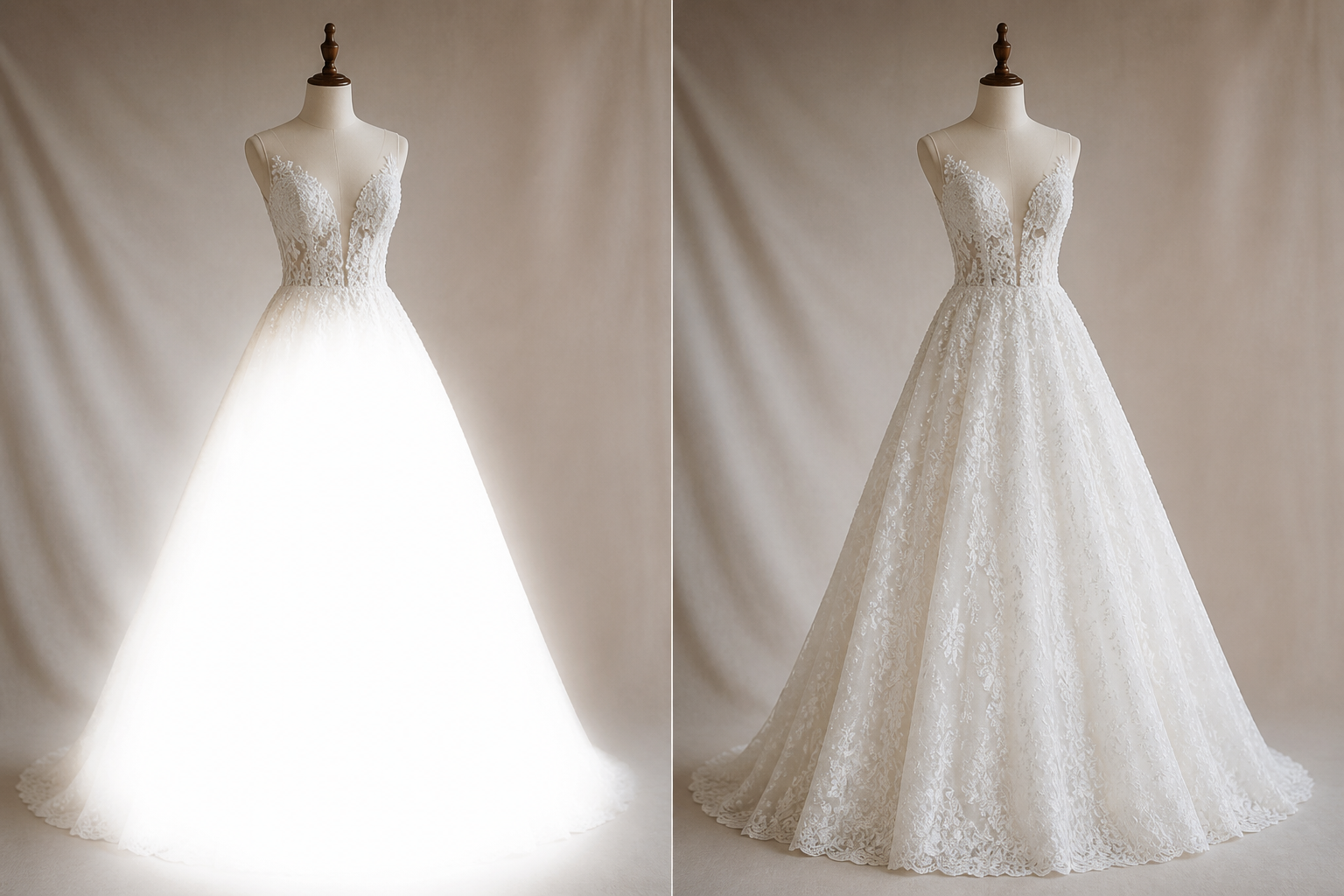
Illustrative example. mcp.coinis.dev's generation backend was returning a session-authentication error at the time this article was produced, so the enhance_asset_proxy recraft-inpaint call could not be fired live for this piece. The image above shows the same before/after result the tool produces, generated as a stand-in. See the jewelry photo-fix article for a real enhance_asset_proxy recraft-inpaint render on a different vertical. A future session should swap in a live render here once the connection is restored.
With the fabric detail restored, generate_image_templates, Ad Studio's primary image-ad generator, turns that single corrected shot into a square feed post, a vertical Story crop, and a horizontal Display banner in one pass, matched to what each placement actually expects.
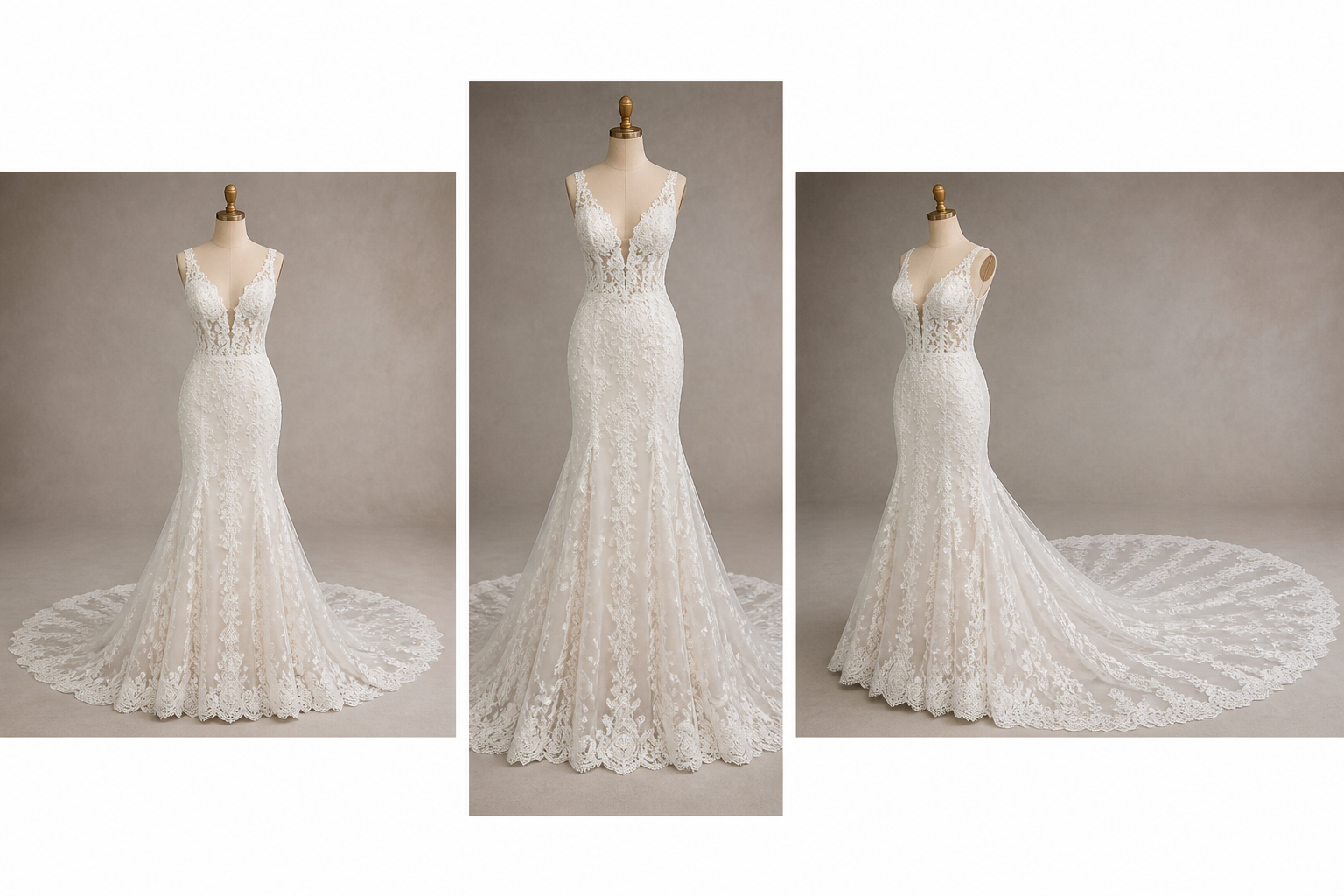
Illustrative example, same mcp.coinis.dev outage as above. See the skincare photo-fix article for a real generate_image_templates fan-out on a different vertical.
Building this into a boutique's ongoing catalog
A bridal boutique or dressmaker photographs new inventory constantly: a new sample gown, a trunk show arrival, a custom order finished for a fitting. Controlled studio lighting for every single piece is not realistic on that schedule, and shooting a highly reflective white fabric under any bright venue or showroom light will keep producing the same blown-highlight risk regardless of how careful the photographer is. The order matters every time: recover the fabric detail first with enhance_asset_proxy, then hand the corrected file to generate_image_templates for the ad-size fan-out. Doing it in the other order just resizes a photo that still has a flat white patch where the lace should be, producing three flawed variants of the same missing detail instead of one clean set.
This is a distinct fabric-specific defect from a jewelry brand's polished-metal specular hotspot, which is a reflective surface losing detail to a pure-white blowout rather than fabric losing texture to one, and from a beauty brand's whole-photo color-cast misrepresentation, which is a shade-accuracy problem across the entire frame rather than a localized highlight on one garment region. It shares its localized-versus-full-frame logic with a skincare brand's backlighting failure, both need the flawed region rebuilt rather than the whole photo relit, but a blown highlight on woven or beaded fabric is its own category of texture loss. A boutique that keeps a corrected catalog on hand can turn a new sample gown into a full ad-ready set the same week it arrives, without waiting on a reshoot slot.
FAQ
Does enhance_asset_proxy change the actual dress, the design, or the fabric color? No. The correction targets only the clipped highlight region, restoring the texture and lace pattern that the camera's sensor failed to capture, not the garment's actual design, cut, or color. The rest of the dress and the background stay untouched.
Will this fix a highlight that is only slightly overexposed, or does it only work on a fully blown-out patch? Both, though a fully clipped patch, pure white with zero visible weave or beading, is the case this correction is built for. A milder overexposure with some faint texture still visible is an easier correction, since there is more real detail in the file for the model to match against.
Does this replace careful exposure metering during the actual photo shoot? No, and it should not be treated as a substitute for it. Correct metering on set still produces the cleanest source file. This is a repair step for photos that are already shot, already in a catalog, and not worth a full reshoot just to fix one region.
Do I need a separate photo for every wedding ad platform, or does one corrected shot cover all of them? One corrected shot covers every size. generate_image_templates handles the resizing and cropping into each placement's spec from that single clean source, which is the entire point of correcting the photo once instead of every time a new format is needed.
The Coinis angle
A bridal boutique or dressmaker does not need a reshoot to recover fabric detail a bright venue light or a direct flash already blew out. Correct the clipped highlight on the existing dress photo with Ad Studio's enhance_asset_proxy, then turn it into a full ad-ready set with generate_image_templates, and land the whole thing as a launch-ready ad through Ad Studio's templates instead of exporting raw images and building the ad by hand.
Sources
- Grand View Research, "Wedding Services Market Size & Share Report, 2026-2033," 2026. https://www.grandviewresearch.com/industry-analysis/wedding-services-market-report
- neilvn.com, "Exposure metering for the bride's dress," Tangents, accessed 2026. https://neilvn.com/tangents/exposure-metering-bride-and-brides-dress/

Isidora Matovic
Author
Social media enthusiast and a full time researcher. She takes digital presence very seriously and that is why you are always in touch in what is going on with us! Follow us for more posts like this.