

A cleaning company's whole pitch lives in one photo format: the before-and-after. A grimy floor next to the same floor freshly mopped. A streaked window next to the same window after a squeegee pass. A driveway before and after a pressure wash. The format only works if the "after" half actually shows the clean surface.
That's the half that keeps failing. A wet floor, a rinsed window, or a just-pressure-washed driveway all share the same problem: standing moisture and a fresh, glossy finish reflect light straight back at the camera. The "after" photo, the one meant to be the entire proof of the job, comes back with a white-hot streak sitting right across the surface it's supposed to be showing off.
Why the proof shot is the one that glares
This isn't the same defect a chrome bumper or a polished ring gets. Those are hard, permanently reflective surfaces. A cleaned floor or window is only glossy because it's wet or freshly rinsed, a temporary condition created by the exact work the ad is trying to sell. Photography guidance on this is consistent: standing water and wet, glossy surfaces reflect light directly into the lens, and a polarizing filter is the standard fix for cutting that reflection on water, glass, and other wet surfaces (Nicolesy, "Removing Glare with a Circular Polarizer Filter"). Most cleaning crews aren't shooting with a polarizer rig on a ladder outside a client's window. They're shooting on a phone, right after finishing the job, while the surface is still at its wettest and most reflective.
The result is a specific kind of self-defeating photo: the cleaner the surface, the more likely the glare covers exactly the part meant to prove it.
The gap this leaves in cleaning-company marketing
The cleaning-services market is large and still growing, a $442.1 billion global industry in 2025 that's forecast to reach $470.8 billion in 2026 (Grand View Research, "Cleaning Services Market Size & Share Report, 2026-2033"). Growth that size means more companies competing for the same local jobs, and the trend data on how they're expected to compete is specific: industry reporting on 2026 marketing trends points directly at before-and-after photos as the quality-visibility tool clients are asking for, calling them out as records that "help prove that work was completed, identify recurring issues, and improve accountability across crews" (ServiceAutopilot, "Cleaning Industry Trends & Statistics: 2026 Guide").
So the format everyone agrees converts is the same format a fresh coat of water keeps sabotaging. A crew finishes a job, takes the after photo before the surface has had time to dry, and ships an ad with a blown-out streak sitting over the proof.
Correct the glare before the after-photo becomes an ad
Ad Studio's repair layer, enhance_asset_proxy, treats this as a targeted fix rather than a reason to wait around for the surface to dry and reshoot. Because the wet-sheen glare sits in one bounded region of the frame, the fix uses a tight mask hugging just the reflective streak, paired with a prompt describing the target state only, recovered surface detail and true color in that region, the same floor or window or driveway, unchanged everywhere else. Naming the moisture or the glare directly in the prompt risks the model inventing a different surface instead of correcting the one it was given, so the prompt stays scoped to the corrected result, never to what's wrong with the photo.
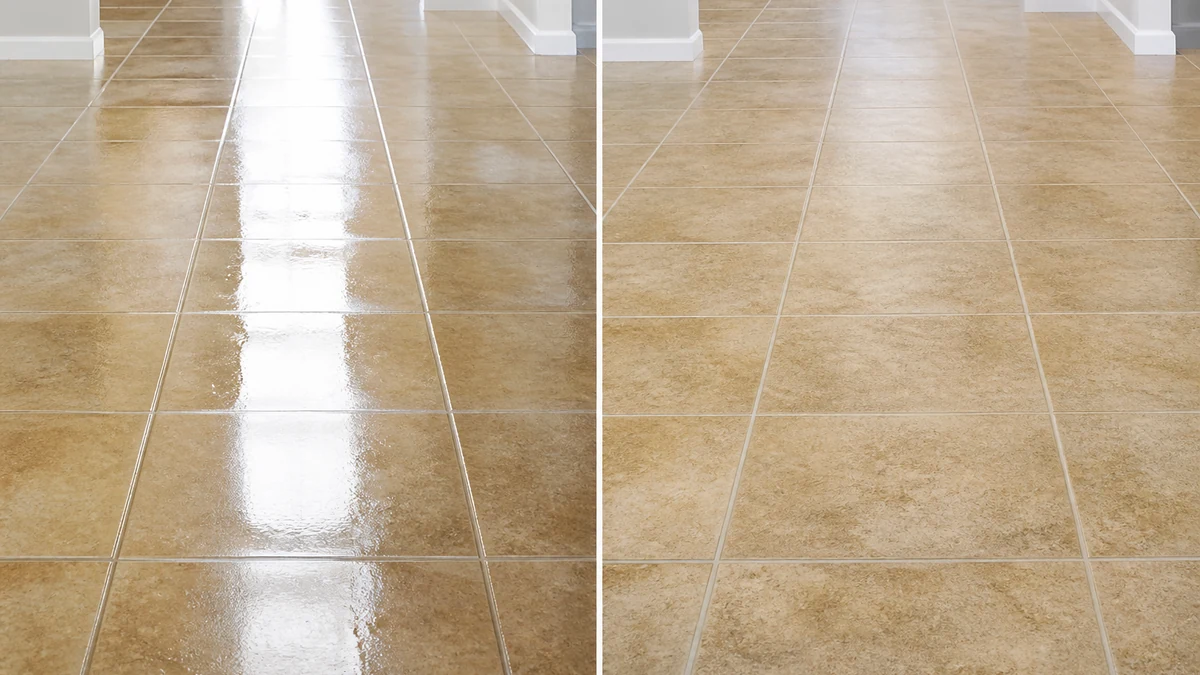
Illustrative example. mcp.coinis.dev was unreachable this session (401, "Coinis session no longer valid," third consecutive day), so this before/after was generated directly rather than through Ad Studio's enhance_asset_proxy. See a real enhance_asset_proxy correction on reflective jewelry surfaces.
This is a repair step, not a re-creation. The floor stays the same floor, the driveway stays the same driveway, and nothing about the actual cleaning result changes. What changes is whether a potential client can see the result the camera was pointed at in the first place.
Once the after-photo reads clean, the fan-out step is generate_image_templates, Ad Studio's primary image-ad generator. One corrected before-and-after pair becomes a square feed post, a 9:16 Story, and a horizontal Display banner in a single pass, sized for each placement without a second visit to the job site.
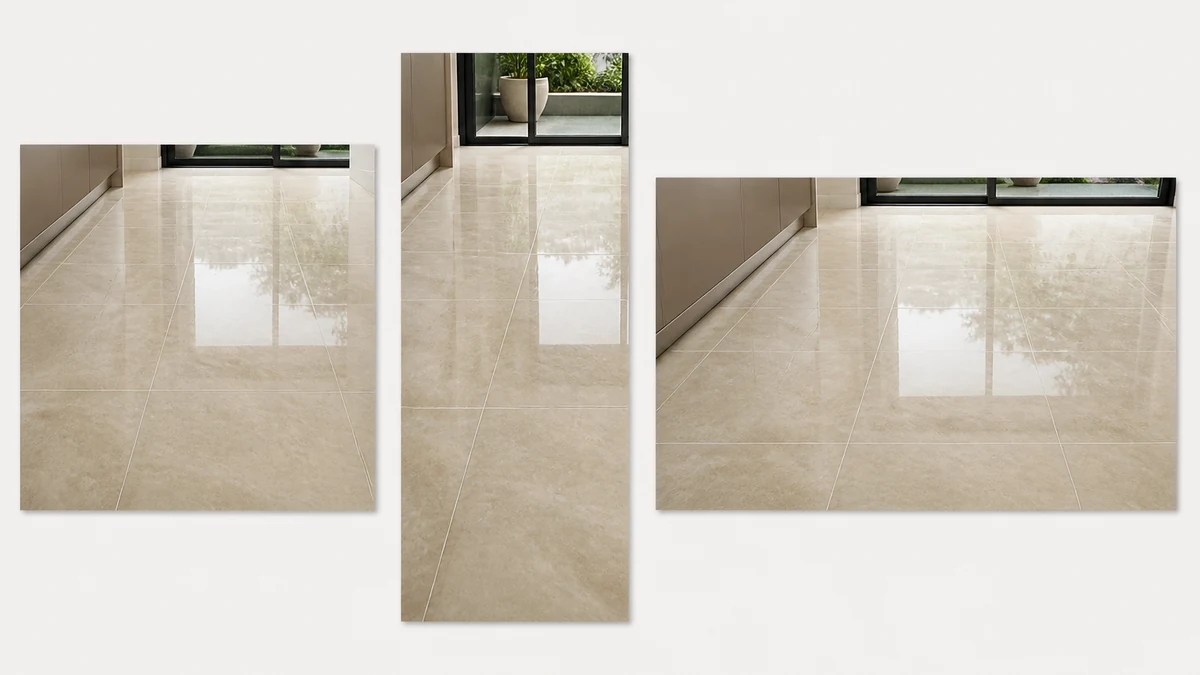
Illustrative example of the format fan-out generate_image_templates produces from one corrected photo.
Building this into a cleaning-company marketing workflow
A residential cleaner, commercial janitorial crew, or pressure-washing business finishes jobs on a schedule, and every finished job produces an after-photo taken in the worst possible light for a camera, right when the surface is wettest. The order that actually holds up: take the after-shot as soon as the job is done rather than waiting on a dry that may never come on schedule, correct the glare with enhance_asset_proxy, confirm the surface reads exactly as cleaned, and only then hand the pair to generate_image_templates for the size fan-out. Resizing a glare-blown after-photo before fixing it just multiplies the same washed-out proof shot across every platform instead of solving it once.
This connects to the same principle already proven on other reflective and specular surfaces: a gym's mirror-wall hotspot doubling and ghosting the background and an electronics screen mirroring the studio setup back at the camera are both versions of the same failure mode, a reflective surface fighting the camera instead of showing what's actually there, just with a temporary wet surface standing in for a permanent glossy one. It also connects to the same job-site reality already covered for contractors shooting flash photos in a dim, unfinished space: the photo that exists is the one taken on-site, right after the work, with whatever light was available, and it's the one that has to become the ad.
FAQ
Does correcting the glare change what the cleaning actually looks like? No. The correction recovers detail and color in the glare region only. The floor, window, or driveway keeps the same finish, same condition, same result. What changes is visibility through the reflection, not the work itself.
Should I just wait for the surface to dry before taking the after photo? That works if the schedule allows it, but most crews are moving to the next job immediately, and a fresh photo taken while everything still looks spotless is usually stronger than a delayed one taken after dust or foot traffic has touched the surface again. Correcting the glare on the photo taken right after the job keeps both advantages.
Do I need a different photo for every platform's ad size? No. generate_image_templates handles the cropping and composition into each platform's own spec from one corrected before-and-after pair, which is the entire reason to fix the glare once instead of on every export separately.
Does this replace taking a real before photo? No. The before half should always be a real, unedited shot of the actual condition the crew started with. This step only applies to correcting glare on the after half, never to inventing or exaggerating either side of the comparison.
The Coinis angle
A wet-surface glare streak doesn't have to sit on top of the one photo that's supposed to close the sale. Correct the after-shot already on hand with Ad Studio's enhance_asset_proxy, confirm the result reads exactly as cleaned, then turn the pair into a full ad-ready set with generate_image_templates, and land it as a launch-ready ad through Ad Studio's templates instead of running a glare-blown proof shot because a dry, glare-free reshoot never happens on schedule.
Sources
- Grand View Research, "Cleaning Services Market Size & Share Report, 2026-2033," last updated June 2026. https://www.grandviewresearch.com/industry-analysis/cleaning-services-market-report
- ServiceAutopilot, "Cleaning Industry Trends & Statistics: 2026 Guide." https://www.serviceautopilot.com/cleaning/cleaning-industry-trends/
- Nicolesy, "Removing Glare with a Circular Polarizer Filter." https://nicolesy.com/2014/07/24/removing-glare-with-a-circular-polarizer-filter/

Isidora Matovic
Author
Social media enthusiast and a full time researcher. She takes digital presence very seriously and that is why you are always in touch in what is going on with us! Follow us for more posts like this.