
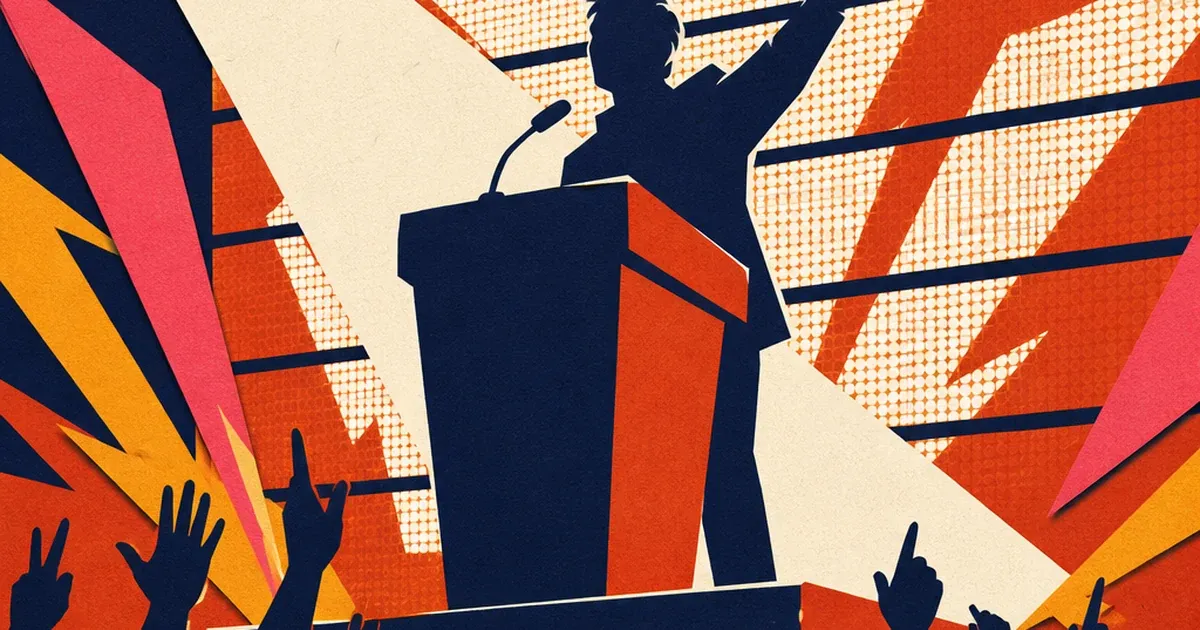
A conference stage, a product launch, a concert backdrop: almost every large event now runs an LED video wall behind the speaker or the act. To the crowd standing in the room, that wall looks perfectly smooth, no flicker, no banding, just clean motion graphics or a brand logo glowing behind the stage. Point a phone or a proper camera at it and the story changes. The recap photo comes back with dark horizontal bands slicing across the screen, sometimes one band, sometimes a shifting comb of several, and the wall behind the keynote speaker looks like it is malfunctioning even though it never dropped a frame live.
Why the wall looks fine to the eye and broken on camera
The wall was never actually on the whole time a person looked at it. LED displays do not emit continuous light. Each pixel switches on and off thousands of times per second using pulse-width modulation, cycling fast enough that a human eye blends it into what looks like steady brightness. A camera does not blend anything. It samples a narrow exposure window, and if that window catches part of the panel mid-pulse while another part happens to be at full brightness, the sensor records the difference as a dark stripe (One Display Group, "LED Screen Flicker on Camera: The Physics of Scan Lines and How to Shoot Clean Footage," 2026).
Most LED panels make this worse on their own by updating in row groups rather than all at once, a method called scan. An 8-scan or 16-scan panel lights up its rows in sequence rather than simultaneously, so at any given instant different rows of the same wall sit at different points in their own on/off cycle. A rolling-shutter camera sensor, which reads pixels row by row rather than all at once, captures exactly that row-by-row timing mismatch as a moving band. Slow motion and high frame rates make it worse still, since a shorter exposure window is more likely to land squarely on a dim phase of the cycle (One Display Group, 2026).
None of this shows up to a person standing in the venue. It shows up the moment someone posts the recap photo or a sponsor pulls a still from the event reel for a follow-up campaign.
This is a different mechanism than a flat color cast or a lighting-source problem
Every other lighting-defect vertical in this series comes down to an external light source hitting a passive product: a hotel's daylight-versus-lamp color split, a nightclub's colored stage gels landing on a bottle. An LED video wall is neither of those. The wall is the light source, and the problem is not its color, it is its timing. Nothing about white balance fixes a scan-line band, because the band is not a color-temperature error, it is a brightness artifact created by the mismatch between how fast the panel refreshes and how the camera's shutter samples it. A camera operator can dial around it live with the right shutter speed, but an event's own marketing team pulling a phone photo after the fact has no such control, and the damage is already baked into the file.
What a genuinely large industry is currently posting anyway
Trade shows and conferences alone make up a $24.7 billion industry in the United States, growing at a 12.8 percent five-year compound annual rate to 2026 across more than 50,000 businesses (IBISWorld, "Trade Show & Event Planning in the US Industry Data and Analysis," 2026). Nearly every one of those event and venue advertisers runs the same marketing loop this series has already covered for other verticals: photograph the moment, post it same-day, use it to sell tickets or sponsorships for the next date. An LED-wall backdrop is now close to a default at that scale of production. A recap photo where the branded backdrop reads as a broken screen behind the keynote speaker undercuts exactly the social proof an event needs to sell its next edition, and reshooting is not an option once the crowd has left the room.
Fixing the band without reshooting the event
Waiting for a "cleaner" camera setup is not realistic advice for a marketing team working from whatever photos already exist from the event. The fix has to work on the photo that was actually taken.
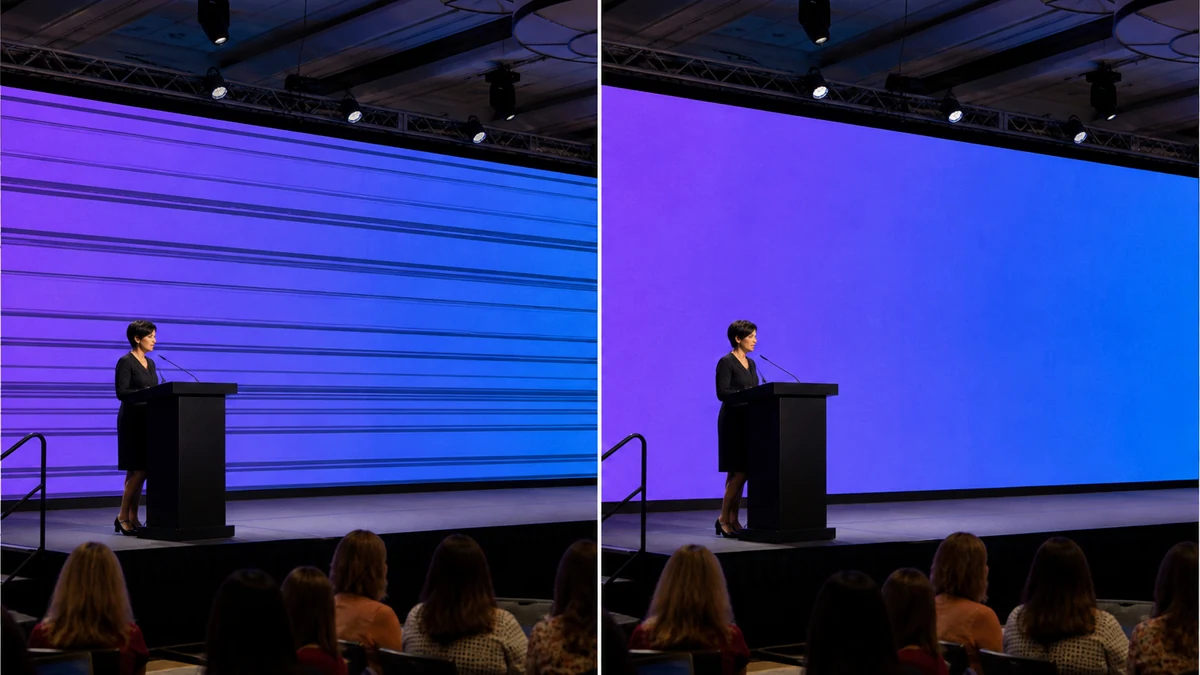
mcp.coinis.dev (the connection that runs enhance_asset_proxy) was offline when this article was produced. The image above is an illustrative still generated directly, not a live enhance_asset_proxy render. See a real enhance_asset_proxy correction in action on a bakery display-case photo.
The banding sits entirely inside the wall's own rectangle in the frame, never on the stage, the speaker, or the crowd around it. That makes this a mask-scoped correction, the same category of fix already used for a nightclub's colored stage-gel contamination on a bottle photo: isolate the flawed region, correct just that region, leave everything else in the photo exactly as shot. On Coinis, that repair runs through Ad Studio's enhance_asset_proxy tool, applied here with a tight mask around the LED wall's boundary rather than the whole frame or a single small object.
One corrected photo, every size the next event needs
A single fixed recap photo still has to cover a full promotional push: a square post announcing the event wrapped, a vertical Story counting down to the next date, a landscape banner for a sponsor deck or a Display placement.
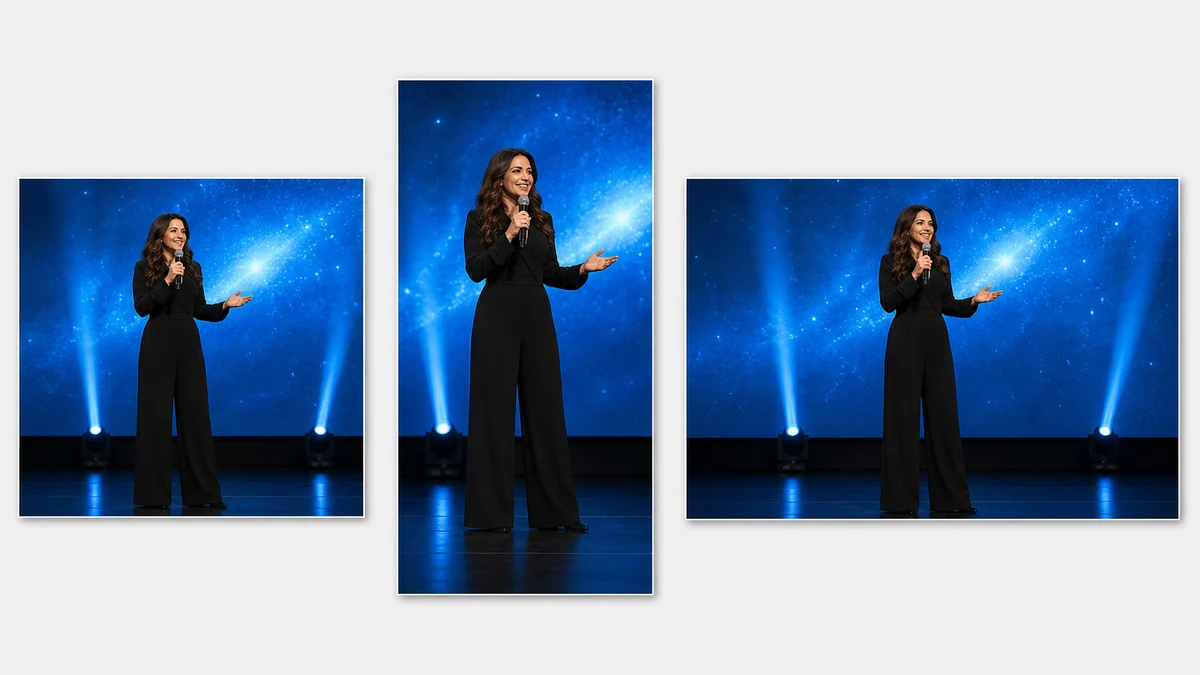
Same outage note applies here: this fan-out mockup is an illustrative still, not a live generate_image_templates render. See a real generate_image_templates fan-out for the actual tool in action.
Coinis's generate_image_templates tool takes that one corrected photo and produces the matched set across every standard ad size inside the same Ad Studio workflow, rather than a marketing coordinator manually cropping three files from a photo that still has the artifact baked into it.
What to do with an event's own stage photos before the next campaign
- Treat LED-wall banding as a region-specific fix. Mask the correction to the wall itself, not the whole frame, the same way a bottle's colored-light contamination gets masked to the bottle and not the whole nightclub.
- Never assume a color or exposure adjustment fixes this. The defect is a timing mismatch between the panel and the camera shutter, not a white-balance or brightness problem, so a global color correction leaves the bands untouched.
- Generate every ad size from the corrected photo, not the raw event capture, so the artifact does not resurface in whichever crop skipped the repair step.
- Do this before the next event's promotion goes out, not after a sponsor or attendee notices the wall looks broken in the recap post. The same discipline of refreshing creative before an audience gets bored of it applies well beyond events too, see how stale ad creative drains performance in mobile game advertising.
FAQ
Why does an LED wall band on camera when it looked perfectly smooth in person? A human eye blends the panel's rapid on/off pulsing into steady brightness. A camera samples a single narrow exposure window instead, and if that window lands on different phases of the panel's cycle across different rows, it records the difference as a dark band. The wall never actually malfunctioned.
Is this the same fix as a color cast from mixed lighting or colored stage gels? No. Those corrections adjust color temperature or hue across a light source hitting a product. This defect is a brightness/timing artifact from the display itself, and no color adjustment removes it. The fix has to target the banding pattern directly, inside a mask scoped to the wall.
Can an event just avoid this by changing camera settings next time? On a live shoot with a professional camera operator, yes, matching shutter speed to the panel's effective scan frequency helps. A marketing team working from phone photos or a videographer's already-delivered footage has no access to that control after the fact, which is exactly the gap this fix closes.
Does correcting the banding change anything else about the photo? No. A properly scoped fix only touches the masked LED-wall region. The stage, the speaker, the crowd, and the wall's actual on-screen content stay exactly as photographed.
What ad sizes does an event actually need from one recap photo? At minimum a square crop for a wrap-up feed post, a vertical crop for a Story teasing the next date, and a landscape crop for a sponsor deck or Display placement. Generating all three from the same corrected photo keeps the wall clean and consistent across every one.
Turn a stage photo into next quarter's event campaign
An event does not need a global-shutter camera rig or a reshoot to get a usable stage photo out of an LED-wall backdrop. It needs the banding corrected once, with the stage and crowd left untouched, then generated into every format the next promotion needs. On Coinis, that is enhance_asset_proxy for the masked correction and generate_image_templates for the fan-out, run as one Ad Studio workflow instead of a manual crop-and-hope pass on a photo that still shows the artifact. Start from the last event's own stage photo and turn it into a ready-to-run ad set with Coinis Ad Studio.
Sources
- One Display Group, "LED Screen Flicker on Camera: The Physics of Scan Lines and How to Shoot Clean Footage," 2026. https://www.onedisplaygroup.com/led-screen-flicker-on-camera-the-physics-of-scan-lines-and-how-to-shoot-clean-footage/
- IBISWorld, "Trade Show & Event Planning in the US Industry Data and Analysis," 2026. https://www.ibisworld.com/united-states/industry/trade-show-event-planning/1502/

Isidora Matovic
Author
Social media enthusiast and a full time researcher. She takes digital presence very seriously and that is why you are always in touch in what is going on with us! Follow us for more posts like this.