

A red pool float looks orange-brown by the time it's two feet underwater. A terracotta tile line goes flat gray. A crisp white liner reads pale blue. None of that is a camera setting mistake. It's water doing exactly what water does to light.
Water eats red light first, and it eats it fast
Sunlight is a mix of every visible wavelength, red through violet. Water doesn't absorb all of them equally. Red and orange have the longest wavelengths and the lowest energy in the visible spectrum, and water absorbs low-energy, long-wavelength light fastest. NOAA Ocean Exploration puts it directly: "In water, colors with lower energy, such as reds, oranges, and yellows are filtered out quickly. Because blue and violet light waves have more energy, they travel deeper through water." By the time light has traveled through even a few feet of pool water and bounced back to a camera, most of the red component is already gone.
That's why a photo of anything even partially submerged skews cyan or blue, regardless of the object's real color. It isn't a white-balance error the camera can fix after the fact, the same lesson that applies to a flat mirror-like reflection on a glossy electronics screen, and it isn't a filter problem on the lens. The color information has been physically removed from the light before it ever reaches the sensor.
Why this hits pool builders and pool retailers specifically
Most product categories never deal with this. A pool builder's whole marketing library does, by definition: finished-pool reveal shots, tile and coping samples staged in water, float and accessory photos shot at the surface line, drone shots of the deep end where the blue shift is strongest. Every one of those images is fighting the same absorption curve.
The scale of the problem is real. IBISWorld's Swimming Pool Construction industry report puts the US market at an estimated 24.8 billion dollars in 2026, growing at a 3.0% CAGR over the past five years, across more than 22,700 businesses. That's a large, fragmented industry where the marketing photo is almost always the finished pool itself, shot wet, shot from an angle that includes the water. A red-tinted tile sample or a true-white liner losing its actual color in every hero shot is a fixable flaw sitting in a huge number of ad accounts right now.
The fix doesn't need a different camera or a dive light
Underwater and dive photographers solve this the hard way, with red-channel filters or supplemental strobes carried down to the subject, the same optical-physics problem a serum bottle's own translucency creates in a different way, exactly because there's no in-camera setting that restores color the water has already absorbed. Advertisers working from an existing photo don't need to go underwater again. A targeted color-restoration pass on the image itself can put the lost red channel back where the product actually is, without touching the water, the pool structure, or anything else in the frame.
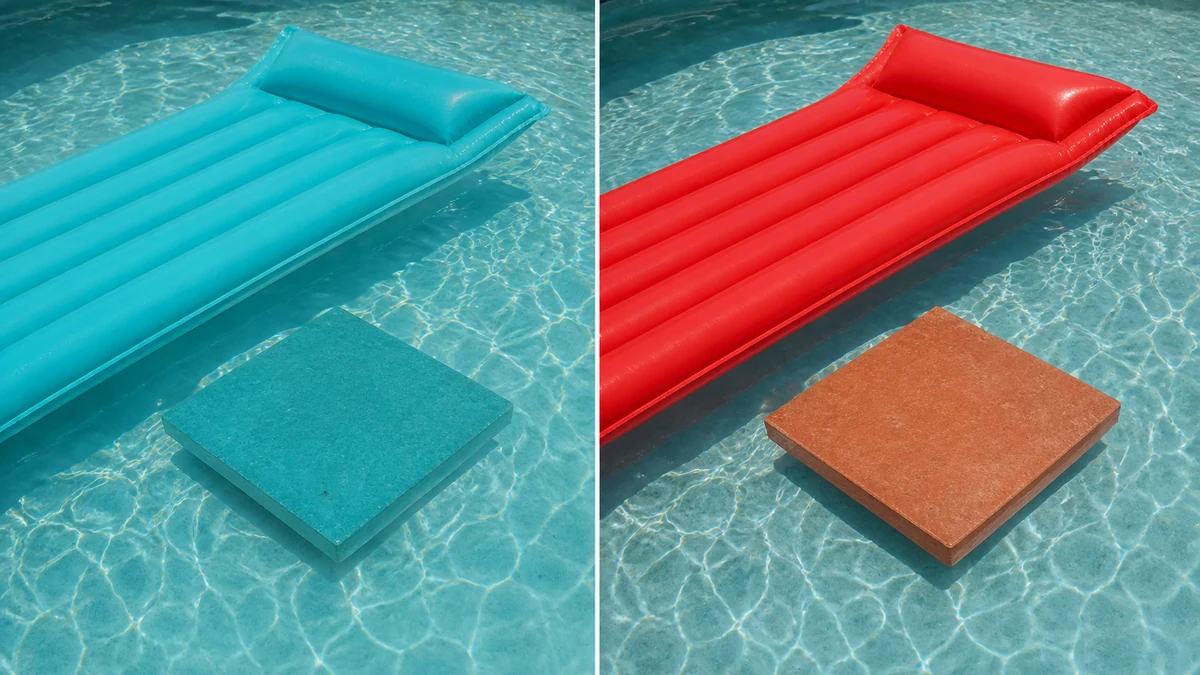
mcp.coinis.dev is in an extended OAuth outage as this article went to press, so the before/after above is a vision-QA'd illustrative still generated directly through OpenAI's image model rather than a live enhance_asset_proxy render. For a real enhance_asset_proxy recraft-inpaint repair on a comparable localized defect, see the wine bottle internal-reflection fix.
The mask stays tight to the product itself, the float, the tile, the liner edge, described only by the target state (true, even, natural saturation restored), never by naming the specific color lost or the cast it created. Naming a color word in a correction prompt is a confirmed way to get a model to paint in an unrelated hue instead of just restoring one, so the fix describes the destination, not the defect.
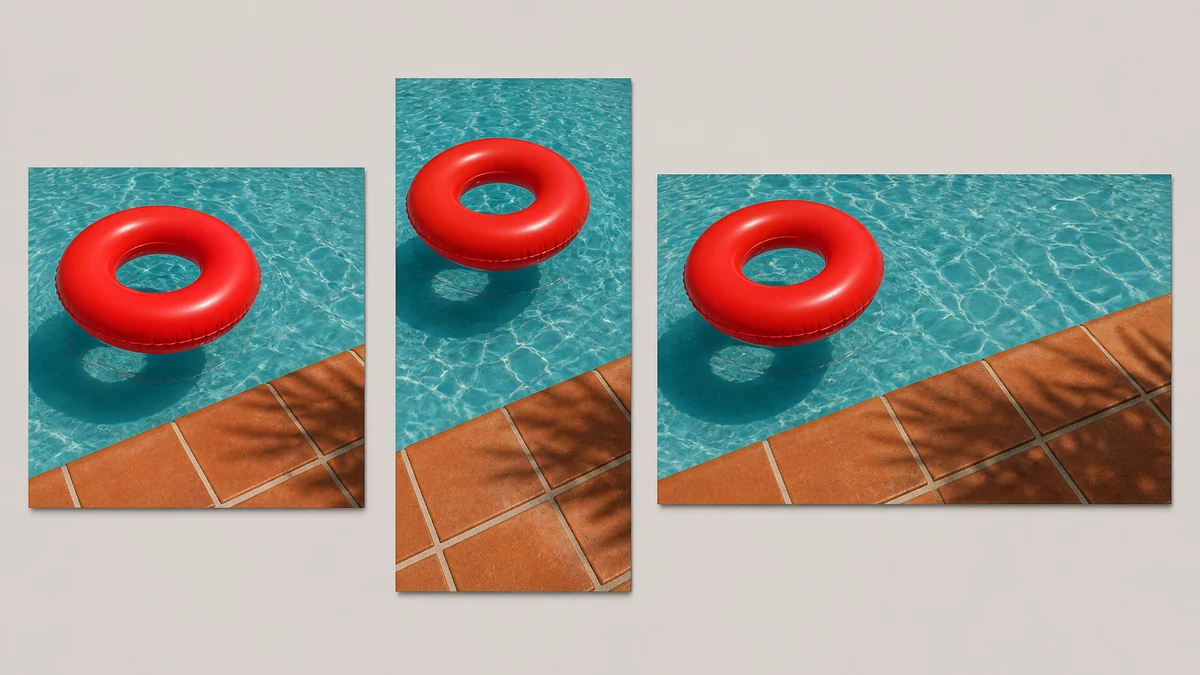
Once that corrected photo exists, the same source needs to run across every placement a pool builder actually buys: square for local Facebook and Instagram feed ads, vertical for Stories and Reels, landscape for display and YouTube pre-roll. Building that fan-out from one fixed photo, instead of separately correcting three different crops, keeps the pool, the tile, and the float color consistent everywhere the ad runs.
Turn this into a launch-ready ad on Coinis
This isn't just a cleaner pool photo, it's a ready ad shell, the same cosmetic-fix-to-launch-ready path already shown for a beverage glare-and-condensation fix. Coinis's marketplace runs the same photo-repair and multi-format generation shown above, and Ad Studio turns the corrected image straight into a launch-ready ad from a template instead of leaving the design work for later. Fix the color once, pick a template, launch across every size the campaign needs.
If your library has any other partially-submerged product shots, pool toys, tile samples staged in the shallow end, underwater slide or feature photos, the same fix applies to all of them.
FAQ
Why does my pool photo look blue or gray instead of the true color? Water absorbs red and orange light first because those wavelengths carry the least energy in the visible spectrum. Anything even partially submerged loses its red channel fast, so true colors shift toward blue and cyan the deeper the shot goes (NOAA Ocean Exploration).
Can I fix this with white balance or a color filter setting? No. White balance corrects for the color of the light source illuminating a scene, not for wavelengths that have been physically absorbed before reaching the camera. The red information is gone from the light itself, not miscalibrated in the camera's interpretation of it.
How do underwater photographers solve this on a fresh shoot? Dive photographers use red-channel correction filters or bring a strobe/dive light down to the subject to reintroduce the missing wavelengths at the point of capture. That's a real-time capture solution. For an existing photo you can't reshoot, a targeted color-restoration pass on the image achieves the same result after the fact.
Does this only affect fully underwater shots? No. Even a product just below the surface, a float bobbing at the waterline, tile a few inches under, loses meaningful red saturation. The effect scales with depth but starts immediately at the surface.
What ad sizes should a pool builder generate from one fixed photo? Square for feed placements, vertical for Stories and Reels, and landscape for display and pre-roll cover the placements most pool builders and pool retailers run. Generating all three from the same corrected source keeps the pool's actual color consistent across every ad a prospect sees.
Sources
- NOAA Ocean Exploration, "Factsheet: Light and Color in the Deep Sea," accessed 2026-09-21: https://oceanexplorer.noaa.gov/wp-content/uploads/2025/04/light-and-color-fact-sheet.pdf
- IBISWorld, "Swimming Pool Construction in the US Industry Analysis, 2026," accessed 2026-09-21: https://www.ibisworld.com/united-states/industry/swimming-pool-construction/2021/

Isidora Matovic
Author
Social media enthusiast and a full time researcher. She takes digital presence very seriously and that is why you are always in touch in what is going on with us! Follow us for more posts like this.