

A hot yoga room runs 95 to 105 degrees Fahrenheit with 40 to 60 percent relative humidity, the range most studios hold for a Bikram-style class (TempPro, "Best Temperature and Humidity in Hot Yoga Studio," 2026 and Crunch Fitness, "The Perfect Heat: What Temperature Is Best for Hot Yoga?," 2026). Walk a phone or a mirrorless camera straight from a 70-degree front desk into that room and the lens glass is still cold. The air around it is not. Within seconds the glass sits below the room's dew point, the temperature at which water vapor in the air turns back into liquid, and condensation forms directly on the lens the same way it forms on a cold drink glass left outside on a humid day (National Weather Service, "Dew Point Statistics," Tampa Bay office). The result is a soft, milky haze across the entire frame, not a spot, not a corner, the whole shot.
This is not a lighting mistake and it is not a dirty lens. It is physics. A photographer can clean the glass, adjust the softbox, reshoot the pose, and the next frame fogs over again in under a minute, because the lens is still colder than the room. Photography forums document the exact transition that causes it: gear moved from an air-conditioned space into a hot, humid one fogs almost immediately, and the haze keeps returning until the glass equalizes to the room's temperature (K&F Concept, "Camera Lens Fogging Up? Fix & Prevent Condensation," 2026).
Why This Defect Survives Every Studio Fix
A studio shooting marketing photos inside the heated room faces a problem a cold-room photographer never sees. The fog is not on the mat, the instructor, or the wall behind them. It sits on the glass between the camera and everything else, so it degrades the whole image uniformly: contrast drops, blacks lift to gray, and fine detail in skin tone, mat texture, and studio signage all soften at once. Wiping the lens buys one or two clean frames before the haze creeps back, because the fix only resets the surface, it does not warm the glass to match the room.
Most hot yoga studios do not have a second camera pre-acclimated and waiting, so the shots that make it into the ad account are often the hazy ones, not the clean ones. A soft, washed-out studio photo then gets reused across every platform and format a campaign needs: a Facebook square, an Instagram Story, a Google Display banner, all built from the same foggy source.
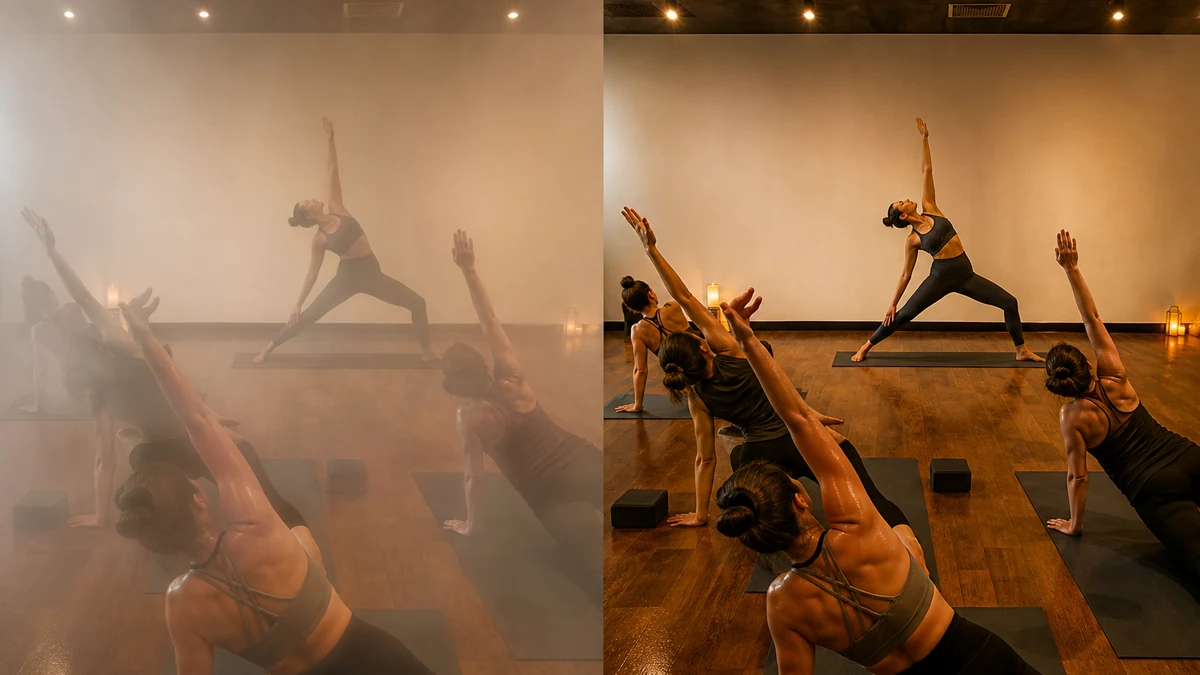
mcp.coinis.dev, the live connection Coinis uses to generate and correct ad creative on this blog, is in an active outage as this article is published, so the before/after above is an illustrative studio photo, not a real enhance_asset_proxy render of this exact scene. A real, live enhance_asset_proxy whole-frame correction is already demonstrated on a bakery's display-case glare fix (bakery-display-case-photo-fix-coinis), and the mechanism described here is the same full-frame approach.
Fixing the Photo Instead of the Camera
A studio does not need a second, pre-warmed camera body or a humidity-controlled gear bag to solve this at the ad-creative stage. The haze sits uniformly across the frame the same way a whole-photo color cast does, and Coinis's enhance_asset_proxy tool already handles that class of correction: restore contrast and clarity across the full image rather than patch one small region, the same full-frame approach already used to fix a beauty brand's whole-photo color cast (beauty-cosmetic-photo-color-cast-fix-coinis) and a camping brand's blown-highlight, crushed-shadow midday-sun photo (camping-outdoor-gear-harsh-sunlight-photo-fix-coinis).
Once the haze is cleared on one usable shot, the same photo needs to become every size and crop a real campaign runs without reshooting in a 105-degree room a second time. Coinis's generate_image_templates tool takes one corrected photo and fans it out into a square post, a vertical story, and a landscape banner automatically, the same workflow already demonstrated on a jewelry brand's reflective-surface fix (jewelry-ad-photo-fix-coinis) and a real estate listing photo (real-estate-listing-photo-blind-shadow-fix-coinis).
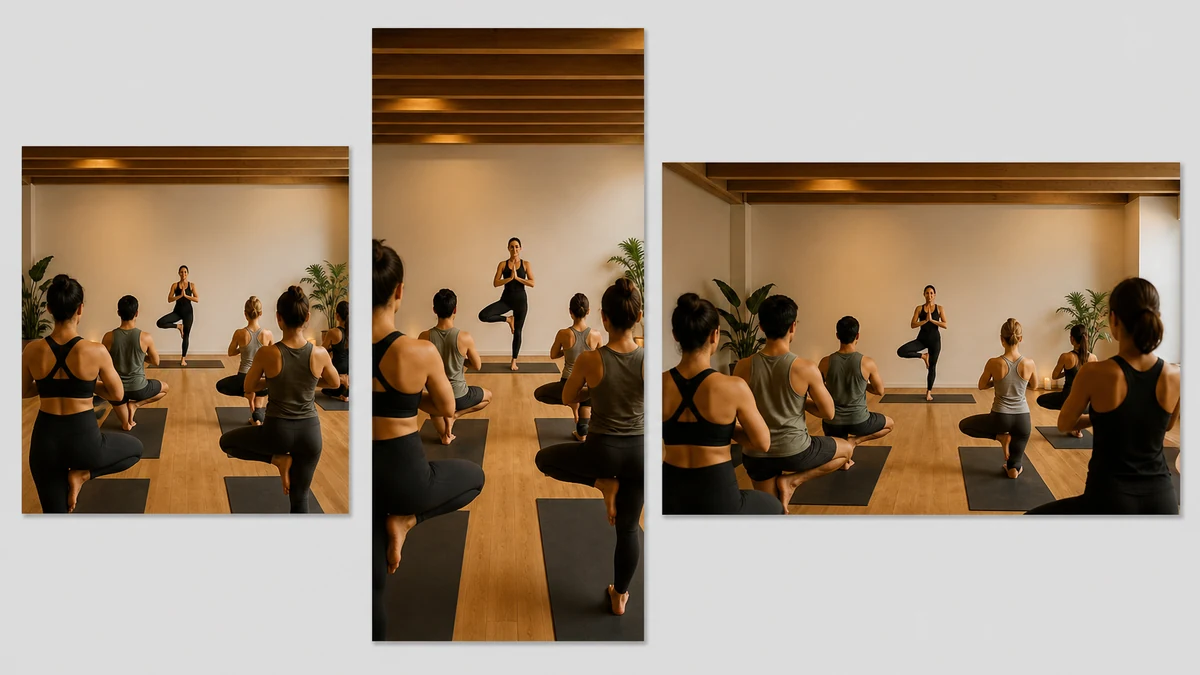
This fan-out is also an illustrative stand-in while mcp.coinis.dev's outage blocks a live generate_image_templates call on this exact photo. A real, live multi-format fan-out from this same tool is already demonstrated on a one-photo-to-every-ad-size workflow (one-photo-every-ad-size-coinis).
What to Do Before the Next Class Photo Shoot
A studio does not have to solve this with better camera gear. The fix is downstream of the shoot, not inside it:
- Shoot anyway, accept the haze will show up on at least some frames taken inside the heated room.
- Pick the frame with the best pose, composition, and instructor expression, haze and all, rather than discarding every foggy shot and reshooting repeatedly, which only produces the same fog again.
- Run the photo through
enhance_asset_proxyto clear the haze and restore contrast across the whole frame. - Fan the corrected photo out to every ad size with
generate_image_templatesinstead of re-cropping by hand for each platform. - Build the launch-ready ad set in Coinis Ad Studio from the corrected, fanned-out photo rather than stopping at a single repaired image.
The studio with 32,000-plus US locations competing for the same new-member search (Sports & Fitness Industry Association figure, cited via Wellyx, "What Yoga Industry Statistics Should You Know Before Jumping In?," 2026) is not won by whoever has the most humidity-sealed camera bag. It is won by whoever ships a clean, consistent ad creative set every week regardless of what the heated room did to that week's raw photo.
FAQ
Why does my hot yoga studio's photo look hazy even though the room lighting looked fine when I shot it? The haze is condensation forming on the camera lens itself, not a lighting problem in the room. A cold lens carried into a 95 to 105 degree, 40 to 60 percent humidity room sits below the air's dew point, so water vapor condenses directly on the glass (National Weather Service, "Dew Point Statistics," and K&F Concept, "Camera Lens Fogging Up? Fix & Prevent Condensation," 2026).
Will wiping the lens clean fix it for the rest of the shoot? Only briefly. Wiping resets the surface, but the glass is still colder than the room, so the haze typically returns within a minute until the lens fully equalizes to the room's temperature.
Does enhance_asset_proxy remove the haze without changing the photo's content? Yes. It restores contrast, clarity, and color across the existing frame. The room, the instructor, the mats, and the signage stay exactly as photographed.
Can I use a phone camera for these shots, or does this only affect dedicated cameras? Any lens, phone or dedicated camera, fogs the same way under this exact temperature-and-humidity mismatch. The dew-point physics does not care what body the lens is attached to.
What if the photo is dark or underexposed on top of the haze? Correcting a whole-frame haze and correcting a whole-frame exposure problem use the same full-frame approach in enhance_asset_proxy. A studio with both issues on the same photo can address them in the same correction pass rather than needing two separate tools.
Sources
- TempPro, "Best Temperature and Humidity in Hot Yoga Studio," 2026, https://temppro.com/blogs/news/best-temperature-humidity-for-hot-yoga
- Crunch Fitness, "The Perfect Heat: What Temperature Is Best for Hot Yoga?," 2026, https://www.crunch.com/thehub/the-perfect-heat-what-temperature-is-best-for-hot-yoga/
- National Weather Service (Tampa Bay), "Dew Point Statistics," https://www.weather.gov/tbw/dewpoint
- K&F Concept, "Camera Lens Fogging Up? Fix & Prevent Condensation," 2026, https://www.kfconcept.com/learning-center/camera-lens-fogging
- Wellyx, "What Yoga Industry Statistics Should You Know Before Jumping In?," 2026, https://wellyx.com/blog/yoga-industry-statistics/ (citing Sports & Fitness Industry Association, 32,000+ US yoga studios)

Isidora Matovic
Author
Social media enthusiast and a full time researcher. She takes digital presence very seriously and that is why you are always in touch in what is going on with us! Follow us for more posts like this.